
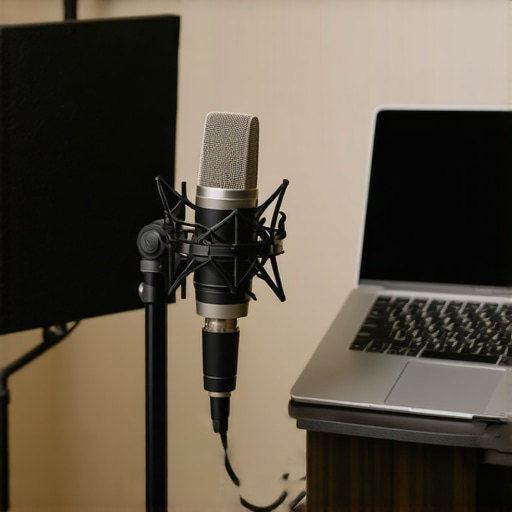
I remember the exact moment I realized my microphone was sabotaging my efforts. I was mid-sentence, trying to sound confident and professional, when suddenly my voice sounded tinny, distant, and just plain off. I spent hours tweaking settings, thinking I was doing something wrong, only to discover that my microphone was the real culprit. That lightbulb moment hit hard — I’d been wasting time and effort on gear that just didn’t cut it.
Why Your Microphone Choice Can Make or Break Your Podcast or Stream
If you’ve been struggling with poor audio quality, you’re not alone. The truth is, a good microphone is the backbone of any successful podcast or streaming setup. It’s not just about sounding professional; it’s about getting your message across clearly and engagingly. Even the best content can fall flat if your listeners are fighting to hear you or are distracted by background noise and distortion.
Over the years, I’ve tested dozens of mics, from budget-friendly USB options to high-end XLR beasts. And let me tell you — the right choice can elevate your content to a whole new level. But with so many options out there, where do you even start? That’s where I want to help. Today, we’re diving into the absolute best microphones for 2024 — whether you’re just starting or looking to upgrade your setup. Trust me, choosing the right mic isn’t as complicated as it seems, and I’ll guide you through it.
Are Better Microphones Actually Worth the Hype
Here’s a mistake I made early on: I thought I could get away with cheap gear and still sound good. Spoiler alert — I couldn’t. Cheap microphones often pick up more background noise, sound muffled, or lack the clarity you need to stand out. When I finally invested in a quality microphone, my audio quality improved dramatically, leading to more followers, sponsors, and collaborations. If you want to avoid that trial-and-error phase, check out our comprehensive guide to the best XLR & USB microphones for 2024.
So, if you’ve been asking yourself whether your current mic is holding you back, or if you’re just overwhelmed by the choices, don’t worry. I’ve got your back. In the next sections, we’ll explore what makes a microphone truly great for podcasting and streaming, and I’ll share my top picks for 2024 based on performance, value, and user experience. Ready to upgrade your sound? Let’s go!
Choose the Right Microphone for Your Voice and Space
Start by assessing your environment and voice. For a quiet room with minimal background noise, a USB microphone like the best USB microphone for clear voice can be a game-changer. If you have a dedicated studio space or want professional-grade sound, consider an XLR option such as the top XLR microphones for streaming in 2024. To make an informed decision, listen to samples of each microphone and compare their frequency responses, focusing on how natural and warm your voice sounds.
Set Up Your Microphone Correctly
Proper positioning is crucial. Keep the mic about 6-12 inches from your mouth, slightly off to the side to prevent plosives. Use a pop filter or windscreen to reduce sibilance and popping sounds. For XLR mics, connect to a quality audio interface like the best audio interfaces for 2024 to ensure clean power and minimal noise. Test your setup with recording software such as Audacity or OBS, and adjust gain levels so your voice is clear without clipping. I remember fiddling with gain for an hour during my first setup, and once I got it right, my recordings sounded professional and crisp.
Optimize Your Acoustic Environment
Sound treatment can dramatically improve your audio quality. Use foam panels, bass traps, or even thick curtains to dampen echo and reverb. Position yourself away from reflective surfaces like windows or hard walls. During my first live stream, I placed a blanket behind me, which reduced echo and made my voice sound warmer and more focused. Simple DIY solutions can make a big difference, especially if you’re on a budget.
Adjust Your Software Settings
Configure your recording or streaming software to match your microphone’s specifications. Use the dedicated input device in your software settings, and enable noise suppression or automatic gain control if available. Many streamers overlook this step, but it’s essential for consistent sound. For example, in OBS, selecting the correct mic and applying filters like noise gate or compressor can prevent background noise from sneaking in and ensure your voice remains steady and clear.
Test and Tweak Until Perfect
After initial setup, record short clips and listen critically. Pay attention to clarity, background noise, and volume consistency. Make small adjustments—move the mic closer or farther, tweak gain, or change your room setup. I once spent an entire afternoon adjusting my mic position until I achieved that perfect warm tone that became my signature sound. Remember, your microphone setup isn’t a one-and-done task; revisit and refine regularly as your environment or voice changes.
Many podcasters and streamers fall into common traps when selecting and setting up their microphones, often compromising their audio quality without realizing it. Let’s dig deeper into some of these pitfalls and how to avoid them, so your sound stays crisp, clear, and professional. One widespread misconception is that more expensive microphones automatically mean better sound. While high-end gear can offer advantages, many newcomers overlook the importance of proper setup and room treatment. An expensive mic in a noisy, echo-prone environment will still produce subpar audio. Conversely, a well-chosen budget mic, combined with good acoustic treatment, can outperform a costly microphone in a poor environment. For example, placing foam panels or even DIY solutions like blankets can significantly reduce reverb and background noise, making your recordings sound more polished.
Is Your Microphone Really the Bottleneck or Are You Missing These Details?
Another mistake many make is neglecting the importance of proper microphone positioning and gain settings. A common myth is that simply having the mic close to your mouth guarantees good sound. In reality, too close can cause plosive sounds and distortion, while too far results in weak and distant audio. The sweet spot is usually about 6-12 inches away, slightly off to the side. Additionally, setting the right gain level is crucial; too high, and you risk clipping and distortion, too low, and your voice sounds thin and weak. Many advanced users forget to use filters like noise gates, compressors, or EQ to refine their audio in real-time. These tools can prevent background noise from creeping in and help maintain a consistent sound, especially during live streams.
Moreover, many assume that software settings are just a matter of preference. However, incorrect configurations can introduce hiss, background noise, or uneven volume levels. Take the time to customize your recording software, whether it’s OBS or Audacity, to match your microphone’s characteristics. Properly adjusting these settings is often the difference between amateurish and professional-sounding audio.
Finally, consistently testing and listening critically to your recordings is vital. It’s tempting to set everything once and forget it, but environments change, and so does your voice. Regularly revisiting your setup and making incremental adjustments can elevate your sound quality over time. Remember, mastering your microphone setup is an ongoing process, and even experienced podcasters revisit their settings regularly. If you want to explore advanced microphone options, check out our comprehensive guide to best microphones for 2024 to ensure you’re making the right choices for your needs. Have you ever fallen into this trap? Let me know in the comments.
Maintaining your microphone and audio setup over time is crucial for ensuring consistent, professional sound quality. Just like any piece of technology, microphones and the associated equipment need regular care and troubleshooting to stay in optimal condition. In this guide, I’ll share the tools I personally rely on and the routines I follow to keep my podcasting gear working flawlessly, along with a glimpse of where this trend is heading in 2024.
Invest in Quality Cleaning and Maintenance Tools
First off, never underestimate the power of a good cleaning kit. I use a soft, lint-free cloth and a bit of isopropyl alcohol to gently clean my microphone grille and body. This prevents dust buildup and removes oils from frequent handling, which can degrade sound quality over time. For XLR mics, I also check the connectors and cables regularly, swapping out any that are worn or damaged. Replacing cheap or frayed cords with durable, high-quality cables (like Mogami or Canare) ensures a clean signal and reduces noise issues.
Prioritize Software and Firmware Updates
Keeping your software and firmware up to date is often overlooked but vital. I regularly check for updates for my audio interface, streaming software (like OBS), and any plugins I use. Firmware updates can improve compatibility, add features, and fix bugs. For instance, my Focusrite Scarlett audio interface regularly receives updates that enhance noise suppression and stability, which directly impacts my recording clarity. Scheduling quarterly reviews of my setup ensures I stay current and troubleshoot any emerging issues early.
Implement Routine Testing and Calibration
Regular testing is key. I dedicate a few minutes weekly to record test clips, listening critically for any drop in quality, background noise, or volume inconsistencies. This habit helps me spot problems before they affect my audience. Calibration of gain levels and microphone positioning is also essential. When I notice my voice sounding dull or distorted, I tweak my setup, adjusting the mic angle, distance, or gain. Using tools like this calibration guide helps me fine-tune my system for optimal results.
Maintain Your Environment for Long-Term Success
Environmental factors can sabotage your setup over time. I invest in acoustic panels and diffusers to keep my recording space echo-free. Regularly checking and rearranging my room setup prevents dust from settling on gear and minimizes background noise. A clutter-free, well-maintained space not only preserves equipment but also boosts your productivity and focus during recordings.
Where Is This Going in 2024
Looking ahead, I predict smarter, AI-powered tools will become mainstream, automatically diagnosing issues, suggesting calibration tweaks, and even cleaning audio in real-time. Companies are already developing firmware that learns your environment and adjusts settings dynamically, reducing manual intervention. Staying ahead means embracing these innovations and integrating them into your routine now. For example, utilizing advanced noise suppression software like AI-based noise reduction tools can drastically improve your long-term audio quality.
How do I maintain my microphone setup over time?
Establishing consistent routines is the secret. Schedule regular cleaning sessions, keep firmware updated, and test your setup weekly. Invest in quality cables and acoustic treatment, and stay informed about new tech developments. By making maintenance a habit, you’ll ensure your gear continues to perform at its best, saving you time and money in the long run. Try integrating some of these tips today, especially routine testing and calibration, to keep your audio crisp and professional for years to come.
The Hardest Lesson I Learned About Microphone Mastery
One of my biggest realizations was that the cheapest microphone isn’t just a minor inconvenience—it can actually sabotage your entire audio quality, making all your hard work seem unprofessional. I used to overlook this, thinking I could get by with budget gear, only to discover that investing in a quality microphone transformed my recordings and boosted my confidence.
3 Myths About Microphones That Held Me Back
For a long time, I believed that a more expensive mic automatically meant better sound. Turns out, environment and setup matter far more than price tag. Another myth was that close-miking always produces the best sound—sometimes, being too close causes plosives and distortion. The third misconception was that software alone can fix poor audio; in reality, proper hardware and environment are essential.
What Experts Won’t Tell You About Microphone Choices
Many professionals know that room treatment and positioning are the unsung heroes of good audio. They often spend more time optimizing environment and setup than upgrading gear. Also, they leverage tools like EQ, noise gates, and compression to refine sound in real-time, which is something beginners overlook but can dramatically improve audio quality.
My Essential Toolkit for Sound Excellence
First, I swear by the best XLR microphones for streaming in 2024 because of their durability and sound quality. For USB options, I trust the top USB microphones for clear voice—they’re plug-and-play and perfect for beginners. My favorite audio interface is the best in 2024 because it provides clean power and minimizes noise. Lastly, I use acoustic panels from reputable brands to control room reverb and echo, which makes a world of difference.
Embrace Your Microphone Journey Today
Getting your microphone setup right in 2024 isn’t just about gear—it’s about making your voice heard the way you intend. Every tweak, every adjustment, brings you closer to professional sound quality that can truly elevate your content. Remember, your voice is your most powerful tool—treat it with the respect it deserves, and don’t be afraid to experiment and learn along the way. Ready to take your audio to the next level? Your perfect sound awaits.
Have you ever struggled with a setup step that took your audio from decent to amazing? Share your story below—I’d love to hear about your journey to better sound!
Reading through this post reminded me of my early days in podcasting when I thought just having a decent mic was enough. I didn’t realize how much environment and setup could influence sound quality. I used a budget USB mic for a while, and while it was convenient, I kept battling background noise and inconsistent volume levels. It wasn’t until I invested in a good XLR microphone and sound treatment that things really clicked. Speaking of setup, I’ve found that small tweaks like microphone angle and gain adjustment can make a huge difference—sometimes more than upgrading to the latest gear. Have others experienced a noticeable jump in sound quality after simple room tweaks or mic positioning adjustments? I’d love to hear what small changes worked well for others, especially for those just starting out or on a budget.
This post resonates a lot with my experience. I used to settle for a budget USB mic, thinking it was enough, but then I faced the same issues with background noise and uneven volume. Upgrading to an XLR mic and investing in some basic acoustic panels made a huge difference. It’s interesting how small adjustments, like mic positioning and gain staging, can lead to such noticeable improvements. I’ve also found that using a decent pop filter helps reduce sibilance, especially during longer recordings. For those on a budget, DIY solutions like placing soft materials behind the mic can reduce echo without breaking the bank. The key takeaway for me is that quality gear helps, but proper setup and environment make all the difference. How do others balance investing in gear versus optimizing their room setup? Have you found any specific tools or techniques that gave you a quick boost in audio quality without a big investment? Would love to hear everyone’s tips on fine-tuning on a budget.