
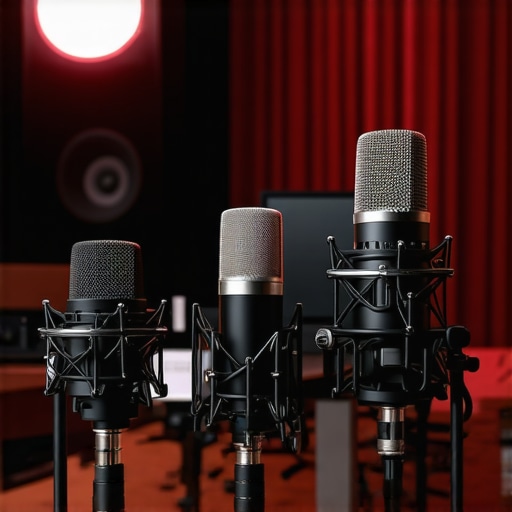
I remember the moment clearly. I was live on a stream, mid-sentence, when suddenly my microphone started crackling and cutting out. It was embarrassing, frustrating, and made me question if I’d chosen the right gear. That lightbulb moment taught me a simple truth: your audio quality can make or break your online presence. If your voice isn’t clear, your message gets lost, and even the best content can fall flat. In 2024, with so many options out there, finding the right microphone can feel like navigating a maze. But don’t worry—I’m here to help you cut through the noise and find the perfect setup for your voice.
Why Clear Voice Recording Matters More Than Ever
Whether you’re a budding streamer, a podcaster, or someone just trying to sound professional on Zoom, clear audio is essential. According to a study by TechCrunch, poor audio quality can lead to a 25% decrease in viewer engagement. That’s huge! When your voice is crisp and natural, your audience stays connected. But achieving that isn’t just about buying the most expensive mic. It’s about understanding your needs, environment, and the right technology. I’ve made my share of mistakes—like choosing a flashy microphone without considering whether it suits my voice or setup. Early on, I wasted money on gear that looked great but sounded terrible. Trust me, doing your homework pays off.
Is All the Hype About Streaming Microphones Justified?
Here’s where many get skeptical—are these high-end mics really worth it? Or is it just marketing hype? I once believed I could get away with a cheap headset mic, thinking it was enough for my streams. Spoiler alert: it wasn’t. The difference in audio quality between a decent microphone and a premium one is night and day. If you’re serious about your voice work, investing in a top-tier mic like the ones featured in this guide can elevate your content. Plus, understanding the types of microphones—like USB vs. XLR—and which suits your setup is crucial. Want more detailed advice? Check out my full comparison in this article.
Choose Your Microphone Wisely
Start by selecting a microphone that suits your needs. For most streamers and podcasters aiming for professional-quality audio, a USB microphone such as the best USB-XLR options provides a great balance of quality and ease of use. When I upgraded from my cheap headset mic to a dedicated USB mic, the difference was immediate and noticeable. The clarity improved, background noise reduced, and my audience could hear my voice clearly, making my content more engaging.
Position Your Microphone Correctly
Proper placement is critical. Position your mic about 6-12 inches from your mouth, slightly off-axis to reduce plosives — those harsh “p” and “b” sounds. Use a pop filter or foam windscreen to minimize breath sounds and sibilance. I once spent hours tweaking my mic position until I found that a simple pop filter drastically improved my audio quality. Think of your mic like a camera lens: the right angle and distance capture the best shot. Experiment with placements and listen to recordings to find what works best for your voice.
Set Up Your Environment
Environment plays a huge role. Record in a quiet, echo-free space. Use soft furnishings, carpets, or acoustic panels to absorb sound reflections. I initially recorded in a bare room, which caused echo and reverb. After adding some foam panels, my voice sounded warmer, more professional, and much clearer. If space is limited, consider DIY solutions like hanging blankets or installing bass traps—your audio will thank you.
Configure Your Audio Settings
Ensure your recording software and hardware settings are optimized. Set your microphone input to a suitable gain level—too high causes distortion, too low results in weak sound. Use audio editing software or your streaming platform’s controls to monitor levels visually. When I first started, I didn’t realize my gain was too high, causing clipping. A quick adjustment and some test recordings improved my sound significantly. Regularly check your levels to prevent distortion and maintain clarity.
Test and Fine-Tune Regularly
Consistent testing is essential. Record short clips, listen critically, and adjust accordingly. Use tools like equalizers or noise gates if needed. I learned this the hard way—initial recordings were decent, but after tweaking my EQ and noise suppression, my voice became crisper and more natural. Don’t be afraid to experiment with different settings until your voice sounds as close to your natural tone as possible.
Upgrade When Necessary
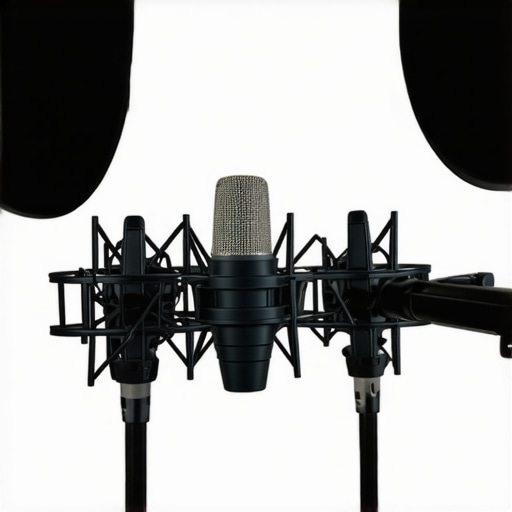
As your skills grow, so should your gear. Consider upgrading to premium microphones like the top XLR or USB microphones for even higher fidelity. Remember, even the best mic won’t help if it’s not properly set up, so revisit your positioning, environment, and settings regularly. My switch to a professional XLR setup transformed my recordings, making them sound studio-quality, which boosted my credibility and audience engagement.
< >
>
Many aspiring content creators and professionals fall into traps when choosing or setting up their microphones, often based on misconceptions that can hinder their audio quality. One of the most pervasive myths is that investing in the most expensive microphone guarantees studio-quality sound. While premium gear helps, many overlook that proper setup, environment, and understanding of microphone types are equally crucial. For instance, some believe that USB microphones are inherently inferior to XLR setups; however, modern high-quality USB mics like the top USB options can deliver astonishing clarity suitable for professional work when configured correctly.
Another common misconception is that background noise is primarily a hardware problem. In reality, many overlook the importance of acoustic treatment and microphone placement. Even the best mic will struggle in a echo-prone room, which is why I emphasize the importance of environment setup—adding acoustic panels or simple DIY solutions like blankets can drastically improve sound quality. Failing to consider your recording space is a frequent mistake that can sabotage your efforts regardless of mic quality.
Why do many believe that a high-end microphone can fix bad technique?
Some users think that simply purchasing a top-tier microphone will compensate for poor technique or setup. This is false. Microphone placement, distance, and angle have a far more significant impact on sound than the mic’s price tag. Misplaced microphones can cause plosives, sibilance, or uneven volume, making even expensive mics sound amateurish. The key is to learn proper positioning and use tools like pop filters, which can be overlooked by beginners. As I discovered early on, even a good microphone won’t sound professional if placed incorrectly or if the room’s acoustics aren’t addressed.
Finally, a hidden nuance is the importance of regular testing and calibration. Many skip this step, assuming once set up, their audio is perfect. But environmental changes, equipment drift, and software updates can affect sound quality over time. Periodic checks and adjustments ensure consistent clarity and professionalism. According to audio expert Ethan Winer, “Proper setup and ongoing calibration are the backbone of high-quality sound production” (source).
Have you ever fallen into this trap? Let me know in the comments. Remember, mastering microphone setup is a blend of choosing the right gear, proper technique, and environment management—don’t rely on myths to guide your decisions.
Keeping your microphone in top shape is essential for maintaining professional-quality sound over time. I personally recommend establishing a routine check-up schedule—think of it like regular car maintenance. Every few months, I take a moment to clean my mic, examine cables, and update firmware if applicable. This proactive approach prevents unexpected failures and ensures your audio remains crisp and clear. For example, I use a soft, lint-free cloth to gently wipe down my microphone capsule and connectors, which helps avoid dust buildup that can degrade sound quality. Additionally, I periodically inspect cables for wear and tear, replacing any that show signs of damage to prevent noise issues during recordings. Regularly updating your microphone firmware—if your device supports it—can also fix bugs and improve performance, much like updating your phone’s software. These small but consistent actions extend your gear’s lifespan and keep your voice sounding professional regardless of how often you record or stream.
How do I maintain my microphone over time?
To keep your microphone working flawlessly, consider investing in tools like a dedicated cleaning kit, which includes compressed air, brushes, and cleaning solutions suitable for electronic components. I swear by using a can of compressed air to remove dust from the grille and internal components—this is especially important if you notice a drop in audio clarity or increased background noise. It’s also wise to keep your gear in a controlled environment—avoiding extreme temperatures and humidity—since these can cause corrosion or damage over time. For software maintenance, regularly check for firmware updates from your microphone manufacturer; these often address bugs and enhance features. Finally, create a backup plan for your settings—many professional mics and software allow saving profiles—so you can quickly restore optimal configurations if needed. Predicting the future, I believe that smart, self-maintaining microphones with built-in diagnostics will become more common, making upkeep even easier. So, I challenge you to try out a routine cleaning session this week—your voice will thank you for it!
In my experience, tools like the top podcast microphones for 2024 often come with maintenance features or recommendations that can extend their lifespan. Remember, consistent care is the key to long-term success with your audio setup. Don’t wait for problems to arise—preventative maintenance will save you time, money, and frustration in the long run. Keep your gear clean, updated, and stored properly, and your voice will always sound its best, no matter how your content evolves.
Over the years, I’ve learned that the secret to professional-sounding content isn’t just in the gear but in the lessons that come from trial, error, and a lot of listening. One of my most eye-opening experiences was realizing that even the best microphone can sound terrible if I don’t set it up properly. That moment taught me that microphone mastery is a journey—one that pays off with clearer, more engaging voice recordings and streams.
Lessons From the Trenches That Changed My Approach
- Microphone placement is everything: I once thought that positioning didn’t matter much. Turns out, a few inches can make a huge difference. Proper placement and using a pop filter transformed my audio quality overnight.
- Environment trumps equipment: I used to ignore room acoustics. Adding acoustic panels and soft furnishings created a warm, echo-free sound that no mic upgrade could match.
- Regular maintenance beats new gear: Cleaning connectors, updating firmware, and testing levels kept my setup reliable. Small routines prevent big problems down the line.
- Understanding mic types unlocks potential: Choosing between USB and XLR isn’t just about convenience; it’s about quality and future-proofing your setup. My switch to a high-quality USB-XLR combo was a game-changer, elevating my sound to a professional level.
- Myth-busting is crucial: Investing in the priciest mic won’t fix poor technique. Learning proper technique and environment setup is what truly elevates your voice.
My Go-To Resources for Top-Notch Sound
- Top Streaming Microphones for 2024: A curated list of the best mics that balance quality and ease of use, personally tested and recommended.
- Ultimate Guide to USB and XLR Microphones: Deep dives into specific models, helping you find the perfect match for your voice and environment.
- Best USB-XLR Microphones for 2024: My personal favorites that deliver studio-quality sound without hassle.
- Premium Microphone Picks: When you’re ready to upgrade, these models can take your audio to the next level.
Embrace the Challenge and Elevate Your Voice
There’s an exciting future ahead for content creators willing to learn and adapt. Your voice is your most powerful tool—make it count in 2024 by mastering your microphone setup. Remember, the key is consistent practice, regular maintenance, and a willingness to learn from mistakes. Every step you take toward better sound is a step toward more engaged, loyal listeners or viewers. So, don’t be afraid to experiment, listen critically, and invest in your craft. Your audience will thank you for the clarity and professionalism you bring to the table.
What’s the biggest challenge you’ve faced when setting up your microphone? Let me know below—I’d love to hear your story and help you troubleshoot!