
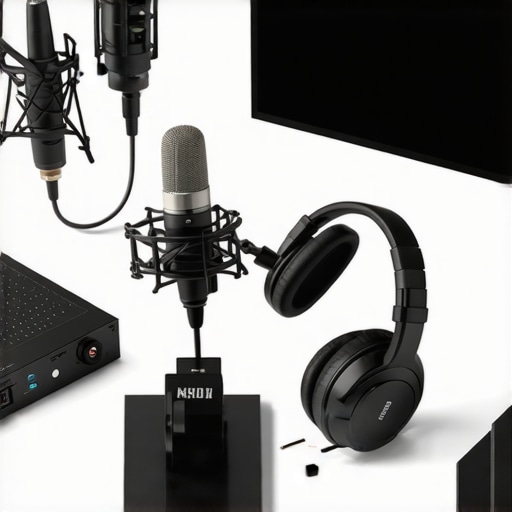
I remember the moment vividly—sitting in my cluttered home studio, desperately trying to sound like a professional voice-over artist, only to be drowned out by background noise and a microphone that just wouldn’t cooperate. It was frustrating, discouraging even. That lightbulb moment hit me hard: my equipment was holding me back, not my voice. And if you’re reading this, chances are you’ve felt the same sting—the struggle to get crystal-clear audio that makes your audience sit up and listen.
Why Settling for Poor Sound Quality Can Halt Your Growth
Poor audio quality isn’t just a minor annoyance; it’s a real barrier to success in streaming and podcasting. When your voice sounds muffled or distant, listeners tend to tune out—even if your content is gold. Reliable, high-quality sound can make or break your credibility and listener engagement. As Forbes recently emphasized, audio clarity directly influences audience retention and perception of professionalism.
But here’s the thing—avoiding this mistake isn’t just about buying the most expensive gear. Early on, I made a classic error: I thought a fancy-looking microphone would automatically improve my sound. Nope. It’s about choosing the right microphone for *your* voice and setup, especially with so many options out there. That’s where this guide comes in.
Do you find yourself frustrated with inconsistent sound quality or technical issues? Well, stick around. We’re about to dive deep into the best USB microphones for streaming and podcasting in 2024, helping you avoid common pitfalls and find your voice’s true potential.
Select the Right Microphone Type for Your Needs
Choosing between a USB microphone and an XLR microphone is your first crucial step. For beginners, a USB microphone offers simplicity, with plug-and-play ease, perfect for quick setup and minimal technical hassle. If you aim for professional-quality sound, investing in an XLR microphone provides greater flexibility and sound fidelity, but requires additional equipment like an audio interface. During my first experiment, I started with a USB mic, but later upgraded to an XLR setup, which significantly improved my audio clarity and professional impression.
Position Your Microphone for Optimal Voice Clarity
Proper placement is like positioning a spotlight on your voice—bring it too close, and you risk distortion; too far, and your sound becomes thin and distant. Aim to place the microphone about 6 to 12 inches from your mouth, slightly off-center to avoid plosive sounds. During my messy first attempt, I used a makeshift boom arm and adjusted it multiple times, learning the importance of positioning in achieving balanced sound quality. Use a boom arm or shock mount to stabilize the mic and reduce handling noise, especially if you’re moving around during recordings.
Control Your Environment for Clean audio
Eliminate background noise like computer fans, air conditioners, or household appliances. Use soft furnishings—curtains, carpets, or foam panels—to absorb echo and reverberation. I once recorded a podcast in a noisy room, and the echo was overwhelming until I added towels and placed my setup in a closet corner, which drastically improved sound clarity. Investing in a portable vocal booth or reflection filter can be a game-changer for echo-heavy spaces.
Configure Your Equipment for Perfect Sound
Adjust gain settings on your microphone or audio interface to prevent peaking and distortion. Start with the gain low and gradually increase until your voice is clear and strong without clipping. For USB microphones, use the software controls provided to fine-tune input levels; for XLR setups, check your interface’s gain controls. In my early days, I over-boosted gain, causing harshness, until I learned to set levels that preserve natural voice warmth. Consider using software noise suppression or EQ adjustments to further clean the audio during post-production.
Test, Record, and Refine Your Setup
Always record a short test before your main session. Play it back critically and listen for issues—distortion, background noise, uneven volume. Adjust microphone position, gain, or environment as needed. Consistently testing allows you to develop a personal setup tune-up routine. I found that slightly tilting my mic upward improved my vocal tone, making my recordings sound more natural and engaging. Keep notes on what adjustments produce the best results, and don’t hesitate to experiment—your perfect sound is a combination of proper equipment, setup, and environment.
Many content creators assume that choosing the most expensive or flashy microphone guarantees professional sound quality, but in reality, this is a misconception that can hinder your progress. A common myth is that higher-end equipment automatically results in better audio; however, microphone placement, room acoustics, and proper gain settings are often more critical factors for achieving clear, compelling voice recordings. Overlooking these nuanced details can lead to frustrating results, even with top-tier gear. For example, some believe that XLR microphones always outperform USB options, but the truth is that selecting the right microphone type depends on your specific environment and setup, which makes understanding their differences essential. An often underestimated aspect is the importance of acoustically treating your recording space—without it, even the best microphone can pick up unwanted echoes or background noise, diminishing overall sound quality. Moreover, many underestimate the impact of proper microphone positioning; placing a mic too close can cause harsh plosives, while positioning it too far results in a hollow tone. Advanced users also recognize that gain staging and filtering techniques can prevent distortion and enhance clarity, a point supported by research from audio engineers who emphasize proper gain management as crucial in achieving professional results.
Why Do Some Microphones Still Sound Poor Despite High Cost?
In my experience, some creators invest heavily without addressing these finer details, leading to subpar audio. Remember, investing in a microphone is just one piece of the puzzle. For instance, even a highly-rated XLR microphone like those listed on best XLR microphones for professional voice recording will underperform if not paired with proper room treatment and correct gain settings. Likewise, many assume that a simple plug-and-play USB microphone can solve all their sound issues. While convenient, these microphones also require attention to placement and environment to reach optimal quality, as highlighted in guides on USB microphones for streaming. The real secret is that mastering these subtle but impactful nuances separates content creators with decent audio from those with broadcast-quality sound. Keep in mind that advanced audio techniques, like applying compression and EQ during post-production, can further elevate your voice recordings—skills often overlooked by beginners, yet essential for professional-sounding content. So, don’t get caught in the trap of equating equipment cost with quality; instead, focus on mastering setup and environment management. Have you ever fallen into this trap? Let me know in the comments.
Tools I Recommend for Reliable, Long-Term Setup
Maintaining excellent audio quality over time requires the right tools and a proactive approach. I personally rely on a combination of hardware accessories and software solutions that are tailored to my specific setup. For example, investing in a high-quality XLR microphone with an integrated shock mount minimizes handling noise and prevents mechanical stress, ensuring durability and consistency. Additionally, I use a well-designed pop filter to prevent plosive damage and extend the lifespan of my microphone’s capsule.
On the software side, I depend on reliable digital audio workstations like digital microphones setup guides recommend noise suppression plugins, such as iZotope RX, which can clean up residual background noise and prevent long-term recording fatigue. These tools help maintain clarity and prevent the need for constant re-recording due to environmental noise creep.
Regularly updating firmware and drivers for your audio interfaces and microphones ensures compatibility with current operating systems and prevents performance drops. I set a quarterly reminder to check for updates from my hardware manufacturers, which keeps my setup running smoothly. Also, periodically inspecting cables and connectors prevents issues caused by wear and tear, ensuring durable connections during critical recordings.
How do I maintain my streaming microphone over time?
Perform routine cleaning of your microphone’s grille with a soft, lint-free cloth and use compressed air to clear dust from the interior components. Store your equipment in a dedicated case or padded environment to avoid knocks and environmental damage. Additionally, take advantage of calibration techniques such as proper gain staging to ensure your audio signal remains healthy and distortion-free.
To give your setup a modern boost, I recommend exploring a digital analog compressor that can help manage dynamic range consistently, reducing the risk of clipping during unexpected loud speech. According to expert advice from ProSoundWeb, maintaining this level of dynamic control prolongs equipment life and ensures professional-grade sound at every session.
Proactive maintenance extends equipment lifespan and keeps your voice crisp, clear, and free from unexpected interruptions. I personally recommend setting monthly routine checks—like updating firmware, testing cables, and cleaning hardware—to nip potential problems in the bud before they escalate. And don’t forget—having the right tools in your arsenal makes all the difference.
Ready to take your setup further? Consider trying a noise suppression plugin or a dedicated pop filter upgrade as your next step. These small investments can dramatically improve your long-term sound quality and reduce the need for costly repairs or replacements down the line. Trust me, your audience will thank you for it!
What I Wish I Knew Before Settling on a Microphone
One of the most eye-opening lessons I learned was the importance of tailoring your setup to your unique environment and voice. Initially, I believed that investing in an expensive microphone would instantly elevate my audio quality, but it wasn’t enough. The real breakthrough came when I understood the critical role of room acoustics and proper placement, which transformed my recordings from flat to engaging. Another insight was recognizing that gain settings and environmental noise are often more influential than the microphone’s price tag, saving me from unnecessary expenses and frustration. Lastly, I discovered that continuous testing and fine-tuning—like adjusting mic angles or adding simple sound treatment—are essential steps in achieving professional-sounding voice recordings that resonate with your audience.
My Personal Arsenal for Consistent, High-Quality Voice Work
Over the years, I’ve curated a toolkit that consistently delivers top-tier audio. The cornerstone is a high-quality XLR microphone paired with a sturdy shock mount and pop filter, which minimizes handling noise and plosive sounds. For quick setup and convenience, I rely on a reliable USB microphone that’s perfect for fast-paced recording environments. My editing suite includes noise suppression plugins like iZotope RX to clean residual background sounds, ensuring clarity remains intact even on less-than-ideal days. Regular firmware updates, cable inspections, and environmental tweaks are simple yet powerful routines that keep my audio crisp and dependable.
Keep Pushing: Your Voice is Your Power
Remember, the journey to high-quality voice recordings is ongoing. Embrace experimentation with your setup, stay curious about new tools, and never underestimate the impact of acoustic treatment and positioning. Every tweak brings you closer to that broadcast-level clarity. Your voice has the potential to connect, inspire, and inform—don’t let equipment or environment block your expression. The key is consistency and continuous learning, so keep refining your craft, and watch your audience grow. Now is the perfect time to invest in your voice and turn your passion into a professional presence. How will you optimize your microphone setup today?