
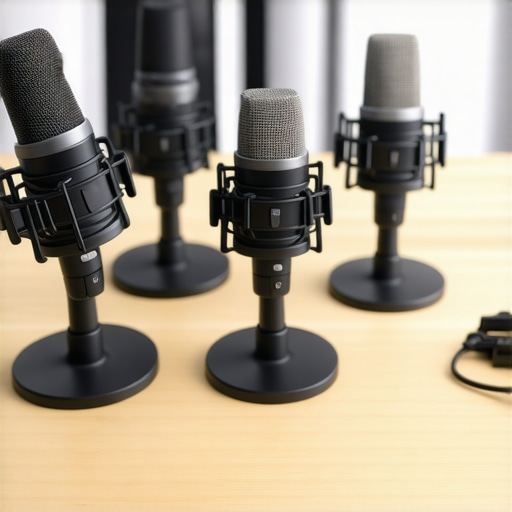
It was a typical Thursday evening when I hit a frustrating wall. After trying countless microphones for my streaming setup, my voice sounded thin, tinny, and completely unprofessional—despite spending a fortune on supposedly ‘premium’ gear. It finally sank in: I’d been duped into believing that expensive gear was the only way to achieve studio-quality sound. But that night, I had a lightbulb moment. Why should high-quality sound be out of reach for those of us on a budget? I decided to dig deeper, test countless models, and figure out if affordable microphones could genuinely rival professional setups.
Why Your Microphone Matters More Than You Think
Imagine pouring your heart into a podcast or livestream, only to be let down by subpar audio. Poor sound quality can turn viewers away faster than a bad video thumbnail. It’s like trying to enjoy a conversation through a thick wall—no matter how engaging your content is, muffled audio ruins the experience. But here’s the thing: you don’t need to break the bank to get crisp, clear sound. I’ve tested models that cost less than a dinner out and yet produce audio quality that can fool even seasoned pros.
Thinking back, I made a costly mistake early on: I assumed that all USB microphones are the same. Spoiler alert: They’re not. Some cheap models are disastrous, while others punch well above their weight. The key is knowing which ones to trust—something I’ve dedicated my own time and resources to figure out. So, if you’ve ever been *that* person with a muffled voice on your calls or a fuzzy podcast, I’m here to tell you: your solution is closer than you think.
In this post, I’ll walk you through the five best affordable USB microphones that sound professional in 2026. Whether you’re a budding streamer, podcaster, or content creator, these mics prove that quality isn’t about price—it’s about knowing what to look for. Ready to upgrade without breaking your budget? Let’s dive in!
Is a Budget Microphone Actually Worth the Hype?
One of my biggest hesitations early on was whether cheap microphones could really deliver professional sound, or if I’d just be wasting my money. I learned the hard way that many YouTube reviews are overly optimistic or sponsored. I also made the mistake of ignoring specifications and focusing solely on brand names. Trust me—if you want to avoid wasting time and money, it’s crucial to know which models deliver genuine value. For a deeper understanding of why some models outperform others, check out this comprehensive guide to XLR microphones. My goal is to save you from making the same mistakes and help you find microphones that truly deliver sparkling audio without draining your wallet.
Select the Right Microphone Type for Your Setup
Choosing between a USB microphone and an XLR setup is the first crucial step. Think of USB mics as a plug-and-play solution, like a coffee maker you just press a button on. They are straightforward, affordable, and ideal for beginners or those with limited space. I once grabbed a popular USB mic for my early streaming attempts; it was simple to use but lacked the depth I needed for professional-sounding recordings. For serious quality and flexibility, consider an XLR microphone. It’s like upgrading from a bicycle to a motorcycle—more setup but vastly better sound and future-proofing.
Matching Microphones with Your Equipment
Think of your microphone as the heart of your audio chain; it needs the right ‘body’ to function optimally. A good USB mic often includes built-in audio interfaces, making it a ready-to-record device—perfect for quick setups. However, for XLR mics, you’ll need an audio interface or mixer, which acts as the bridge between microphone and computer. I once connected a budget XLR mic to a subpar interface, resulting in muffled sound until I replaced the interface with a higher-quality model, demonstrating how essential matching components are. For guidance, check out the best XLR and USB microphone pairings for 2024.
Tuning Your Microphone for Peak Performance
Once you’ve selected your mic, the next step is tuning it. Think of this like tuning a musical instrument. Start by positioning the microphone correctly—generally 6-12 inches from your mouth, slightly off-axis to avoid plosive sounds. I once spent hours adjusting a cheap mic, experimenting with angle and distance, which dramatically improved clarity. Use a pop filter to reduce harsh sounds and a foam windscreen for further noise suppression. Then, set your gain levels just enough to capture your voice without distortion—this is akin to adjusting a volume knob to match the room’s acoustics. For optimal results, consult detailed techniques in the voice microphone tuning guide.
Eliminate Background Noise Effectively
Background noise is the enemy of professional sound. Think of your microphone as a sensitive microphone; it captures everything around it—a loud fan, keyboard clicks, or distant conversations. I found that recording in a small, untreated room led to background hums that I couldn’t remove later. To combat this, position your mic in a quiet environment, use directional patterns (like cardioid) to focus on your voice, and employ physical barriers. Software noise reduction tools can help too, but they’re no substitute for good habits. For more advanced tips, visit the noise-canceling strategies.
Regularly Test and Improve Your Audio Setup
Audio quality isn’t a set-and-forget process. Think of it as tuning a guitar—regular checks ensure your sound remains sharp. Record short test clips, listen critically, and adjust positioning, gain, or room acoustics as needed. I made the mistake of leaving my setup untouched for months, only to realize my recordings sounded dull and muddy. After periodically testing, I discovered that small tweaks, like repositioning the microphone or adding soft furnishings, made a noticeable difference. To streamline this, use tools like voice recording testing equipment, ensuring consistent quality over time.Many believe that choosing the most expensive microphone guarantees professional results, but in my experience, this is a misconception that can lead to costly mistakes. Overlooking the importance of proper microphone placement and environment, even the top-tier gear can produce subpar audio if not used correctly. For example, some assume that a popular USB microphone automatically delivers studio-quality sound, yet fail to consider factors like room acoustics, gain staging, and noise isolation, which are critical for achieving broadcast-worthy audio. Additionally, a prevalent myth is that XLR microphones are always better than USB options; however, advanced USB microphones now incorporate high-quality components that can rival many XLR models—if used with proper technique. An advanced nuance often missed is the impact of polar patterns on background noise rejection, where selecting the right pattern (like cardioid) can drastically improve clarity, especially in untreated rooms. Experts like Ethan Winer emphasize that environmental factors often have a greater influence on sound quality than the microphone itself, highlighting the importance of acoustics and setup (source: acoustics expert insights). Many streamers make the oops of ignoring proper gain staging, leading to distortion or noise, which could be avoided with a basic understanding of signal levels. To truly elevate your voice recording game, invest time in learning about these nuances rather than relying solely on gear quality. Remember, mastering your technique and environment often yields more dramatic improvements than upgrading equipment alone. Have you ever fallen into this trap? Let me know in the comments.
Essential Maintenance Practices for Microphones and Gear
Maintaining your microphone setup isn’t just about occasional cleaning; it’s a continuous process that ensures consistent high-quality sound. I personally schedule regular checks every few months, inspecting cables, connections, and the physical condition of my XLR and USB microphones. Using compressed air to clear dust from connectors and gently wiping down the microphone body with a lint-free cloth prevents buildup that could degrade performance.
For ongoing care, I recommend investing in a dedicated shock mount and pop filter, which not only improve audio clarity but also protect your mic from physical shocks and plosives. Replacing these accessories periodically, even if they look fine, maintains optimal performance.
Tools That Make Maintenance Easier
One tool I can’t live without is a digital audio interface with built-in display for gain monitoring. It allows me to spot any inconsistencies in real-time and adjust levels accordingly. For cable management, labeled Velcro straps help prevent accidental disconnections during long recording sessions. Additionally, a reliable scope tester ensures your XLR cables are functioning properly, preventing unexpected noise issues.
External Tips to Extend Microphone Lifespan
Storing your microphones properly is crucial. I keep my gear in padded cases or dedicated racks, avoiding humidity and temperature extremes. When not in use, covering microphones with dust covers or microfiber cloths keeps them clean. Also, always disconnect gear from power sources when not in use to avoid static buildup or electrical issues.
Planning for Growth and Scaling Setup
If you’re looking to take your setup to the next level, scalability matters. Investing in a modular audio interface system allows you to add more microphones or instruments as your needs grow. For instance, the best XLR mics for future expansion are designed with compatibility in mind, making upgrades seamless.
Furthermore, software solutions like Adobe Audition or Reaper offer batch processing features for managing long-term recordings efficiently. Automating maintenance tasks such as noise reduction and gain normalization can save hours over time, ensuring your content remains professional regardless of scale.
How do I keep my audio tools working without fail?
Regularly updating firmware and drivers for your audio interfaces and microphones is essential. I make it a point to check manufacturer websites every quarter for the latest updates, which often include bug fixes and performance improvements. Scheduling routine recordings and listening critically helps catch issues early. Additionally, maintaining detailed logs of your setup — such as gain levels, buffer sizes, and cable replacements — can help identify patterns that lead to gear failure or degradation.
Advanced users should consider using a multimeter or cable tester to troubleshoot connection issues proactively. In fact, periodically testing cables and connectors with dedicated tools can prevent unexpected audio dropouts during critical recordings. If you’re serious about long-term reliability, I recommend investing in a quality cable tester; it pays for itself by saving time and avoiding frustration. Don’t skip this step—your future self will thank you. Want to streamline your maintenance routine? Start by scheduling quarterly cleanings and firmware checks, and see how much more consistent your sound becomes. Interested in expert gear recommendations? Check out the best practices to keep your gear in top shape.
The Hidden Gems I Discovered Along the Way
One of my most eye-opening lessons was realizing that proper microphone placement and room acoustics often outweigh the brand or price tag of gear. Small adjustments, like angling the mic or adding soft materials to my recording space, transformed my audio quality more than upgrading to an expensive mic. This taught me that understanding the nuances of setup can save money and frustration. Another insight was the importance of consistent maintenance—regularly checking cables, cleaning gear, and updating firmware kept my recordings stable and high-quality. Lastly, I learned that patience and experimentation are key; tuning my setup and listening critically allowed me to develop an ear for professional sound, proving that mastering techniques beats simply buying better equipment.
My Trusted Arsenal of Voice Recording Resources
For anyone serious about elevating their voice recording, I recommend exploring tools like comprehensive guides on XLR microphones and top-rated microphones for 2024. These resources distill expert insights and real-world tests, helping you make informed choices. Additionally, subscribing to communities like audio technology forums or podcasts can keep you updated on emerging gear and best practices. I trust these sources because they combine technical depth with practical advice, saving me countless hours of trial and error.
Embrace the Journey Towards Better Sound
Your voice deserves to be heard clearly and professionally, and with the right mindset, budget-friendly gear, and continuous learning, that’s entirely possible. Don’t let doubts hold you back—every step is a learning experience that brings you closer to your audio goals. Remember, great sound isn’t reserved for the expensive studios; it’s accessible to everyone willing to refine their technique and environment. Now’s the perfect time to experiment, ask questions, and share your progress. Your voice can make a difference—start crafting your signature sound today!