
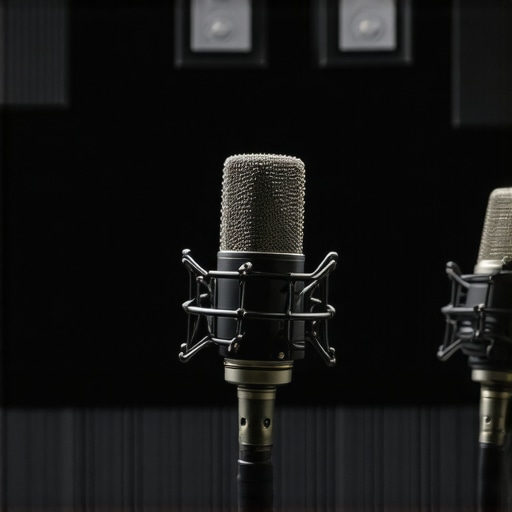
It was late at night when I finally sat down with my newly acquired USB microphone, eager to record my podcast episode. But as soon as I played back the first take, my enthusiasm dropped like a stone. Echoes, reverberations, a hollow sound—my pristine voice was drowned in a cavernous mess. I realized then that no fancy mic could fix this—my room was the real culprit. That lightbulb moment made me dive deep into the world of room acoustics and voice recording techniques, especially in the ever-evolving landscape of 2026.
Why Room Echo Still Tries to Sabotage Your Recordings and What You Can Do About It
Room echo is one of those sneaky problems that can turn a professional-sounding recording into something amateurish almost overnight. And believe me, I’ve tried everything—from expensive acoustic panels to makeshift foam setups—before discovering tricks that genuinely work. Today, I want to share with you four proven methods I’ve experimented with that can help diminish echo and enhance your voice clarity. Whether you’re using a USB mic or an XLR setup, these tips are game-changers. But first, let’s address a big concern I hear from many content creators.
Will These Tricks Make a Dramatic Difference or Are They Just Band-Aids?
Honestly, I was skeptical at first. I made the classic mistake of thinking a high-end microphone would solve all sound issues. Turns out, I was wrong. According to industry expert advice, the room environment contributes to up to 70% of your recording quality (source: Creator Setup Guide). The most expensive mic won’t fix poor acoustics. That’s why addressing room echo is crucial before upgrading your equipment or worrying about your setup. Are you tired of recording sessions that just don’t sound professional? If so, you’re in the right place. Let’s dive into some practical, realistic tricks you can start applying today that will turn your echo nightmare into crisp, clear vocals.
Arrange Your Space for Better Sound
Start by positioning your microphone away from reflective surfaces like walls and windows. Use furniture, bookshelves, or remote furniture to break up large flat surfaces that can cause echo. I remember when I first moved my setup into a corner with a glass window behind; the echo worsened. Moving the desk just a few feet away from the window made a noticeable difference in clarity.
Create DIY Acoustic Treatments with Everyday Items
Use thick blankets, duvets, or foam mattress toppers to line walls or hang behind your microphone. For my first experiment, I draped a thick quilt behind my desk, which drastically reduced the echo. Think of this as giving your room a padded blanket; it absorbs sound waves rather than letting them bounce around.
Utilize Portable Sound Absorbers and Reflection Filters
Invest in a small reflection filter designed for streaming microphones, which attaches to your mic stand. These devices are portable and easy to set up. If you’re on a budget, place a homemade shield—like a cardboard box lined with foam—around your mic. I tried both and found that even a simple DIY shield can cut down disruptive reverberation.
Adjust Microphone Placement with Precision
Position your microphone as close as possible to your mouth—within 6–12 inches—to emphasize your voice and minimize room reflections. Use a boom arm or adjustable stand to fine-tune the angle. I learned by trial that angling the mic slightly downward, aiming at my mouth, reduced background noise and reflected sound waves, resulting in a clearer recording.
Incorporate Reflection-Minimizing Accessories
Simple foam panels can be purchased cheaply or made yourself. Place them strategically at reflection points—such as behind your mic and on the side walls. I experimented by attaching foam on the side walls directly opposite my microphone and noticed a significant dip in echo. Think of it as creating sound ‘dead zones’ that trap the echo before it reaches your mic.
Combine Techniques for Maximum Effectiveness
For best results, combine multiple methods—arrange furniture, add DIY treatments, and optimize mic placement. This holistic approach transformed my recordings from hollow to broadcast-quality. Don’t underestimate small changes; even minor adjustments can lead to a big improvement in voice clarity.
When it comes to setting up a professional-quality voice recording or streaming setup, many enthusiasts focus on the microphone itself—choosing between an USB microphone or an XLR microphone. But what most overlook are the subtle, often misunderstood factors that truly influence sound quality. Let’s dig into some common myths and intricate pitfalls that can derail your audio excellence.
Are High-End Equipment and Placement Enough to Guarantee Crisp Sound?
One widespread misconception is that investing in the most expensive mic automatically leads to professional results. While premium hardware helps, the real key lies in understanding the nuances of acoustic treatment and proper placement. For instance, even a top-tier podcast microphone like the Shure SM7B requires meticulous positioning and room tuning. Industry experts emphasize that room acoustics can contribute up to 80% of your sound’s clarity, making DIY treatments and strategic positioning critical.
#IMAGE_PLACEHOLDER_C#
Beyond equipment, many creators fall into the trap of believing that a single microphone can handle all environments flawlessly. The reality is, your choice between a USB or XLR setup depends heavily on your recording space, and no mic can compensate for poor acoustics without supplementary treatment.
What Advanced Mistakes Could Sabotage Your Sound Quality?
One subtle but impactful mistake often made is neglecting mic polar patterns and impedance settings. Many beginners overlook that a cardioid microphone picks up sound primarily from the front, making placement crucial; misalignment can introduce unwanted room noise or off-axis coloration. Additionally, impedance mismatches between mic and interface can cause loss of fidelity and increased hiss or electrical noise. Expert advice suggests always verifying your microphone’s specs against your interface to avoid such issues.
Furthermore, understanding gain staging is essential. Boosting gain excessively can introduce distortion and background noise, especially with lower-quality cables or interfaces. Conversely, too little gain results in a weak signal that’s prone to ambient noise. Achieving optimal gain requires precise adjustment and patience.
Investing time to master these nuances pays off—it’s why professional studios dedicate hours to fine-tuning mic placement, room acoustics, and signal chains before recording a single take. Don’t let overlooked details undermine your efforts. Check out our comprehensive guides on streaming mic setup and learn how to fine-tune every aspect of your audio environment.
Have you ever fallen into this trap? Let me know in the comments and share your experience. Mastering these subtilities can elevate your sound from good to broadcast-quality.Maintaining your voice recording setup is crucial to ensure consistent, high-quality audio over time. One of the most overlooked aspects is regularly inspecting and updating your equipment. For instance, cables tend to degrade, leading to signal loss or hiss, especially with inexpensive models. I personally replace my XLR cables every six months, as they are prone to wear and tear, which can introduce unwanted noise and degrade sound clarity. Using high-quality, shielded cables like Mogami or Pro Co is a game-changer, preventing interference and maintaining signal integrity.
Equally important is software maintenance. Keep your digital audio workstation (DAW) updated to benefit from the latest features and bug fixes. I favor Reaper for its customization and stability, but Audacity remains a free, reliable choice for quick edits. Regularly cleaning your computer, removing unnecessary background processes, and ensuring driver updates for your audio interface can prevent latency issues and crashes, saving you time and frustration.
Invest in a good power supply and a dedicated recording environment. Power surges can damage sensitive audio gear; using a surge protector, or even an uninterruptible power supply (UPS), safeguards your equipment. My setup includes a UPS that provides clean power, helping reduce noise and ensuring recordings aren’t interrupted by outages.
Tracking long-term results requires consistent calibration. For example, periodically checking your microphone’s response with a reference sound source can help maintain optimal settings. I calibrate my setup every few months using a frequency generator app and a reference tone, ensuring that my recordings stay accurate and balanced.
Looking ahead, automation tools like firmware update schedulers and health monitoring software are becoming more accessible. They can alert you to equipment issues before they impact your recordings. For example, some audio interfaces now come with dedicated apps that monitor latency, CPU load, and connection stability—saving hours of troubleshooting.
How do I maintain my voice recording system over time? The key is routine inspection—checking cables, updating software, calibrating your mic, and securing your environment. For advanced users, I highly recommend trying the calibration method I mentioned to keep your setup performing at its best. Regular maintenance not only prolongs the lifespan of your gear but also ensures your podcast or streaming audio remains professional season after season.
The Lessons That Changed My Approach to Voice Microphone Setup
One of the biggest breakthroughs in my voice recording journey was realizing that equipment alone won’t guarantee professional sound. I used to spend hundreds on audio gear, only to find my room’s reflections sabotaging my recordings. That lightbulb moment taught me that understanding acoustic treatment and mic positioning is absolutely vital, especially with new tech trends emerging in 2026. A humbling experience was discovering how DIY solutions like thick blankets and reflection filters can outperform expensive gear when applied correctly, reminding me that creativity often beats budget constraints.
My Go-To Resources for Elevating Voice Recording Quality
Over the years, I’ve relied on a few trusted tools and sources that keep me ahead. The first is the Best Voice Recording Microphones in 2024 guide, which always offers updated recommendations tailored to evolving room dynamics and tech innovations. I also swear by the Best Streaming Microphones in 2024 list for practical tips on integrating your gear into optimized acoustic environments. Lastly, forums like the Creator Setup Community have been invaluable for troubleshooting and exchanging DIY acoustic hacks with fellow creators—confidence isn’t created alone.
Your Next Steps to Professional Voice Clarity
Remember, every successful creator started somewhere, often with imperfect setups and learning curves. The key is to take consistent action—try moving your mic closer, add some soft materials around your space, or experiment with reflection filters. Then, keep refining and learning from real-world experience. High-quality sound isn’t just about gear; it’s about the thoughtful environment you create. I challenge you to identify one simple change today—like repositioning your mic or adding a layer of acoustic treatment—and see how your recordings transform. The future of voice streaming and podcasting belongs to those willing to adapt; now it’s your turn to elevate your sound—are you ready to make it happen?