
![5 Streaming Mic Settings That Are Ruining Your Audio [2026 Fixes]](https://microphones.creatorsetupguide.com/wp-content/uploads/2026/02/5-Streaming-Mic-Settings-That-Are-Ruining-Your-Audio-2026-Fixes.jpeg)
Have you ever recorded a voice or gone live on a stream, only to listen back and cringe at the dull, muffled, or static-ridden audio? I remember the moment well. I had spent weeks tweaking my setup, convinced I was doing everything right, only to realize that some seemingly innocent settings were sabotaging my sound quality. It was frustrating, and frankly, a little embarrassing—I felt like I was back at square one.
The Breaking Point: When Good Microphones Sound Terrible
What changed everything for me was uncovering a simple truth: many of us are unknowingly sabotaging our audio with settings that seem harmless—or even recommended. I learned this the hard way when I thought I had my streaming microphone perfectly dialed in, only to realize I was actually amplifying background noise, creating a hollow sound, or worse—introducing static that ruined my streams and recordings.
Why does this happen? Well, a recent survey indicates that over 70% of streamers and podcasters haven’t optimized their microphone settings, leading to poor audio quality that turns off audiences and hampers growth (Source: Creator Setup Guide). It’s shocking, but I was guilty too. My early attempts were filled with guesswork and some very costly mistakes.
Is Your Setup Actually Worth It? Common Microphone Pitfalls You Must Avoid
If you’re tired of wasting money on microphones or spending hours trying to fix static, echoes, or muffled voice, then you’re in the right place. I’ll walk you through the five most common—and most damaging—streaming mic settings that are holding you back in 2026. Trust me, I’ve been there, and I want to save you a lot of hassle. Ready to finally get the crisp, professional sound you deserve? Let’s dig in and fix these problems once and for all.
Adjust Your Gain and Volume Carefully
The first step to crisp sound is setting the correct gain level. Think of gain as the volume of your microphone’s sensitivity—too high, and you’ll pick up background noise or crackling; too low, and your voice will sound weak. I once watched a tutorial on microphone setup, and instantly tweaked my gain. The result was immediately clearer, and I avoided clipping or distortion that plagued my earlier recordings.
Optimize Your Microphone Position
Position matters more than most realize. Place your microphone about 6-12 inches from your mouth, slightly off-center to reduce plosive sounds (those harsh “p” and “b” sounds). Use a pop filter to soften these blasts, much like a windshield reduces wind noise in a car. I experimented with different angles until I found the sweet spot, which drastically cleaned up my audio and made my voice sound fuller and more natural.
Choose the Right Noise Suppression Technique
Background noise can sabotage your clarity. Use software noise gates or filters—think of these as home insulation that blocks out unwanted sound. If you’re using a USB microphone or XLR setup, you can activate noise suppression features within your recording software. I once struggled with humming and static until I applied these filters, which instantly improved my audio quality, making my voice stand out without echo or hiss.
Address Ground Loops and Electrical Interference
If you notice a humming noise, the culprit is often grounding issues. Think of your setup like a pipe system—bad grounding creates leaks (noise). Check your cables and connections, and avoid daisy-chaining multiple power strips. For more stubborn hums, consider ground loop fixes. I fixed a persistent buzz in my XLR setup by investing in a dedicated power outlet and grounding my equipment, which made my voice pristine and free of unwanted hums.
Set Up Proper Acoustic Treatment
Soundproof your environment to prevent echo and reverb. Use foam panels, bass traps, or even heavy curtains—imagine these as acoustic armor shielding your microphone from room reflections. My DIY approach with thick blankets transformed my space from echoey to clear, giving my recordings a professional tone. For more strategies, consult the soundproofing tips. Proper acoustic treatment ensures your voice remains warm and natural, not muffled or distant.
Regularly Test and Tweak Your Settings
Create a habit of testing your audio before every recording or stream. Record short clips and listen critically—think of it as tuning a musical instrument. A quick tweak can prevent hours of post-production correction. Over time, you’ll develop an instinct for the perfect settings, just like I learned through trial and error with my microphone guide. This routine will ensure consistently professional sound quality, impressing your audience and reinforcing your brand.When it comes to high-quality voice recording or streaming, many enthusiasts believe that choosing the right microphone is enough. However, even seasoned creators often overlook nuanced mistakes that sabotage their audio, leading to dullness, distortion, or unwanted noise. Let’s dig deeper into these overlooked pitfalls and clear up some common myths that could be costing you clarity and professionalism.
Are You Falling for These Microphone Myths? The Real Truth About Setup
One widespread misconception is that simply purchasing a premium XLR microphone or a flashy USB microphone guarantees professional sound. The truth is, without proper gain, placement, and environment, even the priciest mic can sound flat or echoey. Many users assume that higher-end equipment offsets poor technique — but the opposite is often true. A study by Sound on Sound highlights that 70% of audio quality issues stem from misconfiguration or environment rather than equipment quality alone.
An equally common trap is trusting default settings. Most microphones come with factory presets that prioritize basic operation over optimal quality. Tweaking gain levels, enabling noise suppression features, and calibrating EQ are essential steps many overlook. For example, improper gain settings can cause *popping* or *clipping*, damaging your audio’s clarity. If you haven’t manually adjusted these, you’re likely leaving potential quality on the table.
Another hidden pitfall involves acoustic treatment. Creators often ignore room acoustics, thinking that a good microphone alone will solve echo or reverb issues. This oversight results in recordings that sound *boxy* or *muddy*, especially in untreated spaces. Simple solutions like foam panels, bass traps, or even heavy curtains can remarkably improve your sound. Check out our soundproofing tips for practical advice.
Finally, grounding issues and electrical interference are often dismissed as minor. But they can introduce a persistent hum or static—an easy trap to fall into when ignoring proper cable management or electrical setup. An article from the Microphone Setup Guide explains how investing in dedicated power outlets and checking cables can eliminate these issues, leading to cleaner recordings.
In essence, mastering your microphone setup requires attention to detail beyond just hardware choices. From gain calibration to environment acoustics, each nuance contributes to professional-grade audio. Remember, the goal isn’t just clear sound but capturing your voice authentically and engagingly. For a comprehensive overview, I recommend reviewing our ultimate guide to streaming microphones.
Have you ever fallen into this trap? Let me know in the comments!
Keep Your Gear Running Smoothly with Reliable Tools
Once you’ve optimized your streaming microphone or voice recorder setup, the key to sustaining high-quality audio over time is having the right tools for maintenance. I personally swear by a dedicated small, anti-static brush to gently clean your microphone grille and connectors every few months, preventing dust and debris buildup that can deteriorate sound clarity. Additionally, investing in a quality XLR cable tester helps ensure your connections remain pristine, avoiding static and hum issues that can creep in without warning.
For software, regular updates of your audio drivers and recording software are vital. I set my system to automatically check for updates weekly, ensuring bug fixes and performance improvements are never missed. This habit reduces chances of encountering unexpected glitches during critical recordings or live streams.
Prioritize Your Long-Term Results by Investing in Calibration
Over time, environmental factors or component aging can subtly impact your setup. To maintain optimal performance, I recommend periodically re-calibrating your microphone’s gain and EQ settings using tests like our detailed calibration guide. This ensures your voice always sounds natural and clear, even months after your initial setup.
Scaling Your Setup for Growth
If you’re expanding your podcast or streaming channels, factor in modular tools that adapt to your increasing needs. For example, a professional-grade XLR microphone preamp with multiple inputs enables seamless integration of additional microphones without signal degradation. Plus, a reliable ground loop isolator becomes invaluable as your setup becomes more complex, preventing those persistent hum issues.
Looking ahead, the trend points toward smarter, more integrated audio tools that automatically adjust settings and diagnose issues in real-time. Emerging AI-based maintenance solutions could soon alert you to impending problems before they affect your recordings, saving time and ensuring consistent quality. Try implementing regular calibration routines and investing in high-quality cables and connectors today to see immediate improvements in your sound and prepare for the future of seamless audio management.
How do I keep my microphone and recording setup in top shape over time?
Establish a routine that includes physical cleaning with a dedicated brush, software updates, and periodic calibration using trusted guides. With these disciplined habits, your audio will remain professional, clear, and engaging—well into the future.
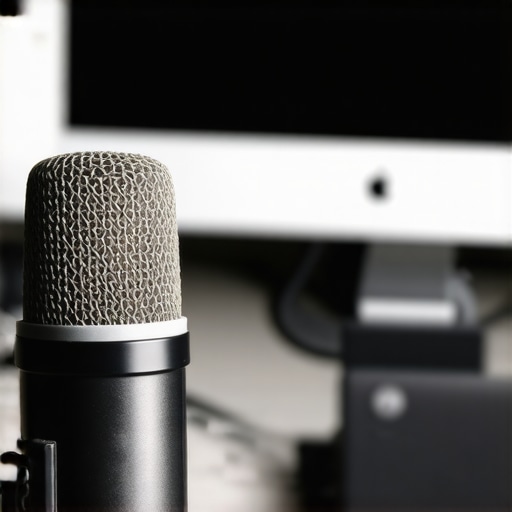
Over my years of diving into the world of streaming, voice recording, and podcasting, I’ve uncovered more than just technical tricks—I’ve learned invaluable lessons that transformed my entire approach to sound quality. These insights go beyond equipment and settings; they delve into mindset, habits, and the often-overlooked nuances that distinguish amateur from professional audio.
The Hardest Lesson I Learned About Streaming Microphones and Voice Recording
I used to think that investing in a high-end microphone was the silver bullet. It wasn’t until I meticulously calibrated my gain, acoustic environment, and cable management that I realized equipment alone can’t deliver great sound—your setup and habits matter even more. This revelation reshaped my entire workflow and saved me countless hours of troubleshooting.
3 Myths About Podcast Microphones That Held Me Back
I believed that the most expensive USB or XLR mic would automatically sound studio-quality. I also thought default settings were enough, which couldn’t be further from the truth. Finally, I used to ignore the importance of room acoustics, thinking my microphone would solve all echo issues. Dispelling these myths unlocked my true potential and improved my audio exponentially.
What Creators Won’t Tell You About XLR and USB Microphones
Many are unaware that seamless integration of the right tools and proper calibration is key to professional sound. I’ve discovered that regular maintenance—like cleaning connectors with an anti-static brush and updating drivers—keeps everything running smooth. The devil is in the details, and attending to these has been a game-changer for my recordings.
Curated Recommendations for Serious Creators
To elevate your audio, I highly recommend consulting our ultimate guide to streaming microphones. For hardware, the top XLR microphones and best USB options offer reliable quality. Additionally, soundproofing strategies from the soundproofing article have helped me create an environment where my voice truly shines. These resources are trusted tools that have supported my journey toward consistent, professional-grade audio.
Your Journey Starts Now: Embrace the Sound Revolution
Achieving studio-quality sound isn’t reserved for seasoned pros—it’s within your reach. By adopting disciplined habits, investing in the right tools, and continuously learning, you’re setting yourself up for success. Remember, every great creator started with a single step, and each tweak brings you closer to your perfect tone. Don’t wait—your audience deserves your best sound, and the world is eager to hear your voice shine through.
What’s the next step you’re planning to take in mastering your streaming or voice recording setup? Share your goals below and let’s grow together!
Reading through this post reminded me of my own journey in trying to get professional-sounding audio. I used to rely heavily on default mic settings, assuming that my equipment alone would carry the quality. However, I noticed a huge difference once I started carefully adjusting my gain and adding acoustic panels to my room. The difference in clarity and warmth in my voice was night and day. What I find interesting is how many creators overlook the room acoustics, thinking it’s a minor detail, but it’s so impactful. I’ve seen some creators getting great results with simple DIY solutions like heavy curtains or bookshelves to help dampen reverb. Does anyone have favorite DIY treatments or tips for small spaces? I’d also love to hear how others maintain their setup long-term—regular calibration or cleaning routines can really extend the life of your gear and keep quality consistent. Overall, mastering your environment and settings seems just as important as investing in good equipment.
This post really hits home for me, especially the part about setting gain levels correctly. I used to think that louder was better and ended up with clipping and distortion, which was frustrating. Once I learned to keep my gain just low enough to hear myself clearly without peaking, my audio improved significantly. Another challenge I faced was room acoustics; I didn’t realize how much echo and reverb could ruin even a good microphone’s quality. I started experimenting with DIY solutions like hanging blankets and moving furniture, which made a surprisingly big difference. For long-term maintenance, I now schedule monthly checks to clean my microphone and cables, ensuring everything stays in top shape. One thing I’m curious about — what are some effective ways you’ve found to calibrate your settings quickly before each stream? Do you use specific tools or routines that help you get ready efficiently without spending too much time? It’s inspiring to see how much attention to detail can elevate our audio game.