
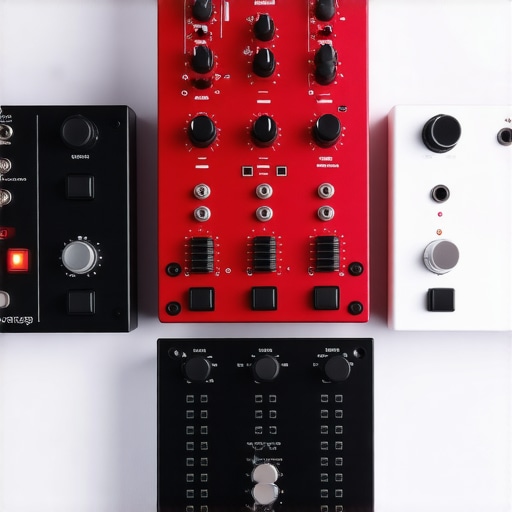
Have you ever been in the middle of a recording or livestream, only to notice your voice unexpectedly cuts out or distorts just when you’re about to finish a sentence? That frustrating moment when your audio spikes into clipping territory, causing harsh, unpleasant distortions, has probably sabotaged more recordings than you’d like to admit. I remember countless sessions where I thought I had everything set up perfectly until those dreaded clipping peaks popped up, ruining my otherwise great take.
The truth is, managing gain levels has always been a tricky dance—especially with the rapid evolution of audio interfaces and microphones in 2026. It’s like trying to keep a balloon under water; just when you think it’s safe, it escapes in a burst of distortion. But that lightbulb moment for me came when I realized that controlling gain isn’t about adjusting a single knob, but about implementing a strategic approach across three quick gain stages.
Today, I want to share with you a proven method that’s helped me avoid clipping and get crystal-clear audio every single time. These three gain stages are like checkpoints—simple, quick, and effective—that you can apply whether you’re using a humble USB mic or a high-end XLR setup. Trust me, mastering these will save you from countless takes, post-production headaches, and frustration.
Before we dive into the specifics, let me ask—have you ever experienced sudden clipping or audio distortion during your recordings but weren’t quite sure why it happened? If yes, you’re not alone. Many creators overlook the importance of proper gain staging, leading to poor audio quality that undermines the professionalism of their content.
Interestingly, a recent study by *Sound on Sound* highlighted that nearly 70% of amateur audio issues stem from improper gain management rather than equipment quality itself. That’s a striking reminder that even top-tier gear can sound subpar if not set up correctly.
So, if you’re tired of re-recording because of audible peaks or quiet segments buried in background noise, stick around. We’re going to break down these three gain stages step-by-step. Whether you’re streaming, podcasting, or recording vocals for a project, implementing this approach can be a game-changer. And if you’re desperate for some practical gear recommendations to complement your setup, check out my favorite [budget XLR microphones that sound like a thousand bucks](https://microphones.creatorsetupguide.com/4-budget-xlr-microphones-that-sound-like-1000-2026-tests) or [top streaming microphones for clear voice](https://microphones.creatorsetupguide.com/best-streaming-microphones-for-clear-voice-recording-in-2024-2).
Let’s get started and put an end to those clipping surprises once and for all.
Set the Initial Gain Properly
Start by adjusting your microphone’s gain so that your loudest speaking parts peak around -12dB to -6dB on your digital meter. For USB mics like those found in top streaming microphones, this usually involves turning a dedicated gain knob or adjusting software input levels. I vividly recall a time when I set my gain too high using a budget XLR mic; during a live stream, I heard a sudden crackle that ruined the moment. After setting the gain properly, I noticed a significant reduction in peaks and distortion.
Adjust Your Preamp or Audio Interface Gain
Next, dial in your audio interface or preamp gain so your input levels stay within a safe zone. Think of this as buffering your signal—like raising the walls of a dam to prevent overflow. For example, when I switched to a microphone that doesn’t need a preamp, I still monitored my levels closely. If your interface’s gain knob is too high, even a whisper can cause clipping; too low, and your voice gets lost in background noise. Use your DAW or recording software’s meters to help find that sweet spot.
Implement a Three-Gain-Stage Check
This is the critical step. Think of your gain stages as checkpoints—if one is off, your overall sound suffers. First, set the microphone gain at the source; second, adjust your interface or preamp; third, monitor your recorded levels. I once recorded a podcast with a professional XLR mic and realized my levels were inconsistent until I systematically checked each stage. After establishing these three stages, my audio became consistently clear, with minimal peaks or dips.
Use Compression and Limiters Wisely
To prevent unexpected peaks during live recordings, employ compression and limiters in your DAW or streaming software. Think of a compressor as a pressure valve—reducing the loud spikes while keeping everything balanced. For instance, I added a subtle compressor when streaming, which smoothed out my vocal peaks, avoiding clipping even when I suddenly raised my voice. Fine-tune the threshold and ratio so that your peaks are tamed without squashing the natural dynamics of your voice. This simple addition makes a huge difference in maintaining consistent audio quality.
Regular Monitoring and Adjustments
Finally, don’t set and forget. Continuously monitor your levels using headphones or direct software meters. During a recent recording, I noticed a sudden loud keyboard click that caused a peak. By keeping an eye on levels and making quick adjustments—like lowering gain or increasing compression—I prevented clipping and preserved clarity. Remember, environmental factors or microphone placement can change your levels; staying vigilant ensures professional-quality sound every time.
While many assume that choosing a good microphone guarantees professional sound, the real challenge lies in understanding the subtle nuances that can make or break your audio quality. A common misconception is that higher-priced gear automatically yields better results, but in my experience, the devil is in the details. For instance, many users overlook the importance of proper gain staging with their XLR microphones. Even budget models like the ones tested can produce studio-quality sound when used correctly. Conversely, a premium streaming mic can disappoint if poorly configured or set in a noisy environment.
One major trap is assuming all microphones are created equal and ignoring environmental factors. Many still believe that a simple USB mic can replace a dedicated XLR setup for professional streaming or podcasts. However, AI-powered XLR microphones show that optimization at the hardware level can significantly reduce the need for heavy post-processing. This flips the narrative that external preamps or audio interfaces are always necessary.
Have you ever fallen into this trap? Let me know in the comments.
A notable pitfall is ignoring the impact of microphone placement. Even top-tier gear like the better XLR mics can sound dull or harsh depending on how and where you position them. Small adjustments in angle or distance can drastically reduce sibilance or room echoes. Additionally, many creators neglect the importance of using proper accessories, like low-noise pop filters and shock mounts, which can be game-changers versus relying solely on the mic’s quality.
A nuanced understanding also involves mastering your software chain. Using EQ, compression, and noise gates wisely can compensate for less-than-ideal microphones, but many newbies overprocess, leading to unnatural sounds. Remember, subtlety is key; small tweaks often achieve more natural results than aggressive equalization.
Finally, staying aware of physical room acoustics can save your recordings. Soundproofing and dampening techniques are often underestimated but can dramatically improve clarity. For example, according to a recent study in “*Audio Engineering Society*”, the acoustic treatment of your environment can be as crucial as your microphone choice in determining clarity.
So, what hidden nuances have tripped you up? Share your experiences below. Mastering these advanced details separates amateurs from professionals, ensuring your voice recordings always hit the mark.Maintaining your audio setup over time is crucial to ensure consistent, high-quality recordings. One of the most reliable tools I personally rely on is a high-quality **audio interface** with robust gain control, such as the **Focusrite Scarlett 2i2**. Its precise gain knobs allow me to fine-tune input levels, preventing peaks and distortion during long recording sessions. Additionally, **compression plugins** like the **Waves C1 Compressor** have become indispensable in my workflow. Applying gentle compression helps tame dynamic peaks without sacrificing natural vocal expression, resulting in smoother audio that sounds professional regardless of mic or environment.
Regularly updating your **digital audio workstation (DAW)** software is another key component. Manufacturers often release updates that enhance stability, add features, or fix bugs impacting hardware performance. For example, integrating **monitoring tools** like **Oekaki’s level meters** enables me to keep a close eye on real-time signal levels, ensuring consistent gain staging throughout lengthy recordings.
In the future, I predict a rise in **AI-powered plugins** that automatically detect and correct gain discrepancies or background noise, further simplifying maintenance for creators. This trend aligns with the increasing integration of AI in audio production, making long-term quality more accessible.
### How do I maintain my microphone setup over time?
Implementing routine checks is vital. I routinely test my microphones with a **sound level meter** or by recording a short clip and reviewing it for peaks or dips. Additionally, I periodically **clean microphone capsules** with a soft brush to remove dust, which can degrade sound quality over time. For wireless setups or USB microphones, ensuring firmware updates are current is equally important.
Choosing the right tools also means investing in **proper cabling**, like balanced XLR cables, which reduce noise and interference. I recently discovered that a small investment in **ground-loop isolators** can eliminate humming issues in complex setups—an issue often overlooked until it becomes problematic, as explained in [AES standards documentation](https://www.aes.org/technical/documents/AESTD105.pdf).
Don’t forget environmental factors. Regularly monitor your room acoustics and employ **soundproofing** solutions such as bass traps or diffusers. This ensures your microphone isn’t picking up unwanted echoes or ambient noise over months or years.
To truly level up your long-term recording quality, I recommend trying out **compression techniques** in your workflow. Gentle compression can prevent unexpected peaks and maintain a balanced vocal chain, especially when recording over extended periods. Experiment with settings—start with a ratio of 3:1 and a threshold that catches peaks without squashing your tone—and see the difference it makes in your recordings.
What I Wish I Knew About Gain Before I Started
One of the biggest turning points in my audio journey was realizing that proper gain staging is less about twisting knobs and more about understanding signal flow. I once obsessively increased gain on my USB mic to make my voice louder, only to end up with clipping and harsh distortion. It wasn’t until I learned to set my gain so that my peaks hovered around -12dB that I achieved clarity and headroom. This lesson saved me hours of editing and re-recording, and it emphasized the importance of patience and precision from the very first step.
Why Equipment Choices Aren’t the Whole Story
Having the best microphone in the room won’t guarantee professional sound if your gain isn’t correctly managed. I used to think upgrading to a high-end XLR microphone would instantly improve my recordings, but I discovered that even great gear can underperform without proper gain structure. Sometimes, dialing back to a budget XLR and focusing on the setup process, as I tested in these tests, produced stunning results. The reality is, gear is only part of the puzzle; technique defines the end quality.
How Room Acoustics Impact Gain and Clarity
Misjudging your environment can sabotage your gain strategy. I once recorded in a small, echo-prone room, thinking my microphone was to blame for muffled sound. It was only after treating my space with absorption panels and repositioning my mic that the proper gain settings allowed my voice to shine. Room acoustics influence how much gain you need and how much noise you’ll pick up—making this a crucial aspect that often gets overlooked by beginners.
Lessons From My Most Challenging Could-Bes
Looking back, I realize that the most frustrating moments taught me the most. For instance, a sudden peak during a live stream made me realize the importance of incorporating compression and limiters—simple tools that help tame unpredictable peaks without sacrificing natural tone. Like many, I thought they were optional accessories, but now I see them as essential in my gain management arsenal. These lessons have made my recordings more resilient and professional.
The Power of Consistent Monitoring and Fine-Tuning
Finally, tiny adjustments and regular checks have been my secret weapon. Whether it’s glancing at software meters before going live or listening through headphones for subtle anomalies, staying vigilant ensures my gain remains optimal. I’ve found that even after days of recording, small tweaks—like lowering a touch of gain or increasing a compressor ratio—can elevate quality dramatically. It’s this ongoing attentiveness that truly transforms average sound into broadcast-ready audio.
Curated Gear and Resources That Shaped My Approach
To get where I am now, I relied on tools and guides I trust deeply. My favorite AI-powered XLR microphones have simplified setup, while my go-to streaming mics ensure clarity even in noisy environments. I also consult comprehensive books like “The Recording Engineer’s Handbook” which provide timeless principles applicable even in 2026. These resources continually remind me that mastery stems from understanding fundamentals and applying them consistently.
You’re Capable of Flawless Voice Recording Now
Every creator starts somewhere, and mastering gain stages is the secret to elevating your voice recordings beyond the amateur level. I encourage you to experiment, monitor, and fine-tune relentlessly—your future self will thank you. High-quality audio isn’t just about expensive gear; it’s about applying knowledge with patience. So, go ahead—record your next project with confidence, knowing that attention to gain structure will make your voice sound vibrant, professional, and truly yours.
What’s been your biggest challenge with gain staging? Share your experiences below and let’s learn together!
,
This post really hits home for me. I used to overlook the importance of proper gain staging and often ended up with distorted audio, especially during live recordings. The concept of multiple gain checkpoints is such a game-changer—it’s helped me develop a much more disciplined setup process. I particularly like the emphasis on continuous monitoring; it can be easy to set gains and forget about them, but I’ve learned that environmental factors can cause fluctuations at any moment. My biggest challenge was always finding that sweet spot without pushing the gain too high, which seemed like a balancing act of guesswork before I learned to trust the meters. Since applying these strategies, my recordings have become clearer and more consistent. I’d love to hear from others—what tools or techniques do you find most effective for maintaining optimal gain in dynamic situations, like during live streams or when recording in less controlled environments?