
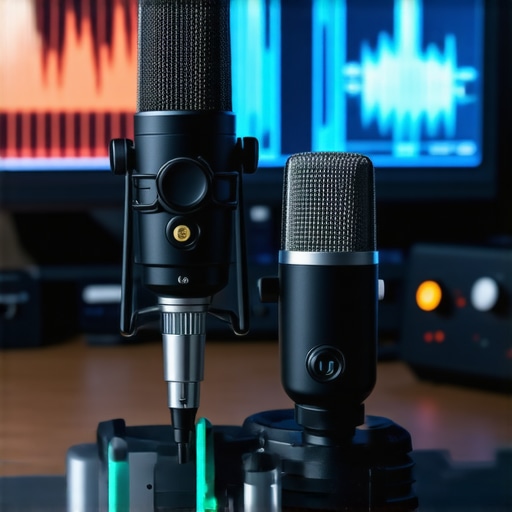
Ever sat down to record your podcast, only to be disappointed by the muffled sound or background noise that ruins the vibe? I remember the frustrating moment when I spent hours editing a episode, only to realize my microphone was the real culprit. That lightbulb moment made me realize how crucial a good microphone is — not just for sounding professional, but for truly connecting with your audience. If you’ve faced the same headaches, you’re not alone. Choosing the right mic can feel overwhelming with so many options out there. But don’t worry — I’ve been through the trial and error, and I’m here to help you cut through the confusion. Today, we’re diving into the top podcast microphones for 2024, whether you prefer the simplicity of USB or the versatility of XLR. By the end, you’ll know exactly what to look for and which models stand out for clarity, durability, and value. Ready to upgrade your sound game? Let’s get started.
Why your microphone choice can make or break your podcast
Think about the last time you listened to a podcast that sounded like it was recorded in a closet with a potato. Did you keep listening? Probably not. Sound quality isn’t just about clarity; it’s about engaging your listeners and making your voice resonate. A subpar mic can turn a passionate storyteller into just background noise. Early on, I bought a cheap microphone without doing my homework. It looked good on the shelf, but the sound was muddy and inconsistent. That mistake cost me time and credibility. I learned that investing in a quality microphone isn’t optional — it’s essential. As noted by Creator Setup Guide, the right microphone can boost your voice clarity and make your content stand out. So, if you want your podcast to sound professional and compelling, choosing the right mic shouldn’t be an afterthought. Have you faced the challenge of choosing between USB and XLR? Don’t worry — I’ll clarify that too.
Is all the hype around podcast mics actually justified?
It’s easy to fall into the trap of thinking a fancy mic is a magic bullet. But here’s the truth: the best microphone in the world won’t help if you don’t set it up correctly or use it properly. I once bought a top-tier XLR microphone and thought it would instantly transform my recordings. Turns out, I was missing crucial setup steps, and my sound still sucked. That’s a common mistake — assuming the equipment alone will do the work. The real secret is understanding what features matter, such as polar patterns, frequency response, and connectivity options. And that’s exactly what I’ll guide you through. Whether you’re a beginner or a seasoned streamer, this guide will help you avoid rookie errors and find a microphone that truly fits your needs. Ready to stop guessing and start sounding amazing? Let’s explore the best choices for 2024.
Choose the Right Microphone for Your Setup
Start by assessing your needs and space. Are you recording solo in a quiet room or streaming with guests? For beginners, a USB microphone offers plug-and-play simplicity, perfect for quick setup and decent quality. If you want professional-grade sound and flexibility, consider a XLR microphone that requires an audio interface but provides richer sound. Think of it like choosing between a bicycle and a motorcycle; both get you there, but the experience varies.
Set Up Your Microphone Properly
Once you have your mic, positioning is key. Place the microphone about 6-12 inches from your mouth, slightly off-axis to reduce plosives. Use a microphone stand or boom arm to keep it steady—think of it as giving your voice its own throne. For streaming or voice-over work, a pop filter can be your best friend, blocking harsh sounds and protecting your mic’s capsule.
Configure Your Audio Properly
Connect your mic to your computer or mixer. For USB mics, just plug in and select the device in your recording software. For XLR mics, connect to an audio interface, then choose that device as your input. Dive into your software settings—set your sample rate to 44.1kHz or 48kHz, and adjust the input gain so your loudest sounds don’t clip. Think of gain as controlling the volume of your voice entering the mic; too high, and it distorts; too low, and your voice sounds distant.
Test and Fine-Tune Your Sound
Before recording, do a quick test. Speak naturally into the mic and listen to the playback. Adjust the gain until your voice sounds full but not distorted. Use a soundproofing or acoustic panels if needed to minimize echo and background noise. This step is like tuning an instrument; it ensures your voice hits the right notes every time.
Remember the Basics of Microphone Technique
Maintain a consistent distance from your mic, avoid unnecessary movements, and speak clearly. Think of your microphone as a conversation partner—treat it well, and it will faithfully capture your voice. With these steps, you’ll turn a simple microphone into a powerful tool that makes your podcast sound professional and engaging. For more detailed gear options, check out the ultimate guide.
Many aspiring podcasters, streamers, and voice recorders fall into the trap of oversimplifying microphone choices. While it’s tempting to believe that an expensive or popular model guarantees perfect sound, the reality is far more nuanced. Let’s dig into some misconceptions and advanced pitfalls that even seasoned creators often overlook, so you can elevate your audio game with confidence.
Why More Expensive Doesn’t Always Mean Better
A widespread myth is that premium XLR microphones or USB mics automatically deliver superior sound quality. While high-end gear can offer certain advantages like broader frequency response or better build quality, many creators overlook proper setup and acoustics. For example, a $500 microphone won’t help if your room has echo or background noise. Furthermore, some budget models excel in specific scenarios, such as podcasting or voice-over, because they have a tailored polar pattern or frequency response that suits spoken word. Always prioritize your environment and purpose over just the price tag.
The Oops You Might Be Making with Microphone Placement
Positioning is an often neglected aspect. For instance, many believe that placing the mic directly in front of their mouth yields the best sound. In reality, this can lead to plosive issues and peaking if you speak loudly. A subtle shift of 6-12 inches, combined with angling the mic slightly off-axis, can drastically improve clarity and reduce unwanted noise. Additionally, using a shock mount or boom arm not only stabilizes the mic but also minimizes handling noise that can ruin a recording. Remember, even the most advanced streaming mic can underperform if it’s not positioned correctly.
Are You Overlooking the Power of Acoustic Treatment
Many creators focus solely on the microphone itself, but acoustic treatment plays a crucial role. A common mistake is to assume that a good mic can overcome poor room acoustics. In reality, echo and background noise can make even the most expensive gear sound muddy or harsh. Investing in foam panels, bass traps, or portable vocal booths can unlock your microphone’s full potential. Studies have shown that room acoustics can influence perceived sound quality more than the mic’s specifications alone. So, if you’re serious about professional-quality recordings, don’t skip this step.
What Advanced Settings Matter for Voice Clarity
Beyond choosing the right mic, proper configuration in your recording software is vital. Adjusting the gain correctly prevents distortion and ensures your voice remains warm and full. Many beginners set gain too high, causing clipping, or too low, resulting in a thin sound. Use a soundproofing environment and perform test recordings with different gain levels. Additionally, understanding the microphone’s polar pattern—whether cardioid, hypercardioid, or omnidirectional—helps you focus on your voice and reject unwanted noise, especially in multi-person setups.
In conclusion, mastering your microphone isn’t just about buying the latest gear. It requires understanding the nuances of placement, acoustics, and configuration. Have you ever fallen into this trap? Let me know in the comments. For a comprehensive upgrade, consider exploring expert recommendations on best podcast microphones that suit your needs. Remember, sound quality is a skill—invest in it wisely.
Maintaining your podcast microphone and audio setup over time is crucial to ensuring consistent, professional-quality recordings. Even the best voice microphones need regular care to perform at their peak. I personally rely on a few key tools and habits that keep my gear functioning flawlessly, and I highly recommend you incorporate them into your routine.
Why Regular Maintenance Matters
Microphones, especially XLR microphones and USB mics, are delicate instruments. Dust, moisture, and even handling during setup can degrade their internal components. Over time, this can lead to muffled sound, static, or even complete failure. Regular cleaning and checks help prevent these issues. In my experience, using a microfiber cloth and a gentle, electronics-safe cleaner keeps my gear spotless without risking damage.
Essential Tools for Longevity
To keep your microphone and accessories working smoothly, I recommend investing in a few specific tools. First, a compressed air can is invaluable for removing dust from around the capsule and connectors. I use a low-pressure air duster to blow out any particles that accumulate in the grille or XLR port—this simple step can extend your gear’s lifespan significantly. Second, a silicone-based contact cleaner helps keep the connectors free of corrosion, ensuring a solid signal connection over time. Third, a high-quality pop filter not only improves your recordings but also protects the microphone’s diaphragm from saliva and moisture, which can cause long-term damage.
How do I maintain my setup over time?
Establish a routine check every few months. Inspect your cables for wear or fraying, and replace them if needed. Clean your microphone with a soft cloth after each recording session, especially if you’re recording in humid environments. When not in use, store your microphone in a dedicated case or a dust-free space—this prevents accidental damage and dust buildup. Additionally, updating your audio interface drivers and recording software ensures compatibility and optimal performance. I also suggest periodically testing your microphone with a simple recording to catch any subtle issues early. These small steps keep your setup reliable and save you from costly repairs down the line.
Future Trends in Microphone Maintenance
Looking ahead, I believe advancements in smart audio gear will bring more self-diagnosing features, alerting you to issues before they affect your recordings. Companies are experimenting with integrated sensors that monitor humidity, dust levels, and even capsule health, providing real-time maintenance suggestions. Staying ahead of these trends and investing in future-proof tools can make your podcasting workflow smoother and more professional. For now, I encourage you to try implementing a regular cleaning schedule with tools like compressed air and contact cleaner — it’s simple but profoundly effective.
By adopting these maintenance habits, you’ll ensure your microphone remains a dependable part of your podcasting arsenal, delivering clear, consistent sound every time. Remember, the secret to long-term success is not just choosing the right gear but caring for it properly. Ready to give your setup the TLC it deserves? Start by incorporating a monthly check with your compressed air and cleaner — your future self will thank you!
The Hardest Lesson I Learned About podcast microphone,usb microphone,xlr microphone,streaming mic,voice recording
One of my biggest lightbulb moments was realizing that even the most advanced microphone won’t shine without proper setup. I once invested in a high-end XLR mic, thinking it would instantly improve my recordings, but I overlooked room acoustics and positioning. The result was muddy sound, and I almost gave up. The lesson? Gear is just part of the story—technique and environment matter just as much.
3 Myths About podcast microphone,usb microphone,xlr microphone,streaming mic,voice recording That Held Me Back
I used to believe that more expensive always means better quality, but I discovered that a budget-friendly mic with the right setup can outperform pricier models. Also, I thought a USB mic couldn’t sound professional—wrong! And finally, I assumed room acoustics were irrelevant—big mistake. Challenging these myths has drastically improved my audio game.
What Experts Won’t Tell You About podcast microphone,usb microphone,xlr microphone,streaming mic,voice recording
Many professionals keep quiet about the importance of mic placement and acoustic treatment. Proper positioning, like angling the mic slightly off-axis, can reduce plosives and background noise. Investing in acoustic panels might seem costly, but it transforms your space into a professional studio. These hidden details elevate your sound beyond just choosing the right mic.
Curated Recommendations for Your Podcast Setup
For beginners, I swear by the best USB microphones—they’re easy to use and reliable. If you’re aiming for studio-quality sound, check out the top XLR microphones, which require an interface but offer richer audio. I also recommend acoustic panels like foam or bass traps from trusted brands, and a sturdy boom arm for perfect positioning. Finally, a good pop filter is essential to prevent harsh plosives and protect your mic’s capsule, making your voice sound even clearer.
Embrace Action and Elevate Your Podcast Today
Your voice deserves to be heard clearly and professionally. With the right microphone, setup, and environment, you can make your podcast stand out in 2024. Remember, audio quality isn’t just about gear—it’s about the care you put into your technique and space. Now’s the time to take action, experiment with your setup, and watch your sound transform. Your audience will thank you for it!