
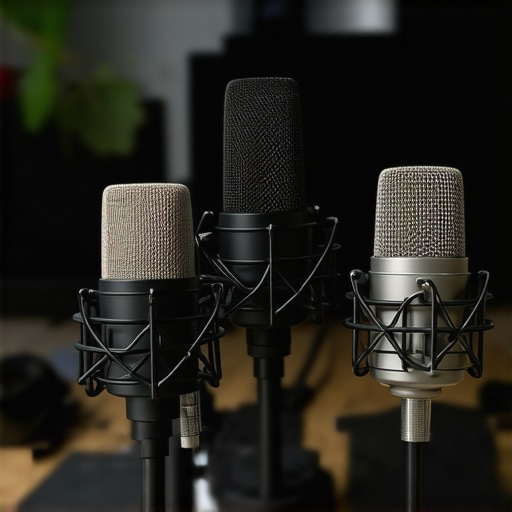
Ever spent hours tweaking your microphone setup only to end up with muffled, distant, or overly harsh audio? I remember the lightbulb moment when I realized my old mic just couldn’t keep up with my growing streaming and podcasting needs. No matter how much I fiddled with settings, something was always off. It was frustrating, because I knew I was missing out on the professional quality I desperately wanted to project. That’s when I decided to dive deep into what makes a microphone truly great for voice and streaming in 2024.
Why Your Microphone Choices Matter More Than Ever in 2024
With the explosion of content creators, streamers, and podcasters, everyone is vying for attention. But here’s the kicker: even the best content can be drowned out by poor audio quality. According to a study by Cisco, audio quality directly influences viewer engagement and retention. That means investing in the right microphone isn’t just about sounding good — it’s about standing out and building trust with your audience. And honestly, the wrong mic can make your voice sound amateurish, no matter how talented you are.
Have you ever felt embarrassed by your audio in a live stream or recording? If so, you’re not alone. I made the mistake early on of thinking that any microphone would do — only to realize later that my choice was sabotaging my efforts. From buzzing noises to inconsistent sound levels, I experienced it all. That’s why I want to guide you through the essentials of picking the best microphone options, whether you’re on a tight budget or ready to invest in professional gear.
In this post, I’ll share practical tips, highlight top models for 2024, and help you avoid common pitfalls that even seasoned creators fall into. Ready to upgrade your sound and truly sound professional? Let’s get started.
What Makes a Microphone the Right Choice for Voice and Streaming?
Before diving into specific models, it’s important to understand the key features that impact voice clarity and streaming quality. Things like polar patterns, connectivity options, and built-in features can make or break your experience. I’ll also point you towards comprehensive guides, like this complete guide on microphone types, so you can get a full picture of what’s out there. Trust me — knowing what to look for saves you from costly mistakes and endless frustration.
So, if you’ve been struggling with inconsistent sound, background noise, or just not getting that crisp, professional tone you crave, stick around. We’re about to uncover the secrets to choosing the best microphone for your voice and streaming setup in 2024. Your audience will thank you for it!
,
Choose the Right Microphone for Your Needs
Start by defining your primary use—whether it’s streaming, podcasting, or voice-over work. For beginners, a good quality USB microphone like the best USB mics in 2024 can deliver excellent results without complex setup. If you’re aiming for professional-grade audio, consider XLR mics, which offer more customization options and higher sound fidelity. To explore top models, check out these premium options for 2024.
Set Up Your Microphone Properly
Position Matters More Than You Think
Imagine trying to have a conversation with someone across a table. If you lean in too far or stay too far, the sound quality drops. The same applies to your mic. Place it about 6-12 inches from your mouth, slightly off-center to avoid plosives—those harsh “P” and “B” sounds. Use a shock mount or boom arm to keep your mic steady and reduce vibrations. I once spent hours troubleshooting static noise until I realized my mic was vibrating against my desk every time I moved. Proper positioning and stabilization solved that issue instantly.
Adjust Your Microphone Gain
Think of gain like the volume of your microphone’s “ears.” Set it too high, and you’ll pick up background noise and distortion; too low, your voice sounds distant. Use your recording software or microphone’s hardware controls to find that sweet spot where your voice is clear and without clipping. During a recent stream, I adjusted my gain and immediately noticed a cleaner, more professional sound—saving me from post-production headaches.
Optimize Your Environment for Better Sound
Soundproofing isn’t just for studios. Simple measures like closing windows, turning off noisy appliances, and adding soft materials (like foam panels or even thick curtains) can drastically reduce echo and background noise. I learned this the hard way when my first recordings sounded echoey and muddy—adding a blanket behind my mic made a remarkable difference. For a comprehensive environment setup, visit these effective tips.
Utilize Proper Audio Processing
Simple adjustments like a high-pass filter or noise gate in your streaming or recording software can clean up your audio. Think of a noise gate as a bouncer that keeps unwanted background sounds out when you’re not speaking. During a recent podcast, enabling a noise gate and a gentle EQ filter significantly improved clarity, making my voice stand out without harshness or background distractions. Experiment with your software’s settings to find what works best for your voice and environment.
Test and Iterate Frequently
Don’t settle for the first setup. Record short clips, listen critically, and tweak your positioning, gain, and environment until you’re satisfied. I once spent an entire afternoon adjusting my microphone angle, and the difference was night and day. Regular testing ensures your setup remains optimal as your environment or equipment changes. For more advanced insight, check out this detailed guide.
Many content creators fall prey to common misconceptions that can hinder their audio quality and overall professionalism. As an expert in audio setup, I’ve seen overhyped advice and overlooked nuances that trip up even seasoned streamers. Today, let’s dig deeper into what most people get wrong about microphone setup and how to avoid these pitfalls.
Why Microphone Choice Is Not Just About the Brand
A widespread myth is that expensive microphones automatically guarantee superior sound. While premium gear can certainly help, the real secret lies in matching your microphone type and polar pattern to your environment and voice. For example, many believe that a cardioid condenser mic is always the best choice for streaming. However, in noisy environments, a dynamic microphone with a hypercardioid pattern can significantly reduce background noise. Understanding these nuances is crucial. For detailed insights, check out this comprehensive guide on microphone types.
The Oops Trap: Ignoring Room Acoustics
One of the most common mistakes is neglecting the impact of room acoustics. Many newcomers focus solely on microphone quality, assuming their gear alone will solve all sound issues. The reality? Even the best microphone can sound terrible if your environment is echoey or full of background noise. Soft materials like foam panels, rugs, or even heavy curtains can drastically improve clarity. I once wasted hours troubleshooting a mic issue only to realize I had a reflective wall behind me. Proper environment setup is just as important as choosing the right mic.
Advanced Question: How Do I Balance Hardware and Software for Optimal Sound?
For advanced streamers, the key is integrating hardware choices with software processing. Using a high-quality microphone is essential, but applying the right audio processing—like EQ, noise gates, and compression—can make a huge difference. Over-processing, however, is a trap. Too much EQ or aggressive gating can make your voice sound unnatural. The ideal approach is subtle, transparent adjustments that enhance clarity without introducing artifacts. According to audio engineer Bob Katz, mastering the balance between hardware and software processing is vital for professional-sounding audio. Experiment with your settings and trust your ears.
Have you ever fallen into this trap? Let me know in the comments. Remember, mastering your setup is as much about understanding these hidden nuances as it is about hardware choices. For more advanced tips, explore this detailed resource.
Keeping your microphone setup in top shape is essential for consistent, professional-quality audio. Over time, dust, wear, and environmental factors can affect performance, leading to muffled sound or increased background noise. I personally recommend establishing a routine maintenance schedule that includes cleaning your equipment, checking connections, and updating firmware or drivers. Regularly wiping your microphone with a soft, lint-free cloth prevents dust buildup, which can impact sound quality. For XLR microphones, inspecting and tightening any loose screws or mounts ensures stability and reduces unwanted vibrations that might cause noise.
One of my favorite tools for maintaining audio clarity is the use of a dehumidifier in my streaming room, which prevents moisture buildup that can corrode connectors and internal components. Additionally, keeping your cables organized and replacing any that show signs of wear prevents signal degradation. If you’re using software enhancements like noise gates or EQ presets, revisit and adjust them periodically to adapt to changes in your environment or voice. This proactive approach ensures your audio remains crisp and professional, even as your setup evolves.
As technology advances rapidly, staying updated with the latest firmware for your microphone or audio interface can unlock performance improvements. Many manufacturers release updates that fix bugs or enhance features—check their websites regularly. For example, the latest firmware updates for popular models like the top microphone types for 2024 can significantly improve noise handling and stability.
How do I maintain my microphone gear over time to ensure longevity and consistent quality?
Invest in a dedicated storage case or stand that minimizes physical damage and dust exposure. When not in use, cover your microphone with a dust cover or cloth. Implementing a cleaning routine every few months, including gentle dust removal and inspecting cables, helps prevent unexpected failures. Additionally, avoid exposing your gear to extreme temperatures or humidity, which can cause internal damage or corrosion. Using software tools like the recommended audio tools to monitor sound levels and quality can alert you to issues early before they become costly repairs. Regularly backing up your custom EQ and gain settings ensures quick recovery if firmware updates or hardware replacements are necessary. By integrating these maintenance practices, you’ll extend the lifespan of your microphone and keep your sound consistently professional, even as your content creation journey grows. Why not try scheduling bi-annual equipment check-ups and see how much more reliable your audio becomes? It’s a small investment of time that pays off big in long-term performance.
Choosing the right microphone and maintaining it properly can transform your content from amateurish to professional. Over the years, I’ve learned that the secret isn’t just in picking a fancy model but understanding the nuances that make a microphone truly shine for voice and streaming in 2024. From my personal experience, investing time in learning the ins and outs of environment setup, hardware choices, and regular upkeep has consistently paid off in cleaner, more engaging audio.
The Hardest Lesson I Learned About Microphone Setup
One of my biggest lightbulb moments was realizing that even the most expensive microphone won’t deliver great sound if it’s not positioned correctly or if my room’s acoustics are neglected. I used to believe that gear alone could solve all audio issues, but I was wrong. Proper placement, environment treatment, and understanding polar patterns changed everything. Now, I always remind myself that the setup process is where true audio quality begins.
My Essential Toolkit for Better Voice and Streaming
To get the best out of your microphone, I rely on a few trusted tools and resources. This comprehensive guide on microphone types helped me understand which models fit my environment. For software processing, I swear by top microphones for 2024 and the built-in filters that optimize sound quality. Lastly, regular maintenance routines, including cleaning cables and updating firmware, keep my setup reliable and top-notch.
Let Your Voice Shine: Your Turn to Elevate Your Sound
Remember, your journey to professional-quality audio starts with understanding your gear and environment. Don’t be afraid to experiment, listen critically, and keep your equipment in shape. The investment in your sound will pay dividends in audience engagement and personal satisfaction. So, what’s the first step you’re going to take today to improve your microphone setup for 2024? Share your thoughts below!
I completely relate to the frustration of spending so much time trying to get that clear, professional sound only to realize my environment was the biggest culprit. After adding some foam panels and moving my mic closer—about 8 inches off-center—I noticed an immediate difference. It’s surprising how much small changes in positioning can impact audio clarity. One thing I’ve found helpful, especially for beginners, is to record short test clips after each adjustment. This really helps in fine-tuning the setup without the guesswork. Have others found specific tricks for optimizing room acoustics on a budget? It seems many overlook this aspect, yet it’s so crucial for achieving that crisp, professional voice that truly engages an audience.
Reading through this post really resonated with me—especially the part about room acoustics being a major factor in sound quality. I’ve learned the hard way that even the most expensive microphones can sound off if the environment isn’t considered. I started experimenting with DIY solutions like hanging blankets and using thick rugs, which surprisingly made a big difference. What I’ve found useful is employing a combination of soft materials strategically placed around my mic, especially behind and around my recording area, to absorb reflections and reduce echo. Personally, I also use a simple tone analyzer app to monitor the frequency response and identify problem areas in real time, which guides my placement and room treatment efforts. Have others here tried similar DIY techniques, or do you rely more on professional acoustic treatments? I’d love to hear what works best on a budget and how to get that professional sound without breaking the bank.
This post really hits on a crucial point I’ve learned through my own experience: your environment can make or break the quality of your audio, regardless of how fancy your equipment is. I used to think that investing in a high-end mic alone would solve all my problems, but I quickly realized that room acoustics are just as important. I started experimenting with DIY acoustic treatments, like hanging thick blankets and placing rugs around my desk area, which noticeably improved my sound clarity and reduced echo. I also found that small adjustments, like mic placement—keeping it about 8 inches off-center and slightly below mouth level—made a real difference. A question I have is, what are some affordable solutions that others have found effective for acoustic treatment, especially in small or shared spaces? It’s such a game-changer when you take the time to optimize your environment, and I’d love to hear more ideas from this community on achieving professional sound quality without breaking the bank.