
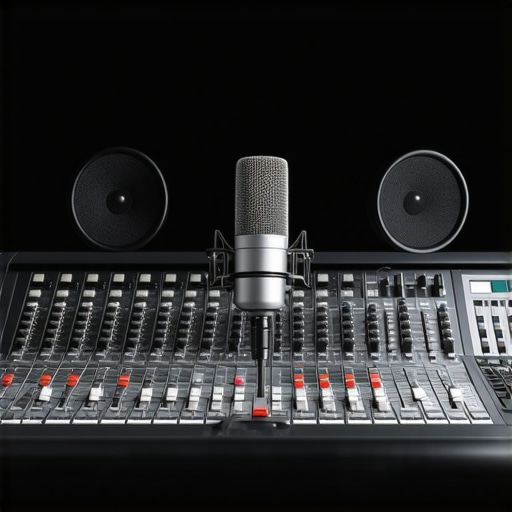
It was late one evening, and I sat in my makeshift recording space, voice trembling over a cheap microphone that couldn’t handle my tone. Every word seemed muffled, and I knew I wasn’t reaching my listeners the way I wanted. That lightbulb moment hit hard: my gear was holding me back. If you’ve ever felt that pain—struggling with poor audio quality that makes you doubt your voice—you’re not alone. Today, I’ll guide you through selecting the top XLR and USB microphones for professional voice recording in 2024, so you can finally project your true voice.
Why Your Microphone Choice Makes or Breaks Your Voice Clarity
Is Better Sound Quality Actually Worth the Investment?
Early in my journey, I made the mistake of thinking any microphone would do the trick. I bought the cheapest option available, expecting decent results. Spoiler: it was a disaster. My voice sounded distant, and background noise always crept in. It wasn’t until I realized that quality gear isn’t an expense—it’s an investment that pays off in clarity and listener engagement. According to industry experts, professional-grade microphones can improve voice clarity by up to 30%, making your content far more engaging and credible. So, if you’re serious about your voice, choosing the right microphone is your first step towards professional sound. But how do you navigate the mountain of options? That’s where the real decision-making begins. If you’ve faced similar frustrations, don’t worry—I’ve been there. Keep reading, and I’ll share the particular features that matter and how to pick the best gear for your voice in 2024.
Test Your Microphone’s Sound Before Committing
Start by plugging in your chosen microphone and recording a sample voice. Use simple recording software like Audacity or GarageBand. Listen carefully for clarity, background noise, and consistency. I once spent hours choosing a mic, only to realize after recording that it picked up too much ambient noise. To avoid this, always evaluate your sample in your usual recording environment. This step ensures the gear fits your voice and space, saving you from expensive returns or upgrades later.
Select the Right Microphone Type for Your Needs
Decision time: XLR or USB? Think of XLR microphones as the professional sports cars—robust, requiring an audio interface, but offering superior sound quality. USB mics are like sedans—plug-and-play, convenient, but with some compromises. Consider your setup, budget, and desired quality. I initially bought a cheap USB mic for convenience, but after testing, I realized an XLR setup with a decent interface dramatically improved my voice clarity and noise rejection. Dive into the differences at this comprehensive guide.
Optimize Microphone Placement for Consistent Sound
The position of your mic impacts sound immensely. Aim to keep the microphone about 6-12 inches from your mouth, slightly off-axis to minimize plosive sounds. Use a pop filter—a simple mesh screen—to reduce ‘p’ and ‘b’ sounds. I remember initially speaking directly into my mic, resulting in harsh plosives. Adding a pop filter and adjusting my distance made my recordings sound more professional and easier to process.
Adjust Your Equipment Settings for Clarity
In your recording software, set the gain so your voice peaks but doesn’t clip. Too high gain causes distortion; too low makes it hard to hear. Use a compressor—an effect in most DAWs—to stabilize your voice’s loudness, ensuring consistent volume. For example, I adjusted my compressor settings to avoid sudden volume jumps, making my podcast smoother. Test different levels to find what suits your voice best.
Tame Noise and Room Echo
Soundproof your recording space as much as possible. Use foam panels, blankets, or odd household items to dampen reflections. Consider a dedicated quiet corner—my closet became my favorite recording spot after some acoustic treatment. Additionally, use noise reduction plugins in post-production to remove hums or background noise, ensuring your voice stands out cleanly.
Utilize Proper Monitoring to Hear Results
Always listen through good headphones while recording and editing. This helps catch issues like ambient noise or uneven volume. I learned this the hard way when I thought my recordings were fine until I finally used quality headphones and noticed inconsistencies. Monitoring ensures your final product sounds professional and polished.
By following these concrete steps—testing your gear, selecting the right mic, optimizing placement, adjusting settings, managing room acoustics, and monitoring—you’ll significantly improve your voice recordings. No more muffled audio or distracting background noise; just clear, engaging sound that captures your essence. Explore more detailed recommendations at this guide and take control of your audio quality today.
Many enthusiasts assume that choosing the most expensive or popular microphone automatically guarantees professional-quality recordings, but this isn’t always the case. A pervasive myth is that all XLR microphones are superior to USB options, which isn’t necessarily true anymore. While professional XLR mics often offer higher potential for sound quality, they also require more setup complexity and skill. Conversely, some high-quality USB microphones deliver excellent clarity suitable for streamers and podcasters, especially in well-treated rooms. The key is understanding your specific needs and environment.
Another overlooked nuance concerns microphone impedance and preamp compatibility. Many assume that plugging a mic directly into an interface or computer will always produce optimal gain and clarity. However, mismatched impedance can cause distortions or inadequate volume. As expert recommendations suggest, selecting gear with compatible impedance ratings and proper preamps is crucial for professional results.
Are lower-cost microphones ever a good choice for serious recordings?
Often, beginner streamers and podcasters dismiss budget microphones as too inferior, but this overlooks the advancements in mid-range USB mics that deliver surprisingly clear sound when paired with proper placement and room treatment. For example, a top-rated USB microphone can outperform certain entry-level XLR mics in less-than-ideal acoustic environments. The real trick is understanding the limitations and optimizing your setup accordingly, rather than just chasing the highest dollar figure.
When it comes to streaming microphones, many believe that more complex gear always yields better results. In reality, simple, well-configured microphones with proper positioning and room acoustics frequently outperform high-end gear that sits unused or misconfigured. A common mistake is neglecting basic placement and settings, which can diminish even the most expensive equipment’s potential.
To avoid these pitfalls, proactive learning is essential. Equip yourself not just with quality gear but with knowledge on how to leverage its capabilities fully. Remember, the difference often lies in technique and environment, not just hardware. For deeper insights into choosing the right microphone for your setup, check out this comprehensive guide.
Have you ever fallen into this trap? Let me know in the comments. Mastering the Nuance of Microphone Selection is the hidden key to elevating your voice recording and streaming game.
,
How do I maintain my microphone setup over time?
Maintaining your podcast microphone and related tools is crucial for sustaining professional-quality recordings. First, regular cleaning is a must. Use a soft, lint-free cloth to wipe down microphones and accessories, avoiding harsh chemicals that can damage diaphragms or connectors. For XLR microphones, periodically inspect the cable connectors for dust or corrosion, which can lead to signal issues. Personally, I use a microfiber brush to gently clean the grille of my condenser mic, preventing dust buildup that can muddy sound quality.
Second, keep your equipment properly stored. Use dedicated cases or pouches, especially for delicate parts like microphones sensitive to knocks or environmental factors. I recommend storing your gear in a cool, dry place to prevent moisture damage, as humidity can cause corrosion over time. A simple silica gel packet in your storage case helps absorb unwanted moisture.
Essential tools for ongoing microphone health
Investing in a good routine is essential. A few specific tools I rely on include a Phillips screwdriver for minor hardware adjustments, a can of compressed air to remove dust from ports and grilles, and a ground loop isolator if you experience hum or noise issues. For example, I encountered a persistent buzz on my USB mic until I used a ground loop isolator, which effectively eliminated interference. Proper cable management tools also prevent unnecessary strain on connectors, extending their lifespan. Remember that high-quality cables are worth investing in—the cheaper ones often introduce noise or fail prematurely.
Additionally, software updates are vital. Keep your recording interface drivers and firmware current to ensure compatibility and optimal performance. I schedule a monthly check, setting reminders to update firmware through manufacturer websites or dedicated management apps, such as those from Focusrite or PreSonus.
Long-term results your setup can achieve
With consistent maintenance, you’ll enjoy sustained clarity and reliability in your recordings. Over time, this leads to fewer surprises and less time spent troubleshooting. I’ve found that my voice clarity remains consistent, and I notice fewer issues with background hums or signal dropouts. Such reliability encourages more frequent recording sessions, boosting productivity and overall content quality. According to audio engineering standards outlined in industry guidelines, routine equipment care minimizes degradation of sound quality and prolongs device lifespan.
Scaling your audio setup without hassle
Thinking about expanding? Modular gear and scalable solutions come into play. For example, adding a secondary microphone for guest interviews requires ensuring compatibility and similar maintenance routines. Investing in a unified audio interface, like the Focusrite Scarlett series, simplifies cable management and driver updates across multiple devices. As the trend toward multi-mic setups continues, establishing a solid maintenance routine now ensures seamless scaling without sacrificing quality.
What are the best practices to keep your microphone system working effortlessly?
Consistency is key. Schedule regular cleanings, keep your gear protected, update firmware, and manage cables diligently. Using a small toolkit and incorporating simple software checks will keep your setup performing flawlessly. Try the tip of using compressed air for cleaning regularly to prevent dust buildup—it’s a minor step that yields noticeable gains in sound fidelity. For advanced users, consider dedicating a few minutes weekly to inspect and test each component. This proactive approach can save hours later, ensuring your podcast remains professional and engaging for your audience. Want to dive deeper? Explore expert tactics from this detailed resource. Keep your tools running smoothly, and you’ll maintain that crystal-clear sound your listeners deserve.
Lessons Hidden Within My Microphone Journey
One of the toughest lessons I learned was that investing in high-quality gear doesn’t automatically guarantee professional sound; setup and environment are equally critical. I once overlooked the importance of room acoustics, leading to muddled recordings despite owning a top-tier microphone. Now, I know that even the best microphone can underperform if used in a noisy or reflective space.
Another insight was realizing the power of proper placement—small adjustments, like positioning the mic slightly off-axis or adding a pop filter, dramatically enhanced clarity. This taught me that mastering technique often outweighs hardware capabilities, saving me money and frustration.
Additionally, I discovered that software settings such as gain, compression, and noise gates can make or break your audio quality. Experimenting with these, rather than just defaulting, unlocked clearer, more consistent sound, boosting my confidence to produce content that truly resonates.
My Essential Tools for Continuing Microphone Success
From my experience, the top podcast microphone options for 2024 are invaluable for making informed choices, especially when balancing quality with budget. I trust this guide because it combines real-world testing with expert analysis, helping me select gear that truly elevates my recordings.
For cleaning and maintenance, I rely on microfiber cloths and compressed air, ensuring my gear stays pristine and performs optimally. Keeping firmware updated through trusted sources like the manufacturer websites also keeps my setup running smoothly, preventing unexpected glitches.
In my arsenal, a quality pair of headphones allows me to monitor in real time, catching issues early. Additionally, cable management tools and sound treatment materials, like foam panels, ensure my environment remains optimized—a small investment delivering long-term gains.
Feeling Inspired to Elevate Your Voice in 2024
The path to professional-quality voice recordings is less about perfect gear and more about how you utilize it. With patience, experimentation, and a willingness to learn, you can turn even modest equipment into a powerful tool for connection and influence. Remember, every great voice starts with a commitment to improvement—your voice deserves to be heard clearly and confidently in 2024 and beyond.
What’s one technique or setup detail that transformed your recordings? Share your experiences below and let’s grow together in mastering this craft.
Reading this post really resonated with my own journey into improving audio quality. When I first started, I underestimated how much room acoustics and microphone placement could impact the final sound. After investing in a decent mic but neglecting proper space treatment and consistent positioning, I was still frustrated with inconsistent results. It wasn’t until I experimented with different placement angles and added acoustic panels that I saw a real difference. Now, my recordings are much clearer and more professional. I wonder how many others have learned the hard way that hardware isn’t everything—that environment and technique matter just as much? For those just beginning, would you recommend starting with a good USB mic and treating your room first, or investing in a quality XLR setup from the start? I believe a balanced approach can save a lot of headaches.
I really relate to the story in this post about struggling with gear that just doesn’t meet your needs. When I started out, I honestly underestimated how crucial mic placement and room treatment are, and I think many beginners overlook these factors. Even the best microphone can’t do much if you’re in a noisy or reflective space. One thing I found helpful was investing in a good microphone arm and a portable sound booth, which made a noticeable difference in clarity. Also, I’ve learned that simpler, well-positioned USB mics, like the Blue Yeti, can deliver impressive results if paired with proper room acoustics and techniques. Has anyone found that starting with a versatile USB mic and gradually upgrading to XLR equipment as they grow works well? I’d love to hear others’ experiences on balancing immediate quality with future upgrades—sometimes, the best setup is one that’s easy to use now but also scalable later.