
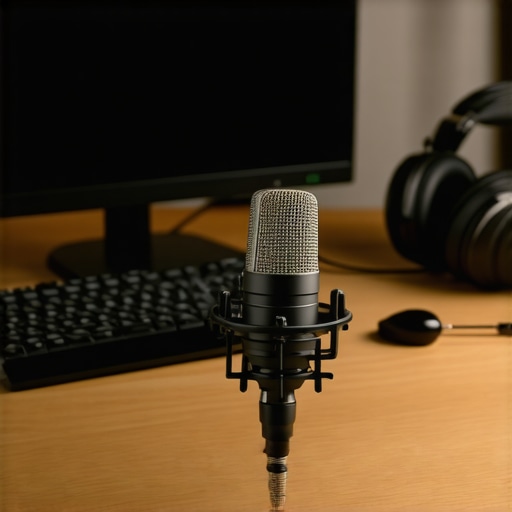
It was late one night, and I was live on my stream, expecting to wow my audience with my usual charm. Instead, I heard a crackling sound that made me cringe. Turns out, I had been using a cheap USB microphone that was giving my voice a gritty, muffled quality—not exactly the professional vibe I wanted. That lightbulb moment hit me hard: I needed better equipment, but not just any microphone would do.
The right microphone can elevate your podcast or streaming game from amateur to pro overnight. It’s not just about having the coolest gear—it’s about capturing your voice clearly, confidently, and — most importantly — making your listeners feel like you’re right there in their room. And trust me, I learned this the hard way, making costly mistakes early on because I didn’t understand the nuances between different types of mics.
Today, we’ll explore these distinctions and help you find a microphone that fits your needs perfectly. Whether you’re just starting out or ready to upgrade, understanding why your choice matters is the first step toward streaming success.
Why Your Microphone Choice Could Be Holding You Back
Is More Expensive Always Better? The Common Skepticism
Many aspiring streamers and podcasters believe shelling out more cash automatically guarantees better sound quality. I thought so too at first. But I quickly found out that a fancy XLR microphone isn’t worth much if you don’t set it up correctly or if it doesn’t suit your voice. A good microphone is an investment, but only if you choose the right one for your voice and setup.
Early on, I made the mistake of thinking I could get away with a cheap condenser mic and just tweak the settings. Spoiler alert: it sounded terrible. That’s when I dove into more research and discovered that microphone type, placement, and interface matter just as much—if not more—than price. To see which types fit your voice and streaming style, take a look at this [complete guide on microphone types](https://microphones.creatorsetupguide.com/top-microphone-types-for-voice-recording-streaming-expert-guide-2024).
If you’ve ever questioned whether upgrading your mic is worth it, ask yourself: Are your current recordings truly clear? Do listeners complain about background noise or muffled voices? If so, it might be time to reconsider your gear.
Getting it right from the start saves you frustration and re-investment down the line. Plus, a quality mic can inspire your confidence and improve your overall audio presence. Ready to find out how to make this happen? We’ll dig into the specifics of choosing between USB and XLR microphones next, so stay tuned.
Pick the Right Microphone Type
Start by deciding between a USB and an XLR microphone. Think of USB mics as a point-and-shoot camera, offering easy plug-and-play setup ideal for beginners or when you want simplicity. Conversely, XLR microphones are like professional DSLRs—more complex but capable of delivering higher audio quality with proper setup. I once started with a USB mic, but after upgrading to an XLR, I noticed a significant boost in clarity and depth. To compare options, check this comprehensive guide.
Understand the Microphone’s Core Design
Familiarize yourself with different microphone types—condenser, dynamic, or ribbon. Condenser mics are like musical instruments—they capture every nuance, making them excellent for studio voices (see more). Dynamic mics are like tough construction workers—they handle loud sounds and background noise better, perfect for streaming in noisy environments. Ribbon mics, though less common, provide warm tones but are fragile and typically used in controlled settings. I opted for a condenser mic for my personal setup, recognizing that it would give me rich, professional audio. For specific recommendations, explore the best models.
Master Placement and Positioning
Position your microphone approximately 6-8 inches from your mouth, angled slightly downward to minimize plosive sounds and breath noise. Use a pop filter—think of it as a shield for your voice—to reduce harsh ‘p’ and ‘b’ sounds. I learned this the hard way: after a few weeks of inconsistent audio, I added a pop filter and repositioned my mic, dramatically improving clarity. Remember, the placement can make or break your sound quality. A good rule of thumb is to record a short test clip, then adjust distance and angles until your voice sounds natural and clean. For technique tips, visit this guide.
Configure Your Interface and Settings
If you’re using an XLR mic, you’ll need an audio interface—think of it as a translator converting analog to digital signals. Choose one with enough gain to amplify your voice without introducing noise. Start with default settings, then fine-tune the gain and equalization to suit your voice. For USB microphones, software adjustments are more straightforward, but ensure your recording software is optimized for clarity. I once set my gain too high, which added hissing to my recordings—learning to dial it back made a perfect difference. For detailed setup tips, check this resource: this guide.Many creators assume that choosing a microphone is simply about picking the most expensive or popular model. However, this oversimplification ignores critical nuances that can significantly impact your sound quality. One common myth is that USB microphones always deliver acceptable audio for streaming. In reality, USB mics are convenient but often lack the depth and richness that quality XLR microphones provide, especially when paired with proper interfaces. This misconception can lead creators to settle for subpar sound, thinking it’s ‘good enough,’ but the difference is night and day once you understand the tech behind it. Furthermore, many overlook the importance of microphone placement—cognitive bias might lead you to believe that a mic’s specifications alone determine sound quality. Yet, the placement, angle, and acoustic environment have a bigger impact than most realize. Adjusting your mic position slightly can eliminate plosives and sibilance, dramatically improving clarity. A common trap is underestimating the significance of room acoustics; even the best mic will struggle in a noisy, echo-prone space. Experts emphasize the importance of treating your environment, not just your equipment, to achieve professional results. For instance, foam panels or even everyday household items can prevent unwanted reflections and background noise. Another nuance involves understanding the core design of microphones. Condenser mics capture detailed nuances but are more sensitive to room noise, while dynamic microphones excel in noisy settings but might lack some fidelity. Believing that all mics are equally suitable for voice recording is a mistake. Selecting the right microphone type, considering your environment and voice, requires insight beyond the initial specs. Moreover, many creators don’t realize that proper gain staging and interface setup are crucial. Setting gain too high introduces hiss, while too low results in weak audio. Fine-tuning these parameters, based on your specific mic and environment, is an advanced step often overlooked. According to audio engineer Laura B. Whitmore, mastering these technical details can elevate your production to a professional level and differentiate you from amateurs. So, don’t fall for the trap of thinking that gear alone makes the streamer, or that doing minimal setup suffices. The sophisticated understanding of these hidden nuances—placement, environment, microphone design, and configuration—is what separates good recordings from great ones. Have you ever fallen into this trap? Let me know in the comments.
Once you’ve invested in a quality microphone and optimized your setup, maintaining its performance becomes crucial. Consistent care ensures your equipment continues to deliver clear, professional audio without unexpected hitches. One of the key tools I personally rely on is a dedicated pop filter, which not only reduces plosive sounds during recordings but also helps keep dust and moisture off the microphone capsule, extending its lifespan. Additionally, using a high-quality boom arm or microphone stand helps prevent accidental knocks or drops that could damage sensitive components. For regular cleaning, I recommend soft brushes and compressed air to remove dust from your mic grill and connectors. This proactive approach prevents build-up that can affect sound quality over time.
Choosing the right tools for maintenance is equally important. I swear by the best streaming microphones for clear voice recording in 2024—they often come with specific guidelines for upkeep, including recommended cleaning routines. For more advanced care, I use contact cleaner on XLR connectors to prevent oxidation, which can introduce noise or signal loss.
As the industry moves forward, I predict that smarter, self-cleaning microphones equipped with sensors to alert you about moisture or dust will become more common. This tech evolution aims to minimize downtime and keep sound pristine. Until then, the best practice is routine maintenance and investing in quality accessories that protect your gear.
How do I maintain my microphone over time?
Consistency is key. Make it a habit to clean your mic and accessories regularly, store your equipment in dry, dust-free environments, and replace worn-out parts like cables and filters promptly. Incorporating these small habits can save you significant time and expense in the long run.
If you haven’t already, try rotating your pop filter weekly and adjusting your mic position during recordings to optimize clarity. These simple, yet often overlooked, tips can make a noticeable difference in your audio quality—plus, they’re easy to implement!
Lessons That Changed My Perspective on Streaming Microphones
- One of the toughest truths I uncovered was that expensive equipment doesn’t automatically mean professional quality; proper setup and understanding your microphone’s nature are far more critical.
- I once believed that a fancy condenser mic was the ultimate choice, only to realize that situational factors like environment and voice characteristics dictate the best microphone type for you.
- The myth that USB microphones are always ‘good enough’ led me to overlook the potential of XLR setups, which, with proper configuration, can elevate your voice to a new level of clarity.
- Watching others upgrade without considering acoustics was a mistake; room treatment made an incredible difference in sound quality, proving that gear alone isn’t the entire story.
- Lastly, mastering proper gain staging and placement is an ongoing journey — small adjustments can produce huge gains in audio professionalism, but it took me time to learn this.
My Go-To Resources for Microphone Mastery
- Ultimate guide to top streaming voice microphones — This resource is my cornerstone for understanding which microphones suit different scenarios, saving me from costly mistakes.
- Top microphone types for voice recording — Knowing the nuances of condenser, dynamic, and ribbon mics transformed how I choose and position my equipment.
- Best streaming microphones for clear voice — This list keeps me updated with current models that deliver professional sound without breaking the bank.
- Top USB microphones for streaming — Perfect for quick setups, but I now see their limitations compared to XLR options, which I’ve started integrating slowly.
Your Next Leap in Voice Recording Starts Now
Remember, mastering your microphone is an ongoing journey filled with discovery and small victories. Whether you’re just starting out or fine-tuning your setup, embracing these insights will propel your streaming voice to new heights. Don’t wait for perfect gear—start implementing what you’ve learned today, and watch your confidence and clarity grow. Your voice deserves to be heard at its best—proactively invest in your sound today and make your audience feel like you’re speaking directly to them. The future of voice recording is in your hands—are you ready to take the leap? Let me know in the comments: what’s the biggest lesson you’ve learned about your microphone setup so far?**
Reading through this post really struck a chord with me, especially the part about understanding the nuances of mic placement and environment. When I first started streaming, I thought my equipment was enough—until I realized that poor room acoustics and improper distance were causing muffled and echoey sound. Since I began treating my space with foam panels and carefully adjusting my mic position, the clarity vastly improved. It’s fascinating how much small tweaks can make such a big difference. I also switched from a USB to an XLR setup, and that transition elevated my audio quality noticeably, though it came with its own learning curve. For anyone just starting out, I’d emphasize that gear alone isn’t a magic fix; understanding the technical aspects and environment setup are just as crucial, if not more. What challenges have others faced when upgrading their mic setup, and how did they overcome them? Would love to hear your experiences and tips on optimizing space and placement for the best sound!