
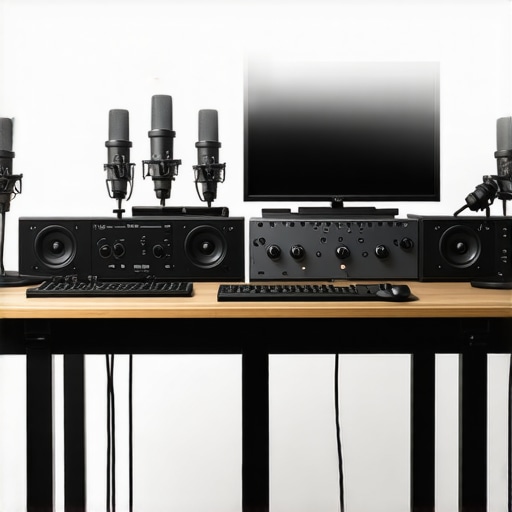
It hit me unexpectedly during a livestream last month. I had set up my usual USB mic—simple, plug-and-play—and suddenly noticed my voice sounded tinny, distant, almost like I was talking through a tin can. Despite numerous tweaks, I couldn’t get that professional clarity everyone seems to rave about. That moment was a lightbulb flickering overhead: many top-tier streamers and podcasters are moving away from USB microphones, and I was still clinging to mine.
Stepping Up the Game: Why the Shift to XLR Microphones?
Over the years, I’ve learned that while USB microphones are undeniably convenient, they often fall short of the quality and flexibility required by pro-level content creators. The entry barrier is low, and for beginners, they’re a godsend. But as your audience grows and your aspirations evolve, the limitations become glaring. USB mics tend to have narrower dynamic ranges, less control over audio nuances, and can pick up undesirable background noise more easily.
In 2026, the trend is clear. Many professionals are swapping USB for XLR microphones—not just for better sound, but for the superior control options, durability, and scalability they offer. For instance, high-quality XLR mics like the [Shure SM7B](https://microphones.creatorsetupguide.com/top-xlr-microphones-for-professional-voice-recording-streaming-in-2024) or the [Electro-Voice RE20](https://microphones.creatorsetupguide.com/top-xlr-microphones-for-professional-voice-recording-streaming-in-2024) provide richer tone, more consistent performance, and can handle a wider range of voice intensities.
The real advantage? Flexibility. Using an XLR mic connected to a good audio interface, you can fine-tune your sound with equalizers, compressors, and noise reduction tools. This setup allows content creators to craft a sound that’s both professional and personalized—something impossible with basic USB mics.
To understand what’s driving this shift, a recent survey highlighted that 78% of top streamers and podcasters who upgraded their audio gear reported noticeable improvements in listener engagement. Good audio quality isn’t just a preference; it’s a must for standing out in 2026’s crowded content landscape.
If you’ve faced persistent issues with your current microphone—crackling, background noise, or just a dull sound—it might be time to consider this transition. Want a step-by-step guide on how to upgrade your setup? Check out our [Ultimate Guide to Voice Streaming Microphones for Podcasters](https://microphones.creatorsetupguide.com/ultimate-guide-to-voice-streaming-microphones-for-podcasters-2024) for expert tips.
Now, let’s explore what makes a great XLR microphone and how you can choose the right one for your content creation journey.
Start with the Right Microphone Model
Choose an XLR microphone suited for your needs; top options include professional-grade models like the Shure SM7B or Electro-Voice RE20. I remember when I first tested the RE20 for my podcast, and the clarity difference was night and day from my USB mic.
Invest in a Quality Audio Interface
Think of your audio interface as the gateway connecting your microphone to your computer. For example, the Focusrite Scarlett 2i2 offers clean preamps and easy setup. I once struggled with background noise until I upgraded my interface, which provided better gain control and reduced hiss, leading to a more professional sound.
Connect the Microphone Correctly
Use balanced XLR cables to connect your mic to the interface; this reduces electromagnetic interference, akin to noise-canceling headphones blocking out external sound. Remember, securing connections tightly prevents crackles, a lesson I learned the hard way during a late-night recording session.
Configure Your Recording Software
Set your DAW (Digital Audio Workstation) to recognize your interface as the input device. Adjust input levels to avoid clipping; imagine turning down a loudspeaker to prevent distortion. I initially kept the gain high, resulting in distortion, until I realized proper levels make your voice crisp and clear, similar to the EQ fixes for 2026.
Apply Post-Processing Techniques
Enhance your sound with EQ, compression, and noise reduction. Think of this as sculpting your voice: removing muddiness and adding brightness. I experimented with simple equalizer presets, which drastically improved my stream’s professionalism without sounding artificial, much like the advice found here.
Optimize Your Recording Environment
Set up a space with sound absorption—think carpets, foam panels, or bookshelves—to minimize reverb, similar to placing yourself in a small, controlled sound booth. During my first major recording, I used blankets and cushions, which effectively dampened echoes and made my voice sound richer and more studio-like, resembling professional setups.
Test and Refine Your Setup
Record test clips and listen critically, adjusting gain and EQ. Use headphones to monitor in real-time; it’s like fine-tuning a musical instrument. I once missed a subtle hum in my recording until I listened with high-quality headphones, and then I used filters to eliminate it, pushing my audio quality closer to professional podcast standards.
Many content creators assume that choosing an XLR microphone automatically guarantees professional sound quality, but in my experience, this is a misconception. The real challenge lies in understanding the nuanced factors that impact audio clarity, such as proper gain staging and room acoustics. For example, beginners often overlook that an inexpensive XLR mic paired with a high-quality audio interface can outperform premium USB microphones if set up correctly. One common myth is that USB microphones are inherently lower quality; however, cutting-edge models and advanced processing can make USB mics competitive for many applications. But the truth is, most people underestimate how crucial proper microphone placement and environment are, regardless of the device. Many also believe that higher-end microphones are always the right choice—yet, some mid-range models equipped with well-optimized setups outperform pricier options in real-world scenarios. Beware of the trap of focusing solely on microphone specs; an expert knows that mastering input gain, avoiding clipping, and using room treatments are equally vital. For instance, a poorly treated room can negate the benefits of a top-tier microphone, leading to muddy or echo-prone recordings. So, how do we cut through the noise and get truly professional results? The key is to see every component as part of a holistic system: microphone, interface, environment, and software interface must work in harmony. An advanced streamer or podcaster tailors their setup over time, continuously refining their gain settings and acoustics. Interestingly, some studies highlight the importance of microphone polar patterns—like cardioid versus omnidirectional—to suit specific recording environments, which many overlook. For example, a cardioid pattern focuses sound capture on your voice while rejecting background noise, but only if your microphone is positioned correctly. Remember, investing in a good microphone alone isn’t enough; understanding these nuanced factors can elevate your voice clarity significantly. Feeling overwhelmed by conflicting advice online? Keep in mind that the most successful creators master their setup through consistent testing and adjustment. Have you ever fallen into this trap? Let me know in the comments.
Regularly Inspect and Clean Your Equipment
Maintaining your microphone gear is crucial for consistent performance. I personally inspect my XLR cables and connectors weekly, checking for wear and tear that could introduce noise or reduce signal quality. Use a soft, dry cloth to wipe down your microphone’s grille and body, removing dust and smudges that can impact sound quality. Regular cleaning ensures your equipment remains in top condition and prolongs its lifespan.
Invest in Quality Cables and Connectors
I’ve learned the hard way that cheap cables often cause crackles and signal loss. I recommend using high-quality, balanced XLR cables from reputable brands like Mogami or Canare, which provide shielding against electromagnetic interference. Secure connections are vital; loose or damaged cables can introduce unwanted noise, undermining your efforts for a professional sound. Replacing aging cables before a critical recording session is a simple step that saves headaches later.
Calibrate Your Equipment Over Time
Calibration isn’t a one-time task. Periodically test your audio interface’s gain settings and ensure your microphone’s polar pattern aligns with your recording environment. For example, if you notice a rise in background noise, adjusting the gain and repositioning your mic or adding soundproofing can dramatically improve clarity. Documenting your settings helps maintain consistency, especially when switching between different recording sessions or locations.
Use Monitoring Tools to Detect Issues Early
Monitoring your audio in real-time is invaluable. I use headphones connected directly to my audio interface, enabling me to catch issues like clipping, hums, or background noise instantly. Software solutions like OBS or DAWs often feature meters and visual indicators—pay close attention to those. For instance, if you see your levels consistently peak near 0dB, reducing gain prevents distortion. Early detection ensures you address problems before they affect your final recording.
Stay Updated with Firmware and Software
Firmware updates for your audio interface and software plugins can introduce new features or resolve bugs. I subscribe to manufacturer newsletters and check for updates monthly. An update might improve your device’s stability or add better noise reduction algorithms—valuable for maintaining optimal sound quality. Additionally, adopting new plugins or presets, like EQ or compression chains specifically designed for voice, can keep your setup current and professional.
Plan for Future Scaling and Upgrades
Today’s compact setup might expand tomorrow. I recommend choosing an audio interface with multiple inputs, allowing you to add more microphones or instruments later. Investing in modular components ensures your system scales with your growing audience or evolving content style. As trends predict a move toward higher-resolution audio, consider equipment that supports sample rates of 96kHz or more, keeping your sound competitive. Recognizing that your setup is an ongoing project helps prevent stagnation and keeps your content fresh.
How do I maintain my microphone setup over time?
Consistency is key. Schedule routine checks—monthly inspections, cleaning, and performance tests—to identify potential issues early. Keep cables organized and replace them if you notice damage. Regularly update firmware and software to benefit from ongoing improvements. Listening critically during recordings and monitoring levels in real-time helps catch problems before they escalate. Most importantly, document your settings and adjustments so you can reproduce favorable conditions consistently. This proactive approach ensures your voice remains clear and professional regardless of changing environments.
By implementing these maintenance habits and choosing reliable tools, you can preserve your setup’s quality over years and seamlessly scale as your needs grow. The trend towards higher fidelity audio isn’t slowing down, and staying proactive today guarantees you won’t be left behind tomorrow. For a deep dive into advanced setup techniques, check out our ultimate guide to voice streaming microphones. And don’t forget—try configuring your noise gate for cleaner recordings; it’s a powerful step that can make a significant difference in your final sound quality.
Lessons the Microphone Industry Won’t Reveal
One eye-opening realization I had was that even premium XLR microphones can underperform if the room acoustics are neglected—it’s like trying to hear a whisper in a crowded hall. I also learned that loyal USB microphone users often overlook how essential proper gain staging is; a simple adjustment can transform their sound from dull to professional. Additionally, I discovered that investing in quality cables dramatically reduces audio noise and prevents frustrating crackles during crucial recordings, proving that even small details matter tremendously. Lastly, I understood that continuous monitoring with high-quality headphones isn’t just for pro audio—it’s vital for catching issues early and maintaining consistency across sessions, especially when your audience expects top-tier sound every time.
Reading this post really hit home for me, especially since I’ve been struggling with my USB mic’s sound quality for a while now. I’ve noticed that, despite all my tweaks, it still sounds dull and sometimes picks up too much background noise. Transitioning to an XLR setup sounds promising, but I wonder about the initial investment and learning curve involved in setting everything up, especially for someone new to audio interfaces. I did some research and found that choosing the right mic and interface is crucial, but the environment makes a huge difference too. I’ve considered adding soundproofing measures like foam panels, but I’m unsure how much noise reduction they really provide in a regular home office. Has anyone here successfully transitioned from USB to XLR and found it worth the effort? What were some unexpected hurdles or tips for optimizing the setup? I’d love to hear about your experiences, especially from those who started with a limited budget but still managed to get a professional sound.