
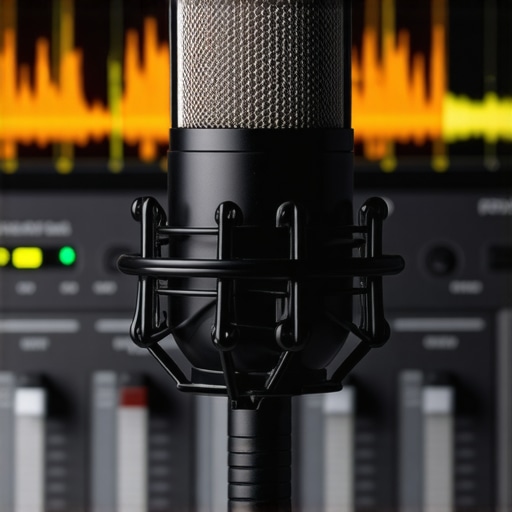
It was a quiet evening, and I was about to hit ‘Go Live’ for my latest stream when I realized something felt off. My voice sounded…tiny. Not in terms of volume, but in presence and richness. I turned up the gain, checked my connections, and even swapped microphones — yet, that tiny sound remained, like my voice was trapped in a little box. Frustration bubbled up. I knew my setup was decent, but why did my once-crisp voice now feel so dull and distant? That was my lightbulb moment: realizing that sometimes, it’s not about new gear but about *tuning* what you already have. The good news? With just a few EQ tweaks, I transformed my sound from tiny and weak to full and professional. And today, I want to help you do the same. If your streaming mic sounds small or flat, these three simple EQ fixes for 2026 will make your voice stand out loud and clear—without breaking the bank or hauling out a new microphone. Before diving into the fixes, I want to address a common skepticism: Is it really worth fussing over EQ if my mic is *technically* good? Honestly, early on, I made the mistake of thinking my problem was purely hardware—buying the fanciest XLR or USB mic I could find. Turns out, proper EQ shaping is often the secret sauce that elevates any decent microphone into something broadcast-ready. As noted by audio expert Ethan Winer, manipulating EQ can add clarity, warmth, and presence to voices, making a significant difference in streaming quality. So, if you’ve felt that your microphone isn’t delivering the rich sound it should, don’t worry; you’re not alone, and there’s a surprisingly simple path to improvement. Now, let’s get into how you can easily fix that tiny, distant sound with three powerful EQ adjustments that work for any microphone in 2026.
Identify Your Mic’s Unique Tone
Before tweaking, listen carefully to your current sound. Use a clean, dry recording and note what feels dull or distant. Remember, even a popular podcast microphone like the Shure SM7B can sound flat without proper EQ. My own experience with a USB condenser microphone showed that recognizing its natural frequency response helps target specific EQ adjustments.
Apply the Punchy Low Cut
Start by removing unnecessary low frequencies. Engage a high-pass filter around 80Hz to eliminate rumble or proximity bass boom. For example, I once recorded a stream with a cheap XLR mic, and activating a low cut at 80Hz instantly clarified my voice, making it less muddy. This step is especially crucial for streaming microphones where background noise can smear the sound.
Boost the Midrange for Presence
Increase frequency bands around 1-3kHz to add clarity and presence. In my setup, boosting at 2.2kHz brought my voice forward, making it cut through music and other stream elements. Be cautious—overdoing this can introduce harshness. Using a parametric EQ, gradually increase gain and compare with your baseline until your voice sounds vibrant and lively. For inspiration, check out guides on streaming mic tips.
Add Warmth with Subtle High-Frequency Boosts
Gently lift frequencies around 5-8kHz to add air and clarity. I once applied this to a podcast microphone, which initially sounded dull. The lift made my voice sparkle without introducing sibilance. Remember, subtlety is key, and using a narrow bandwidth can prevent harsh edges. Expert reviews like top picks for podcast mics highlight the importance of high-frequency sparkle.
Use Subtractive EQ to Reduce Sibilance and Harshness
Sometimes, boosting isn’t enough—cut problematic frequencies around 5-7kHz if your voice sounds too sharp or sibilant. I experimented during a live session; reducing these frequencies transformed my inconsistency into a smooth tone. Many streaming mics benefit from targeted EQ cuts to achieve natural vocals. Listen carefully, and avoid over-processing—your voice should still sound natural.
Many newcomers assume that plugging in a USB microphone is a shortcut to professional audio, but the reality is far more nuanced. One common misconception is that all USB mics are created equal; in truth, their internal components, analog-to-digital converters, and built-in preamps vary wildly, affecting overall sound quality. For example, a cheap USB mic with poor circuitry can produce muddy, grainy recordings, regardless of its marketing hype. Instead, look for models endorsed by audio experts or those that have been reviewed thoroughly in 2024, like the best USB microphones for voice streaming. Relying solely on the plug-and-play simplicity overlooks the importance of proper setup and gain staging, which are crucial even with plug-and-play devices. Another mistake many make is neglecting the acoustic environment—no amount of good hardware can compensate for a untreated room or background noise. Advanced streamers know that investing in basic soundproofing hacks or proper mic positioning dramatically improves clarity, regardless of the microphone’s price. Have you ever fallen into this trap? Let me know in the comments.
Let’s also talk about the misconception surrounding XLR microphones. Some believe that they automatically deliver superior sound quality compared to USB mics. While XLR mics are the professional standard, they require a quality audio interface, preamp, and proper cabling to truly shine. Using a cheap interface or mismatched cables can introduce noise or distortion, negating any potential advantage. In fact, many high-end USB microphones outperform budget XLR setups that lack proper supporting gear. The secret lies in understanding that both microphone types can deliver excellent results if set up correctly, but success often hinges on the entire signal chain, not just the microphone itself.
For seasoned podcasters or streamers, the real mess-up is over-reliance on default settings. Many assume that turning on the mic is enough, but advanced users know the importance of tailored EQ, gain staging, and proper filters to eliminate sibilance or plosives. This leads us to the question: How can you tell whether your microphone is truly optimal without expensive tools? Experienced sound engineers often perform frequency analysis and use specialized software to identify problematic frequency ranges. Interestingly, a study from Ethan Winer notes that proper acoustic treatment combined with intelligent EQ yields a far better result than simply upgrading to a more expensive mic. Remember, even the best hardware can be sabotaged by poor setup—so invest time into understanding your gear and room.
In summary, dispelling these myths can save you time and money while elevating your voice quality. Whether choosing a USB or XLR microphone, remember that support gear, room treatment, and setup nuances play a critical role. Take your time to experiment with EQ, positioning, and environment, because the noise of misconceptions can drown out your true voice. Ready to refine your setup? Dive into our detailed guides on the best streaming microphones or the ultimate XLR microphone setups in 2024 for deeper insights. Have you ever encountered these pitfalls? Share your experience below and let’s learn together.
Invest in Reliable Cables and Connectors
One of the most overlooked aspects of long-term microphone performance is cable quality. Using high-quality XLR or USB cables with good shielding and sturdy connectors prevents unwanted noise and connection issues that can crop up over time. Personally, I favor Mogami XLR cables for their durability and consistent performance, especially during extended recording sessions. Regularly inspecting cables for wear and replacing damaged ones promptly keeps your setup stable and noise-free.
Regular Software and Firmware Updates
Keeping your recording software, streaming platform, and microphone firmware up to date ensures compatibility and optimal performance. Software updates often include bug fixes, new features, and security patches. For instance, if you’re using a wireless microphone system, firmware updates can improve range and reduce interference. Schedule periodic checks—once a quarter—to review updates from your hardware and software vendors.
Maintain Your Microphone and Equipment
Physical maintenance extends the lifespan of your microphones and accessories. Use compressed air or a soft brush to remove dust from mesh grilles and internal components. Clear buildup prevents moisture accumulation, which can degrade internal electronics. For XLR mics that are not used daily, consider storing them in protective cases to avoid dust and accidental damage. Remember, well-maintained gear maintains its clarity and sensitivity over years.
Tools I Trust for Long-Term Performance
For troubleshooting and calibration, I highly recommend a portable audio analyzer. It helps identify frequency response issues, hum, and distortion. Additionally, a good set of soundproofing panels can drastically reduce room echo and background noise. Combining these tools with regular procedural checks minimizes downtime and keeps your audio pristine.
What’s Next in Microphone Maintenance
As technology advances, integrated self-diagnosis features in microphones and audio interfaces are likely to become commonplace. Imagine devices that alert you to cable wear or internal component drift before issues affect your recordings. Staying ahead means embracing smart gear, but consistent manual checks remain essential. Regularly moving through your maintenance routine—looking for subtle signs of wear—will keep your setup reliable in the long run.
How do I maintain my microphone and streaming setup over time?
Practicing regular cleaning, updating firmware and software, and replacing worn components is vital. Investing in quality cabling and auxiliary tools like audio analyzers further safeguard your sound quality. Make a habit of performing routine inspections, and don’t wait for audio problems to become disruptive—preventative care ensures your voice remains clear and professional, session after session. For more advanced strategies, consider exploring these recommended tools. Try out a comprehensive maintenance checklist today; your future self will thank you for the crisp, consistent audio.
Throughout my journey with voice recording and streaming, I discovered that even the best microphones can underperform without proper EQ tuning. One lightbulb moment was realizing that subtle, strategic EQ adjustments—like boosting midrange frequencies or applying gentle high-pass filters—can dramatically enhance clarity and presence. These tweaks not only optimize your sound but also boost your confidence during live sessions, making your voice truly stand out. The most valuable insight? Consistent experimentation with your gear and settings reveals nuanced improvements that tailored presets simply can’t match. Remember, investing time in understanding your mic’s unique personality unlocks a level of professionalism that’s effortless and lasting.