
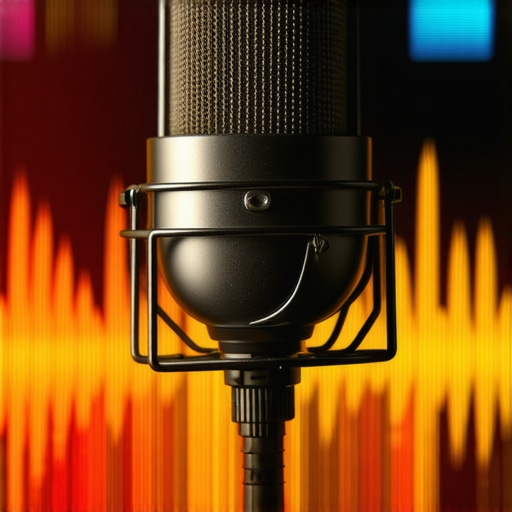
I remember the exact moment I realized my podcast mic was betraying me. I was recording a really heartfelt episode, voice warm and inviting, only to hear it back and think, “Wow, I sound like I stuck my head into a tin can.” That light, harsh brightness was completely ruining my otherwise solid content. It felt like I had to choose between sounding professional or not sounding like I was yelling into a wall. Have you ever faced this? That frustrating moment when your microphone’s tone just doesn’t sit right, no matter how much you tweak settings?
Why Brightness Could Be Sabotaging Your Podcast Sound in 2026
The truth is, many podcasters and streamers still overlook the importance of EQ, especially when it comes to controlling microphone brightness. This isn’t just a minor annoyance. A harsh, overly bright mic can make your voice fatiguing to listen to and hurt overall production quality. Early in my journey, I made the mistake of assuming that a good mic was enough. I didn’t realize that the real magic happens in how you shape your sound with simple EQ tricks. According to recent audio production insights, tuning your mic to reduce that unwanted brightness can significantly boost clarity and listener engagement (source). Now, I want to help you avoid the pitfalls I stumbled into.
Is Fixing Brightness Actually Worth the Hype?
It’s common to question whether EQ adjustments are worth the effort, especially with all the new tech flooding the market. I recall early on, I believed that replacing my microphone altogether would solve the problem. But, in fact, many issues boil down to mastering the right EQ fixes—without shelling out hundreds or even thousands for new gear. Trust me, I’ve been there. It’s a mistake I see many beginners make, and it’s one of the reasons I’ve dedicated myself to learning these simple, effective tricks. If you’re tired of sounding thin or harsh, keep reading—these fixes are designed for real-world results, not just theory.
Have you experienced the frustration of a bright microphone ruining your recordings? If so, you’re not alone. Let’s dive into practical solutions that can help you achieve that balanced, professional sound you’re aiming for in 2026 and beyond.
Apply a Basic EQ Curve
Start by opening your audio software’s equalizer. Use a parametric EQ to target the frequencies around 2-5 kHz, which are usually responsible for harshness and brightness. Boost or cut gently — around 3-6 dB — to tone down the unwanted sizzle. I once adjusted my mic’s EQ while recording a podcast on my USB microphone, and the difference was instant — the vocals became warmer and more natural, making my content more engaging.
Identify and Neutralize Harsh Frequencies
Use a spectrum analyzer to visually identify peaks in the treble range. Narrow down the Q (bandwidth) and gradually reduce those frequencies. This precise approach prevents dulling the voice too much. I recommend listening with headphones during this process to hear immediate effects. For example, when I worked on my stream setup, fine-tuning these frequencies eliminated the piercing sound that made my audience leave early.
Use Dynamic EQ or De-essing Tools
If your microphone tends to become harsh only on certain words or syllables, dynamic EQs or de-essers can help. These tools automatically reduce specific frequencies when they spike. Implementing a de-esser while recording my XLR microphone prevented sibilance and brightness from reaching my editors. This step is critical if you notice a sharp “ess” sound or funky sibilance in your recordings.
Proper Microphone Placement
Adjust your mic position to minimize the capture of sibilant and bright sounds. Keep the mic slightly below mouth level, off-axis, and at a consistent distance. I learned this tip during a field test with my XLR setup, placing the microphone 8 inches from my mouth and pointing slightly away. This simple move greatly softened harsh frequencies without needing extensive EQ tweaks later.
Invest in Good Acoustic Environment
Reflective surfaces can amplify brightness. Use furniture, rugs, or diffusers to absorb high frequencies. Even a small change — like hanging a thick blanket behind your setup — created a noticeable decrease in harshness for my voice recordings. This environmental adjustment reduces the burden on EQ and delivers a warmer tone from the start.
Consistent Monitoring and Fine-Tuning
Always listen to a recording through high-quality headphones while making adjustments. Your ears are the best tools — avoid relying solely on meters or presets. During a recent live stream, I rechecked my EQ settings mid-session and tweaked the high-end cut slightly, achieving a clearer, less fatiguing sound. Remember, small iterative changes yield the best results over time.
 While many assume that choosing the right microphone is a matter of specs and brand, the truth is there’s a nuanced layer that often trips up even seasoned podcasters and streamers. One common misconception is that a more expensive or ‘professional’ mic automatically guarantees stellar sound quality. However, without understanding the specific characteristics and settings of your microphone, you might be amplifying issues rather than fixing them. For instance, many beginners overlook the importance of proper gain staging, which can cause unwanted background noise or clipping, regardless of mic quality. Additionally, there’s a myth that all USB microphones are inferior to XLR setups, but in reality, with the right configuration and environment, some high-quality USB mics outperform entry-level XLR models. This misunderstanding can lead creators to invest heavily in gear that doesn’t suit their actual needs. Another subtle trap is relying solely on default settings or presets, ignoring the importance of custom calibration to match their voice and environment. Advanced users often forget that microphone placement plays a critical role in capturing clear, warm audio. For example, positioning the mic at mouth level and slightly off-axis can significantly reduce harshness and sibilance, which no fancy preset can compensate for. From a technical perspective, many overlook the impact of room acoustics and fail to implement simple improvements like soundproofing or diffusers, thus letting echo and high-frequency reflections muddy the recording. According to audio engineers, environmental control often trumps gear quality in achieving professional-sounding recordings (source). Moreover, advanced setups sometimes ignore the benefits of dynamic processing tools like de-essers or noise gates, which can tame harsh sibilance and background noise that basic EQ cannot fully address. For example, improperly set gain or neglecting these tools may cause distracting audio spikes during speech, making the recording less listener-friendly. Ultimately, understanding these intricacies can elevate your production quality beyond the basics. Don’t fall into the trap of oversimplifying; mastering these nuances ensures your voice stands out with clarity and warmth. Make sure to revisit your setup frequently, adjusting microphone positioning, environmental factors, and processing tools. Have you ever fallen into this trap? Let me know in the comments and share your experiences or questions. For more advanced insights on optimizing your gear and environment, explore our detailed guides on fixing quiet XLR audio and why many streamers prefer USB microphones in 2026. Your path to professional-quality audio starts with the right awareness, not just the right gear.
Ensuring your podcast or streaming microphone continues to deliver high-quality sound isn’t just about choosing the right equipment—it’s about adopting effective maintenance routines and using reliable tools that stand the test of time. Over the years, I’ve found that consistent care, combined with the right accessories, can dramatically extend your gear’s lifespan and maintain optimal performance.
Invest in Quality Cables and Connectors
One simple but often overlooked aspect of microphone maintenance is the health of your cables and connectors. I personally prefer using locking XLR connectors with high-grade shielded cables, like Mogami or ProCo, because they offer better durability and reduce noise. Regularly inspecting for signs of wear, such as fraying or loose pins, allows me to replace compromised components before they cause issues. This proactive approach keeps my audio clean and prevents costly repairs down the line. Be sure to shield your XLR cables from electromagnetic interference (EMI) and keep them neatly organized; it prolongs their lifespan and preserves signal integrity. For detailed tips on protecting XLR cables, consider reading our guide on preventing EMI issues.
Keep Your Equipment Clean and Dust-Free
A clean gear setup ensures that dust and debris don’t clog your microphone’s sensitive components. I regularly use a soft microfiber cloth to gently wipe microphones, stands, and audio interfaces. For XLR connectors, a contact cleaner like DeoxIT Gold helps maintain optimal conductivity. Plus, I avoid eating or drinking near my setup to minimize accidental spills and spills of dust or liquids that can corrode connectors or affect circuitry. Remember, a little preventive maintenance today avoids expensive replacements tomorrow.
Use Reliable Software and Firmware Updates
Modern audio gear relies heavily on software—whether it’s firmware for your audio interface or drivers for your microphone, keeping everything current is crucial. I routinely check for updates from manufacturers like Focusrite or PreSonus, as they often include security patches, bug fixes, and performance enhancements. For instance, updating my audio interface firmware improved latency and stability during live recordings. Installing these updates, along with using professional DAWs like Reaper or Adobe Audition, streamlines my workflow and ensures compatibility with the latest audio standards. Stay ahead in the game by subscribing to manufacturer newsletters, so you receive timely notifications about critical updates.
Protect Your Gear Against Environmental Hazards
Humidity, temperature fluctuations, and even accidental knocks can impact microphone longevity. I invested in a dedicated mic case with silica gel packs, which help control moisture. Additionally, mounting my microphone on a sturdy shock mount like the Rode PSA1, along with a pop filter, protects against physical shocks and prevents dust from settling on the capsule. Regularly calibrating my setup ensures consistent quality. With climate control in my studio, I notice fewer issues related to condensation or corrosion. Investing in protective accessories and monitoring environmental conditions can save you from frequent repairs and replacements.
How Do I Maintain My Microphone Over Time?
Establishing a routine that includes checking cables, cleaning components, updating firmware, and controlling your environment keeps your microphone performing optimally for years. For XLR setups, I particularly emphasize using high-quality cables, securing connections, and shielding cables from interference. Regularly testing your gear with diagnostic tools like REW (Room EQ Wizard) or a spectrum analyzer helps identify emerging issues early. Remember, consistency is key—schedule monthly checks and keep a log of any maintenance activities. This disciplined approach prevents minor issues from escalating into major repairs, saving you time and money. According to professional audio engineers, proper long-term maintenance involves routine visual inspections and environmental controls, which collectively extend your gear’s lifespan (source).
Try implementing a dedicated cable inspection and cleaning session this week. It might seem simple, but such an inexpensive step can significantly improve your sound quality and equipment longevity. Remember, well-maintained gear supports your creative process, allowing your voice to shine without technical interruptions.
Over the years, I’ve learned that the real magic of a professional podcast or stream isn’t just in the gear you choose but in the nuanced understanding of how to shape your microphone’s sound. For instance, I once spent a fortune upgrading my entire setup only to realize that mastering simple EQ techniques had a far bigger impact on my voice clarity than any new microphone. This revelation was a game-changer, saving me money and frustration while elevating my audio quality to new heights.
Another insight I wish I had embraced earlier is the power of environmental control. Small adjustments like adding diffusers or hanging blankets transformed my echoey, harsh recordings into warm, studio-like audio. It’s astonishing how minor tweaks in your acoustic environment combined with clever placement and processing can create a significant difference, often more than expensive gear alone.
Furthermore, understanding the importance of proper cable management and regular maintenance helped me prevent common issues like noise, hum, or signal loss. Regularly inspecting and upgrading my cables and connectors ensured my recordings remained pristine and consistent, demonstrating that attention to detail is key in professional audio.
Lessons Learned That Changed Everything
- Mastering EQ Is More Valuable Than Upgrading Gear: Simple frequency cuts can tame harshness and bring warmth like nothing else.
- Environment Is Your Secret Weapon: Soundproofing and room treatments often yield better results than gear upgrades alone.
- Regular Maintenance Pays Off: Keeping cables, connectors, and hardware in top condition prevents a multitude of issues down the line.
- Microphone Placement Can Save the Day: Small positional adjustments can drastically improve your sound, reducing the need for extensive post-processing.
- Quality Monitoring Is Essential: Listening through good headphones while tweaking ensures your adjustments translate perfectly to your audience.
My Go-To Tools and Resources
I’ve relied heavily on a few resources that consistently guide me toward better audio: first, the deep dives into EQ and room acoustics have been invaluable. Second, investing in high-quality cables from brands like Mogami has made a noticeable difference in signal integrity. Third, software tools like noise reduction plugins and spectrum analyzers help me fine-tune my recordings with precision. These resources, combined with continuous hands-on experimentation, have been my pillars for achieving exceptional sound.
Steps I Took to Elevate My Voice in 2026
Today, I encourage you to embrace the learning journey ahead. Whether you’re just starting or seeking to refine your existing setup, remember that patience and curiosity are your best allies. Start with environmental improvements, then tackle room tuning and mic placement, before dialing in your EQ and processing. Don’t be discouraged by initial setbacks—every tweak is a step toward clearer, richer sound. Your voice deserves to be heard in its full glory, and with the right mindset and tools, you can make that happen in 2026 and beyond.
What has been your biggest breakthrough in microphone setup or voice processing? Share your story in the comments—I’d love to hear how you’re improving your sound!