
Ever been mid-recording, only to realize your voice sounds distant, echoey, or just plain weird? I remember the moment clearly—my first podcast episode, microphone in hand, but what I got was a weirdly cavernous sound that no amount of editing could fix. It was a lightbulb moment: my room’s reverb was sabotaging my recordings, making my voice sound dry and lifeless. That frustration? It’s a battle many content creators face—and frankly, it’s a war worth winning.
Why Your Room Sounds Like a Cave and How to Fix It Fast
Is Room Reverb Really That Critical for Voice Quality?
I used to brush off my room acoustics, thinking a good microphone was all I needed. Turns out, I was making a rookie mistake. Early on, I believed that investing in an expensive microphone alone would produce pristine sound—spoiler: it doesn’t. Your environment plays a huge role. According to a study by the Audio Engineering Society, room acoustics can impact vocal clarity more than the microphone itself if neglected. So, even if you have a top-tier mic, a reflective space can turn your recording into a muffled echo chamber.
Honestly, my biggest breakthrough came when I realized that simple, quick fixes could drastically reduce reverb without tearing apart my entire space. If you’ve faced similar disheartening audio, stick around—I’ll share the secrets that turned my dry voice into a crisp, professional sound, all in a matter of minutes.
Seal Your Space
Start by blocking sound reflections. Use heavy duvets, thick blankets, or moving pads to cover walls or windows, creating a makeshift soundproofing barrier. I once taped blankets over my window, which instantly reduced echo and made my voice clearer. Think of it as wrapping your room in a cozy quilt to absorb unwanted sound waves.
Arrange Your Microphone Strategically
Keep Microphone Close and Off Reflection Surfaces
Position your microphone within a few inches of your mouth, reducing room sound pickup. Place it away from reflective surfaces like walls or windows. For example, I moved my USB mic closer to my face and oriented it away from my hard walls, gaining immediate clarity. Remember, a moving blanket behind your mic acts like a shield, blocking bounced sound waves.
Use a Directional Microphone
Opt for a cardioid or supercardioid microphone, which captures sound primarily from the front and minimizes ambient noise. An dynamic mic like the Shure SM58 can drastically cut room echoes. Think of it as a spotlight that only highlights your voice, ignoring the echoes hiding in the shadows.
Implement Acoustic Treatments
Add soft materials directly where sound bounces—think foam panels, rugs, or bookshelves filled with books. I placed a thick rug under my desk and hung foam tiles on the wall, turning my echoey room into a semi-studio. These materials absorb reflections, similar to how a sponge soaks up water, reducing reverb.
Muffle with DIY Bass Traps and Diffusers
Create bass traps using dense pillows or stuffed fabric in corners. Diffusers made from furniture or cardboard boxes can scatter sound waves. I stacked pillows into corners, which visibly minimized low-frequency boominess, making my voice more natural and balanced. These tricks help break up standing waves, turning your space from a cave into a recording haven.
Optimize Your Microphone Settings and Environment
Adjust gain levels to avoid clipping and high sensitivity that captures room noise. Use software filters like noise gates or equalizers to cut unwanted frequencies. My initial recordings had hiss and echo, but after lowering gain and applying a noise gate from a [pro technique](https://microphones.creatorsetupguide.com/3-pro-tactics-to-kill-background-noise-in-2026-voice-recordings), my sound became crisp and professional.
Remember, combining physical modifications with technical tweaks maximizes your results. Even a modest room can become studio-ready with these actionable steps. Regularly test your setup and tweak positions until your voice sounds clear, warm, and free of echo. Every small change adds up—transforming your recordings into polished productions that stand out.
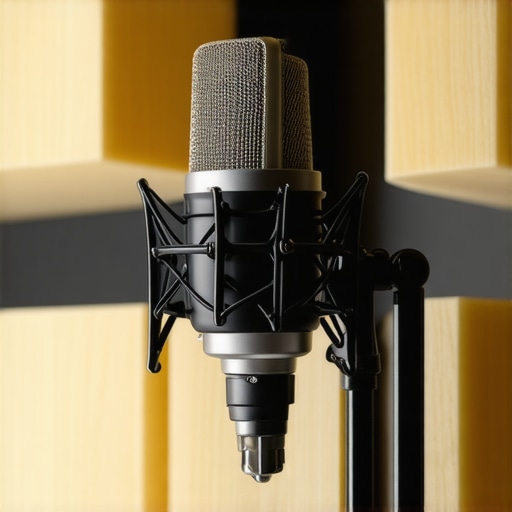 Many assume that selecting the right microphone is the key to professional-sounding recordings, but this is a common misconception. In reality, most creators overlook the nuances that truly influence audio quality. For example, many believe that a high-end XLR microphone automatically ensures superior sound, yet neglecting proper preamp selection and room acoustics can nullify those benefits. According to audio experts, the interaction between gear and environment is complex, and optimizing both yields far better results than upgrading equipment alone. Moreover, there’s a myth that USB microphones are inherently inferior to XLR setups. While XLR mics offer flexibility with higher-quality components, today’s flagship USB microphones, such as those detailed in our [best USB-C microphones](https://microphones.creatorsetupguide.com/4-best-usb-c-4-0-microphones-for-pro-2026-mobile-podcasts), can rival professional studios, especially when used with proper gain staging and filtering. One hidden trap is the overreliance on equipment labels rather than understanding the specific needs of your environment. For instance, a dynamic microphone with broad frequency response might sound dull if your recording space has excessive ambient noise, whereas a well-positioned shotgun mic could do wonders. Also, beginner creators often get caught up in shiny features like built-in preamps or auto-gain, which may introduce noise or distortions if not configured correctly. The real secret lies in mastering physical placement and technical settings; for example, adjusting gain levels and employing noise gates—techniques covered in-depth in our [pro tactics to eliminate background noise](https://microphones.creatorsetupguide.com/7-pro-tactics-to-kill-background-noise-in-2026-voice-recordings). Lastly, many overlook the importance of understanding the nuances between podcast, streaming, and professional voice-over microphones. Your choice should align with your specific voice type, environment, and workflow. For example, a condenser mic may deliver exquisite detail in a treated studio, but can reveal every room echo if your space isn’t soundproofed. In contrast, a dynamic or broadcast microphone might better suit a noisy environment without elaborate acoustic treatment. Always remember, investing time in learning about your gear’s quirks rather than just its specifications can vastly improve your recordings. Have you ever fallen into this trap? Let me know in the comments.
Maintaining your voice recording setup over time is crucial to ensure consistent quality, especially as equipment ages or your recording environment evolves. One of the key strategies I recommend is regular calibration and updating of your tools. For instance, routine checks of your audio interface’s settings can prevent gain staging issues that subtly degrade audio clarity. Replace or upgrade cables periodically to avoid signal loss or interference — I personally swap out XLR cables every 12 months, as suggested by audio experts, to maintain pristine signal integrity. Utilizing software tools such as ReaTune or iZotope RX for real-time audio correction helps manage long-term consistency in voice quality, compensating for room acoustics changes or microphone aging.
Implementing a schedule for cleaning your equipment also pays off. Dust-and-grime buildup inside microphones or on connectors can affect performance. Using a gentle blower or microfiber cloth, I clean my XLR connectors and mic grills every few months. This preventive maintenance minimizes noise issues and extends the lifespan of my hardware. Additionally, keep your drivers and firmware updated — manufacturers often release updates that improve stability and introduce new features. Checking for updates monthly ensures optimal operation.
How do I maintain my setup over time?
One effective way I keep my gear performing well is by creating a dedicated maintenance routine, including hardware checks, cleaning, and software updates. For example, I set reminders to verify gain levels or re-test my room acoustics after any significant change. Also, I keep a log to track when I last replaced cables or cleaned components. This meticulous approach not only prevents unexpected failures but also helps identify subtle issues before they impact video or audio quality. Looking ahead, as AI-powered microphones emerge, maintenance might shift towards software calibration, making it even easier to sustain professional sound over years. I recommend trying techniques like regular calibration and cable maintenance today — simple steps that can profoundly impact your long-term recording quality.
The Hidden Lessons That Changed My Voice Recording Game
- Sometimes, the biggest breakthroughs come from simple tweaks—like placing a pillow in the corner, which dramatically reduced low-frequency boominess I never knew I had. These little secrets are often overlooked but hold the key to professional-quality sound.
- I learned that investing in top-tier gear won’t fix a room’s acoustic flaws. Without proper environment management, even the most expensive microphone can’t deliver crystal-clear vocals. That realization pushed me to treat my space seriously, transforming my recordings entirely.
- Understanding the interaction between your microphone and room dynamics is crucial. I found that adjusting mic placement and employing DIY acoustic treatments like blankets or foam panels made an immediate difference, saving me hundreds in studio rentals.
- Consistent maintenance and calibration of equipment ensure long-term quality. From regularly replacing cables to cleaning my gear, these habits keep my voice recordings clean and reliable, preventing subtle issues from sneaking into my final product.
- Finally, embracing a mindset of continuous learning—reading expert articles, testing new setups—kept my recordings fresh and evolving. The journey from echoey mess to studio-like clarity was as much about education as equipment.
Tools That Elevated My Voice Recording Journey
- ReaTune and iZotope RX became my go-to for real-time correction and post-production, respectively. They helped me clean up residual background noise and tame harsh frequencies, turning rough takes into polished audio.
- The best USB-C microphones offered exceptional quality with minimal setup, perfect for my on-the-go recording sessions without sacrificing sound integrity.
- Investing in a dedicated audio interface elevated my recordings by providing cleaner gain and better analog-to-digital conversion, proving that the right hardware makes all the difference.
- For acoustic treatment, I relied on affordable foam panels and DIY bass traps from pillows, which transformed my small room into a semi-professional studio.
Your Voice Recording Breakthrough Awaits
Remember, mastering your environment and gear is a continuous process, but the rewards—crystal-clear, professional-sounding voice recordings—are well worth the effort. Whether you’re podcasting, streaming, or creating voice-overs, every small tweak brings you closer to your dream sound. Don’t wait—start experimenting today, and watch your voice come alive in ways you never imagined.