
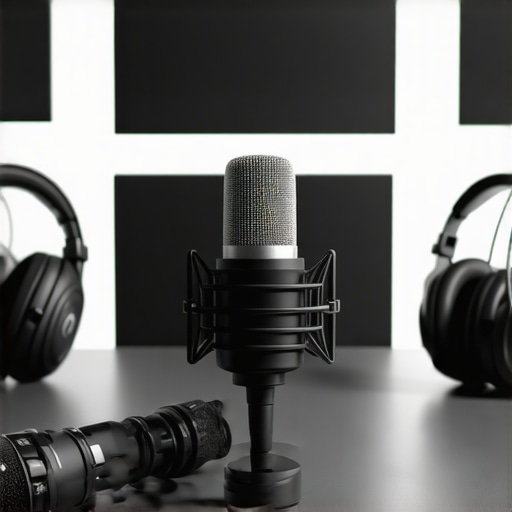
Ever spent hours tinkering with your microphone setup, only to realize your voice still sounds muffled or distant? I’ve been there. I remember the lightbulb moment when I finally understood why my early recordings were so frustrating — I was using the wrong microphone for my space and needs. That realization changed everything, and I want to save you from the same headache.
Why Picking the Right Microphone Matters More Than You Think
In 2024, the quality of your microphone can make or break your podcast or stream. Think about it: your audience is tuning in to hear your voice, not the background noise or echo. The right microphone can bring clarity, warmth, and professionalism to your content — and that’s no exaggeration. But with so many options out there, how do you pick the best one for your budget and goals?
In this post, I’ll walk you through the top choices for both USB and XLR microphones, share practical tips, and help you avoid common pitfalls. Whether you’re just starting or looking to upgrade, I’ve got you covered. And if you’re wondering whether investing in a high-end mic is worth it, I’ll address that too. Ready to find your perfect voice partner? Let’s dive in.
Is it really worth splurging on a professional microphone?
Early in my journey, I made a rookie mistake: I bought a fancy microphone without considering my space or recording needs. The result? A lot of wasted money and a lot of re-recordings. I later learned that choosing the right microphone depends on your environment, budget, and goals. For many, a good USB mic can do wonders, but if you want maximum control and audio quality, an XLR setup is the way to go. Curious about the best options for 2024? Check out this comprehensive list of top voice recording microphones.
So, how do you avoid the pitfalls I fell into? That’s what I’ll help you with today. From understanding microphone types to practical buying tips, you’ll have everything you need to make an informed decision. Ready to upgrade your sound? Let’s get started.
Choose the Right Microphone for Your Space
The first step is to evaluate your environment. Do you record in a quiet room or a noisy space? If you have a dedicated studio or a sound-proofed room, an XLR microphone will give you superior control and sound quality. But if you’re on a budget or need quick setup, a good USB microphone can be perfectly adequate. Think of it like choosing between a high-end DSLR camera and a point-and-shoot—both can produce great photos, but the environment and purpose determine the best fit.
Position Your Microphone Correctly
Placement makes all the difference. I once spent hours troubleshooting audio because I was talking too far from my mic. For most setups, position the mic about 6-12 inches from your mouth, slightly off-axis to reduce plosives. Use a shock mount and pop filter to minimize vibrations and harsh sounds. Imagine your microphone as a sensitive ear—if you speak too far or too close, the quality drops. A simple test: record a few seconds, listen carefully, and adjust distance until your voice sounds natural and clear.
Set Up Properly and Test
Before recording, do a quick test to check levels. Use your recording software’s input meter and speak at your normal volume. Aim for levels peaking around -6dB to -3dB—any higher, and you risk clipping; lower, and your audio might be too quiet. I remember when I first set up my mic, I ignored the levels and ended up with distorted audio. Now, I always do a quick test each session. For detailed instructions, check this setup guide.
Optimize Your Software Settings
Adjust your gain, sample rate, and bitrate in your recording software. Turn down the gain if your voice sounds distorted or too bass-heavy. Select a sample rate of at least 44.1kHz for clear audio. Think of this like tuning a guitar—small adjustments can dramatically improve sound quality. Also, enable noise suppression or filters if your software offers them, especially if you can’t eliminate background noise. This step saved me when my home office had a constant hum from the AC.
Test and Refine Regularly
Every time you upgrade your equipment or change your environment, revisit your setup. Record short clips, listen critically, and tweak. I once added a foam panel behind my mic and immediately noticed a reduction in echo. Continuous refinement ensures your audio remains professional and consistent. For more advanced tips, browse this microphone setup techniques.
Summary
Getting started with the right microphone setup is about environment, positioning, settings, and ongoing refinement. Think of it like tuning a musical instrument—you might start out rough, but with practice, your sound becomes polished. Dive into the specific gear that fits your needs by exploring the top microphone options for 2024, and you’ll be on your way to studio-quality audio in no time.
Many podcasters and streamers fall prey to misconceptions about microphones that can severely impact their audio quality. Let’s dig deeper into some of these hidden pitfalls—things most people get wrong despite popular advice. Understanding these nuances can help you avoid costly mistakes and truly optimize your setup.
Why Most People Overlook Proper Mic Placement and Its Subtle Effects
Everyone emphasizes the importance of choosing the right microphone model, but surprisingly few focus on the nuances of placement. It’s a common myth that once you set your mic, you’re good to go. In reality, even slight variations in distance or angle can drastically change your tone, presence, and clarity. For instance, a mic positioned too far results in muffled or distant sound, while too close can cause unwanted plosives and bass buildup. The key is consistent, careful placement—something I refined after countless re-recordings. A simple tip: always record a quick sample and listen critically, adjusting your position until your voice sounds natural and free of artifacts.
The Trap of Believing Higher Price Means Better Sound
It’s a widespread misconception that expensive microphones automatically deliver superior audio. While high-end gear can offer advantages, many mid-range or even budget mics outperform their pricier counterparts if used correctly. For example, a well-placed USB microphone can produce professional results without breaking the bank. Conversely, a costly mic in a poor environment or with incorrect settings can sound worse than a modest one. The real secret lies in understanding your environment and mastering setup techniques, rather than just chasing the latest high-end model.
Advanced Question: How Do Room Acoustics Influence Microphone Choice and Placement?
This is a nuanced topic often overlooked by beginners. Room acoustics can make or break your microphone’s performance. Hard surfaces reflect sound waves, creating echo and reverb that muddy your recordings. Soft furnishings absorb unwanted noise, making your mic’s job easier. An expert approach involves analyzing your space—using tools like a simple audio test or room response measurements—and then selecting a mic suited for your environment. For example, a shotgun mic might excel in a noisy room, while a dynamic mic with a cardioid pattern can help reject background noise in a less controlled space. For a comprehensive understanding, check out the microphone type guide.
Have you ever fallen into this trap? Let me know in the comments. Remember, mastering your microphone setup isn’t about the gear alone; it’s about understanding and optimizing every detail for the best possible sound.
Keeping your microphone setup running smoothly over time requires more than just initial setup; it involves regular maintenance, choosing the right tools, and understanding how to scale your setup as your needs grow. Staying proactive ensures your audio quality remains professional and minimizes downtime, which is crucial for podcasters and streamers aiming for consistency.
How do I maintain my microphone gear over time?
The foundation of long-term microphone performance begins with proper cleaning and environmental care. Regularly dusting your equipment with a soft, lint-free cloth prevents buildup that can affect connections and sound quality. For your microphone, use a gentle brush or compressed air to remove dust from crevices and grille screens. Keep your cables tidy and inspect them for signs of wear—frayed cables can introduce noise or cause failures. When not in use, store your gear in a dry, dust-free environment, ideally in a padded case to prevent physical damage.
Beyond physical maintenance, software updates for your recording and streaming tools help keep everything compatible and secure. Firmware updates for audio interfaces or microphones (if applicable) often include performance improvements and bug fixes. Check the manufacturer’s website periodically for updates and install them following their instructions.
Tools I swear by for reliable performance
One of my top recommendations is investing in a high-quality audio interface, such as the Focusrite Scarlett series. It provides clean preamps, robust build quality, and reliable connections that are essential for maintaining sound integrity over time. Pair this with a good pair of headphones like the Audio-Technica ATH-M50x for accurate monitoring, which helps detect issues early.
For software, I rely on Reaper because of its stability, customization options, and affordability. It allows me to set up templates, monitor levels easily, and incorporate noise suppression plugins seamlessly. Speaking of plugins, iZotope RX is invaluable for cleaning up recordings, especially when dealing with background noise or room echo—something I frequently encounter in less-treated spaces.
Future-proofing your setup
As technology advances, expect integration of AI-driven noise reduction and automatic leveling tools to become standard. Embracing software like Adobe Enhance Speech or similar AI tools will help you maintain crisp audio quality with minimal manual intervention, freeing you to focus on content creation.
To get the most out of your gear, I recommend regularly testing your setup—record short clips, listen critically, and tweak your environment or settings as needed. This proactive approach prevents small issues from escalating into costly repairs or replacements.
Finally, document your setup and maintenance routines. Keeping a log helps you track what works best and identify patterns that lead to issues. Over time, you’ll develop a maintenance rhythm that ensures your microphone setup remains reliable, clear, and ready for any recording session.
Start implementing these maintenance habits today, and you’ll enjoy consistent, professional-quality audio for years to come.
The Hardest Lesson I Learned About Microphone Mastery
One of my biggest realizations was that no matter how expensive your microphone is, if you don’t get the placement right, your sound suffers. I used to think a high-end mic would automatically elevate my recordings, but I found out that even the best gear can sound terrible if placed improperly. Now, I always test and tweak my mic position until it sounds just right — a small adjustment can make all the difference.
My Essential Toolkit for Top-Quality Audio
- Focusrite Scarlett Series: Trustworthy, reliable, and with clean preamps, it’s what I use for my XLR setup — a must-have for consistent performance.
- Audio-Technica ATH-M50x: Accurate monitoring headphones that help me catch issues early and refine my sound.
- Reaper Software: Stable, customizable, and perfect for setting up your recording environment. It’s my go-to for editing and noise reduction.
- iZotope RX: An incredible plugin for cleaning up recordings, especially in less-than-ideal environments. It’s been a game-changer for me.
Take Action and Elevate Your Voice Today
Improving your microphone setup isn’t just about gear — it’s about understanding every detail, from placement to software tweaks. With these insights and tools, you’re well on your way to professional-quality sound. Remember, every small adjustment adds up to a polished, engaging experience for your audience. Why not start experimenting today and see how much your audio can improve? Your voice deserves it — and so do your listeners.
This article hits home for me, especially the part about placement. I used to think just plugging in a decent mic was enough, but I realized that even the best microphone won’t shine if it’s poorly positioned. After spending hours experimenting, I found that keeping the mic about 8 inches from my mouth and slightly off-axis made my voice much clearer, with fewer plosives. The advice on testing levels before recording is so crucial—I’ve learned that ignoring input levels can lead to distorted audio, which is frustratingly hard to fix later.
One thing I’ve struggled with is managing room reflections. I’ve noticed that soft furnishings help, but what are some other ways to treat a room for optimal sound? I’m curious how others approach acoustic treatment on a budget. It’s inspiring to see how continuous tweaking can improve sound quality over time; it’s not a one-and-done deal. Would love to hear from others about their setup adjustments or favorite tools for room acoustics.
This post really hit home about the importance of mic placement and environment. I’ve had my fair share of re-recordings because I underestimated how much even small position tweaks can impact sound clarity. I used to think that just switching microphones would solve all issues, but I found that even with a decent mic, proper placement and room treatment are critical.
In my experience, experimenting with different distances and angles really improved my audio. I also started using some DIY acoustic panels made from foam and heavy curtains, which helped reduce echo without breaking the bank. For anyone working on a budget, considering reflective surfaces and using soft furnishings strategically can make a big difference.
Regarding room treatment, what are some effective, low-cost solutions others have tried? I’m curious if you’ve had success with any particular DIY methods or specific strategies to prevent unwanted reverb and echo in small or untreated spaces. Would love to hear different approaches!”,
I really resonated with this post, especially the part about positioning your mic carefully. I used to think that buying a decent microphone was enough, but I quickly learned that placement and environment are just as vital. I found that using a simple DIY solution—like hanging heavy curtains and placing some soft furniture—helped absorb reflections and reduced echo significantly. It’s a cost-effective way to improve sound quality without investing in expensive acoustic treatments.
I’m curious, has anyone tried using household items like bookshelves or rugs strategically to tame room acoustics? I believe small adjustments can make a big difference, and it’s rewarding to see how continuous tweaking can lead to pro-level audio. Also, do you think upgrading other gear, like the audio interface or headphones, makes a noticeable difference once room acoustics are improved? Looking forward to hearing your thoughts on affordable room treatment solutions!