
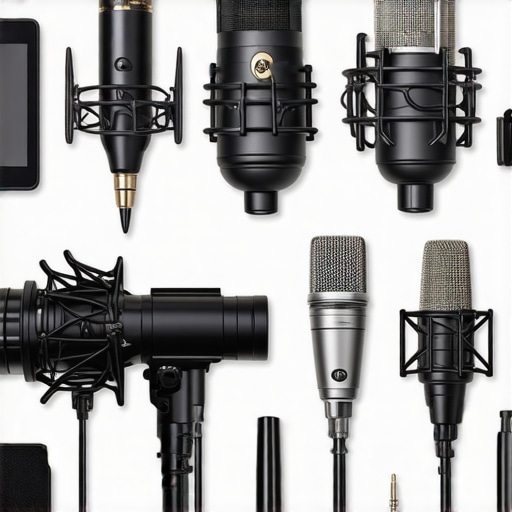
It was a moment I won’t forget. I was in the middle of a live stream when suddenly, my voice sounded thin, tinny, and practically unrecognizable. I had invested in the fancy XLR microphone everyone raved about. But instead of elevating my quality, it turned my setup into a frustrating hassle. Sound familiar? If you’ve ever been there—the tangled cables, the expensive gear that doesn’t deliver as promised, or just feeling like you’re spinning your wheels with your audio—then you’ll understand why I started questioning whether that XLR was really worth it.
Is an XLR Microphone Still a Game-Changer in 2026?
In my early days, I believed that an XLR microphone was the holy grail for professional-quality audio. It was the shiny, desirable gear that promised crystal-clear recordings and top-tier streaming. But after countless hours of testing, tweaking, and listening, I discovered a different reality. The truth is, for most content creators today, the traditional advantages of XLR microphones are less impactful than we think, especially with the incredible advancements in USB microphone technology. Have you noticed that many streamers and podcasters are shifting towards high-quality USB options instead? You’re not alone—it’s a trend worth paying attention to.
What Went Wrong? My Early Mistake
I admit it—I got caught up in the hype. I believed that an XLR setup automatically meant better sound. Early on, I overlooked the importance of proper preamps, audio interfaces, and room acoustics, which are crucial to unlocking an XLR microphone’s potential. Skipping these became my biggest mistake. Instead, I should have focused on optimizing my environment and choosing gear tailored for my needs. For practical tips on setting up your space, check out [5 Pro Soundproofing Hacks for Better Voice Recording in 2026](https://microphones.creatorsetupguide.com/5-pro-soundproofing-hacks-for-better-voice-recording-in-2026).
This realization led me to question: is splurging for an XLR still necessary when modern USB microphones can rival and even surpass traditional models? To answer that, let’s dive into why the hype might be fading and what options truly make sense today.
Choose the Right Microphone for Your Setup
Start by assessing your needs—are you streaming, podcasting, or recording vocals? If you want a plug-and-play solution with minimal setup, a high-quality USB microphone like the best USB microphones can deliver studio-quality sound without extra gear. For those seeking professional-grade audio, consider an XLR microphone coupled with a reliable audio interface. Think of choosing your microphone as selecting a camera: USB is like a compact point-and-shoot—easy and quick, while XLR is a DSLR—more control and potential, but requires additional equipment.
Set Up Your Environment to Enhance Sound Quality
Even the best microphone can pick up unwanted noise or room echo. It’s crucial to optimize your space. Use DIY soundproofing techniques, such as installing foam panels or hanging blankets, to minimize reverb. Position your mic away from reflective surfaces and noise sources. When I recorded my last episode, I moved my setup into a closet lined with clothes, drastically reducing echo and background noise—making a noticeable difference in clarity. For detailed strategies, check out soundproofing hacks.
Connect Your Microphone Correctly
Proper connections are key. For USB mics, simply plug into your computer’s port. For XLR mics, ensure you have an audio interface—a device that converts analog signals into digital. Think of the interface as a translator that ensures your voice is accurately captured. Always use balanced XLR cables for noise rejection. When I first set mine up, I mistakenly used an unbalanced cable and kept getting hum; switching to balanced cables eliminated this issue immediately.
Adjust Microphone Settings for Optimal Voice Capture
Customize your gain and tone settings. Too high gain introduces hiss and distortion, while too low results in weak sound. Start with a moderate gain, then increase until your voice sounds clear without clipping. Use software EQ to carve out space for your voice, emphasizing frequencies that make your speech crisp. I learned this through trial and error—initially, my recordings sounded muffled until I boosted the mid-range frequencies, making my voice shine. For tips on fine-tuning your audio, visit voice EQ settings.
Monitor and Record with Precision
Use headphones to monitor your audio in real-time, catching issues like background noise or inconsistencies. Record test clips and listen critically, adjusting your mic placement or settings as needed. I once neglected this step and only noticed problems after recording hours of content, wasting time. Now, I always do quick tests beforehand, ensuring my sound is on point. For comprehensive techniques, explore monitoring tips.
Many creators believe that selecting between a USB microphone and an XLR setup is just about convenience or cost. However, the truth runs much deeper. A common misconception is that higher-end gear automatically guarantees better audio quality. In reality, many overlook vital factors like room acoustics, microphone placement, and gain staging, which can make or break your sound, regardless of the equipment used. For example, even a professional-grade XLR mic can sound disappointing if your environment introduces echo or background noise. In fact, studies show that room acoustics often have a more significant impact on voice clarity than the microphone itself.
Are you focusing on the right microphone features for your setup?
One advanced mistake many streamers and podcasters make is underestimating the importance of proper gain control and signal chain optimization. People often assume that setting the gain at maximum will ‘sound louder’ and more professional, but this actually increases noise and distortion, especially with XLR setups. Proper gain staging, combined with effective acoustic treatment, can dramatically enhance audio quality. To avoid these traps, it’s beneficial to explore comprehensive guides on [voice streaming microphones](https://microphones.creatorsetupguide.com/ultimate-guide-to-voice-streaming-microphones-for-podcasters-2024) and [soundproofing hacks](https://microphones.creatorsetupguide.com/5-pro-soundproofing-hacks-for-better-voice-recording-in-2026). Additionally, understanding the nuances of microphone polar patterns—like cardioid versus omnidirectional—can help you tailor your setup for different recording environments, a detail often overlooked but critical for professional results.
Let’s also address a common myth: that the latest technology always equates to better results. In fact, experienced engineers often favor proven, mid-range microphones paired with quality preamps and acoustics over top-tier gear that isn’t properly set up. This underscores the importance of not just choosing the right microphone but mastering your entire recording environment.
So, remember, achieving a professional voice recording isn’t solely dependent on the gear — it’s about deploying the right tools smartly and understanding their nuances. Have you ever fallen into this trap? Let me know in the comments.
Invest in Reliable Maintenance Tools for Longevity
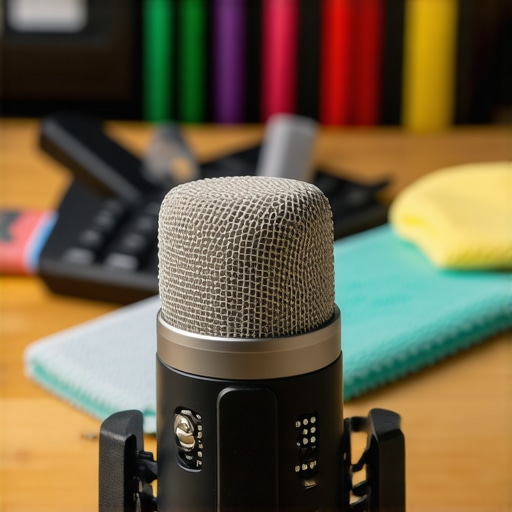
Ensuring your microphone setup stays pristine over time begins with investing in the right tools. I personally swear by a high-quality microfiber cloth for cleaning mic capsules and shock mounts—this prevents dust and moisture build-up that can degrade audio quality. Additionally, a set of compressed air dusters is invaluable for clearing out dirt from connectors and ports without risking damage. Using these tools regularly extends your equipment’s lifespan and maintains optimal performance.
Use Software for Routine Checks and Calibration
Software tools like voice streaming microphone guides can assist in monitoring your audio peaks, gain levels, and frequency response. I recommend setting up custom profiles in your recording software that auto-check your mic’s levels every few sessions. This helps catch subtle shifts in sound quality early before they become noticeable to your audience. Regular calibration ensures your voice remains clear and consistent over long-term use.
Implement Routine Physical Inspections
Don’t underestimate the power of a bi-weekly physical inspection. Check all cables, connectors, and the microphone body itself for signs of wear or damage. For XLR setups, I recommend swapping out unbalanced or faulty cables immediately, as they’re often the culprits behind noise issues. Keeping spare cables on hand and replacing worn parts prevents sound degradation and costly repairs down the line. For detailed maintenance routines, consider consulting expert guides or trusted YouTube tutorials.
How do I maintain consistent audio quality as I scale up?
Scaling your setup for bigger productions or multiple streams requires more than just adding gear. I recommend investing in a high-quality acoustic treatment and a reliable audio interface with multiple inputs. Regularly updating your workflow tools and documenting your settings ensures consistency and reduces troubleshooting time. Advanced users often implement automation in their editing software to normalize levels automatically, saving time and ensuring a uniform listener experience.
To keep your equipment running smoothly, consider using diagnostic tools like software-based calibration. Remember, even minor neglect in maintenance can lead to hums, drops in sound quality, or equipment failure. Make it a habit to perform regular inspections and utilize these tools—I guarantee your sound will improve and stay reliable as your production scales up.
The Hidden Truths I Wished I Discovered Earlier
One key lesson I learned is that investing in high-end microphone gear is just part of the story; understanding your recording environment has an even greater impact on sound quality. I once thought my expensive XLR setup would elevate my audio instantly, but I overlooked the importance of room acoustics and proper gain staging, which are often more crucial for professional sound. Additionally, I realized that mastering simple setup techniques, like correct cable management and regular equipment maintenance, can save countless hours of troubleshooting and frustration. These insights transformed my approach and can do the same for you—don’t underestimate the power of environment and routine care in achieving studio-quality voice recording.
Tools and Resources That Shaped My Recording Journey
Over the years, I’ve found that certain tools and sources have become essential for optimizing my microphone setup. The Ultimate Guide to Voice Streaming Microphones has been invaluable in helping me choose the right gear tailored to my needs. For acoustic treatment tips, I relied on soundproofing hacks that made a noticeable difference in my recordings. Additionally, I trust hands-on tutorials and community forums where creators share real-world troubleshooting strategies. These resources kept me focused on continuous improvement and helped me develop a deeper understanding of what truly influences audio quality.
Your Voice Deserves to Be Heard Clearly—Let’s Make It Happen
Remember, your voice is unique, and with the right tools, environment, and knowledge, you can deliver clarity that captivates your audience. Embrace the journey of refining your microphone setup, because every improvement brings your message closer to perfection. Don’t let technical doubts hold you back—start applying these lessons today and watch your voice stand out like never before. The future of voice recording is within your reach, and it starts with a commitment to learning and growth. Are you ready to take the next step toward exceptional sound quality? Leave a comment below—I’d love to hear your story or any tips you’ve discovered along the way.