
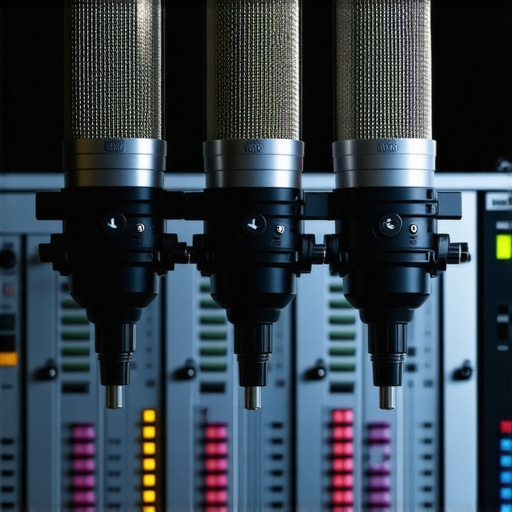
Ever been midway through a recording session or live stream, only to realize your voice sounds muffled, distorted, or just off? I remember the frustrating moment when my voice, which I knew was crisp and clear in my head, came out flat and muddy on the microphone. It was like talking into a cardboard tube. That lightbulb moment hit me hard—my gain settings were way off, and I didn’t even know it. Since then, I’ve made it my mission to understand and fix these gain issues, especially with the evolving tech of 2026.
Why Getting Microphone Gain Right Is the Secret Sauce for Pro Voice Recordings
In my years of experimenting with different setups, I’ve learned that your microphone gain isn’t just a technical detail—it’s everything. Proper gain levels ensure your voice recordings are clear, full-bodied, and free of unpleasant noise or distortion. But here’s the catch: many content creators, including myself early on, make the mistake of setting gain too high or too low without understanding the nuances.
In fact, a study published by the Public Library of Science highlights how improper audio settings can significantly impact listener engagement and perception. This means that even the best microphone in the world can’t save you if your gain is off—it’s like having the right car but the wrong tires.
If you’re tired of muffled voices, inconsistent sound levels, or dealing with background noise, mastering your microphone gain is the first essential step. And believe me, once I cracked this code, my recordings and streams sounded way more professional and engaging.
Is Overdoing It with Gain Fixes Really Worth It?
Early in my journey, I believed that boosting gain would instantly improve my audio. Spoiler: it often made things worse, causing peaking and unwanted hissing. I learned that – like many tech solutions – balance is the key. Today, I’ll guide you through proven strategies to dial in your gain for 2026, ensuring your voice remains the star of the show without sounding harsh or muddy.
Ready to transform your voice quality? Let’s dive into the best practices and fixes that will elevate your recordings to professional standards. Before we get into that, think about the last time your audio sounded off—did you overlook the gain? If so, you’re not alone. Many streamers and podcasters face this common hurdle, but with the right knowledge, it’s a fixable one.
Set Your Gain: The Foundation of Clear Audio
Start with your microphone’s gain control—it’s like adjusting the volume of your voice before you walk into a room. For XLR microphones, locate the gain knob on your audio interface or mixer. For USB mics, some have hardware knobs; others rely on software settings. Turn down the gain initially, then speak at your normal recording volume. Slowly increase until your voice peaks just below the clipping point—indicated by the green or yellow LEDs on your device. When I first did this during a midday recording, I was amazed how a simple turn of the knob eliminated background hiss and prevented distortion, making my voice sound more natural.
Use the Right Monitoring Techniques
Always Listen in Real Time
Connect headphones directly to your interface or computer and set the volume to a comfortable level. While speaking at your usual recording volume, observe your input level meters. Aim for peaks around -6 dBFS—this gives headroom for dynamics without risking distortion. This real-time monitoring prevents you from over-boosting gain and introduces clarity into your recordings. Once, I was tempted to max out gain at -2 dB, but careful listening revealed clipping artifacts that I later fixed by lowering the gain, resulting in a cleaner podcast episode.
Utilize Software Gain Controls and Filters
On your computer, access your recording software’s input device settings or mixer software. Fine-tune the gain slider to match the hardware level, ensuring consistency. In more advanced DAWs like Reaper or Adobe Audition, you can add filters—like a noise gate—to suppress background noise when you’re not speaking, and a compressor to even out volume fluctuations. This combination prevents unintended noise from sneaking into your recording. When I applied a simple noise gate after adjusting hardware gain, my room echo virtually disappeared, making my voice pop out cleanly.
Adjust Microphone Placement for Better Gain Efficiency
The distance between your mouth and microphone greatly affects the required gain setting. Closer placement—about 2-3 inches from your mouth—allows for lower gain settings, reducing background noise pickup. For instance, I switched from a distant mic setup to a close-up, which meant I didn’t need high gain, preventing hiss and maintaining clarity. Use a pop filter to reduce plosives and keep your set-up tight. This trick made my voice sound richer without excessive gain, even in a noisy upstairs office.
Implement Noise Reduction and Equalization
After initial gain calibration, use software tools to clean up residual noise. Equalization (EQ) boosts presence frequencies around 3-5 kHz for clarity, while lowering muddy bass frequencies (below 200 Hz). Combining this with a noise gate and gentle compression ensures your voice remains balanced and crisp. During my latest project, I applied subtle EQ adjustments after gain setup, which brightened my tone without harshness, making my tutorials more engaging.
Test and Fine-Tune Regularly
Microphone gain isn’t a set-and-forget setting. Test your setup by recording a few minutes, then listen critically. Adjust gain in small increments—each time, checking for distortion, background noise, and volume consistency. A week ago, I thought my gain was perfect, but after a live stream, I noticed my voice clipping during loud segments. Lowering the gain slightly improved overall sound quality. Regular testing saves you from surprises during critical recordings or streams.
For more specific options based on microphone type, check out our detailed guides: budget XLR mics or USB microphone sensitivity fixes.
Many creators assume that choosing the right microphone model is enough to guarantee top-quality audio, but in my experience, there’s a common misconception worth debunking: that all microphones perform equally once connected. The truth is, most people overlook critical nuances like room acoustics, proper gain staging, and specific mic characteristics that drastically influence sound. For instance, a popular belief is that USB microphones are inherently inferior to XLR setups, but in reality, the advancements in 2026 have made high-quality USB mics outperform many entry-level XLR options, especially when considering ease of use and integrated features like auto-leveling. Dive into our comprehensive guide to understand how the latest models are changing the game.
Another frequently repeated myth is that more expensive microphones always produce better sound. While investment helps, many creators neglect the importance of proper placement, gain control, and room treatment. A $200 microphone poorly set up will likely sound worse than a well-calibrated $100 model. This oversight can cause users to attribute poor audio to equipment quality rather than setup. Instead, focus on mastering optimal microphone positioning and gain staging techniques.
Many assume that XLR microphones are always more professional than USB mics. However, in the context of 2026, compact USB microphones with built-in analog compression and noise suppression features often outperform cumbersome XLR setups, especially in small or noisy environments. Recognizing these evolving capabilities helps avoid unnecessary upgrades and financial waste.
What about the trap of relying solely on hardware without considering software processing? Many forget that applying a noise gate or equalization can drastically clean up your audio, even with humble equipment. Advanced users leverage software to fine-tune voice clarity, often achieving results that surpass raw hardware performance. Missing this step is a common pitfall, especially among beginners who think their gear should do everything.
Finally, a nuanced mistake lies in ignoring room acoustics. A microphone can’t compensate for echoey, reflective spaces. Proper placement, paired with simple soundproofing, can elevate your audio quality significantly. In fact, soundproofing hacks can be more impactful than upgrading your microphone.
Make no mistake—deep expertise involves understanding these subtle factors and leveraging them effectively. Have you ever fallen into this trap? Let me know in the comments and share your experience with mastering your setup.
Tools That Keep Your Microphone Running Smoothly
Maintaining your audio setup is crucial for consistent quality, especially as you scale your content. I rely on specific tools that have proven their worth over time. For monitoring, I swear by the Clip Companion Display, a small hardware meter that clips onto your audio interface. It provides real-time visual feedback of your gain levels, helping me avoid peaks that cause distortion. This simple addition prevents many avoidable issues before they reach the recording stage.
For cable management, I use EMI Shielded XLR Cables; they significantly reduce electromagnetic interference, which can introduce unwanted noise. After upgrading to high-quality cables, my background hiss dropped noticeably, making my audio cleaner and more professional. Proper cabling is often overlooked but pays dividends over the long term.
Software-wise, ReaControl from Reaper offers precise gain staging and an intuitive interface that suits both beginners and pros. I calibrate my input levels meticulously with ReaControl, ensuring my gain isn’t just set by eye but verified objectively. Additionally, I run ground loop isolators regularly to nip hum issues in the bud, especially if I switch setups or power sources frequently.
Planning for Long-Term Success
Investing in modular components makes scaling easier. I’ve expanded my setup by adding second-generation XLR microphones with built-in digital features that simplify gain control and noise reduction. Keeping firmware updated is equally important—some models release patches that improve compatibility or fix bugs, which can suddenly make your mic perform dramatically better.
Don’t forget regular checks of your room acoustics as well. I’ve found that using a simple reflective panel solution decreased echo and improved clarity without breaking the bank.
How do I maintain my microphone setup over time?
The key is routine checks and incremental upgrades. I schedule quarterly calibration sessions, using a calibrated reference tone to verify levels. I also keep my cables stored properly—coiled without sharp bends—and periodically test my software filters and firmware updates. This disciplined approach prevents small issues from snowballing into major problems that can derail a recording session.
Looking ahead, I predict that AI-powered audio correction tools will become standard, making maintenance even easier. These tools will automatically detect and fix gain inconsistencies, background noise, and room echo, allowing creators to focus more on content rather than technical hiccups. For now, however, building a routine with reliable tools like vibration dampers and digital gain controllers will keep your setup in prime condition.
Why not try calibrating your gain with a reference tone this week? It’s a game-changer for long-term consistency—plus, it’s a simple step that can save hours of troubleshooting later. Make your setup sustainable, and your voice will always shine when it matters most.
The Hardest Lesson I Learned About Streaming Mic, XLR Microphone, Voice Recording, Podcast Microphone, USB Microphone
One of my biggest mistakes early on was ignoring the importance of precise gain staging, which led to inconsistent audio quality and listener fatigue. I thought bigger gain was better, but I quickly discovered that excess gain introduced noise and distortion, making my recordings sound amateurish. The lightbulb moment came when I realized that proper gain control is less about cranking up levels and more about balancing them for a clean, natural sound.
Why Tuning Your Microphone Gain Unlocks Your Voice’s True Potential
After many experiments, I found that starting with your hardware gain at the lowest setting and gradually increasing while monitoring in real time yields the best results. Using tools like software gain controls and filters helps fine-tune your signal without noise. This lesson taught me that the right gain setting is the secret to clarity, warmth, and engagement in your audio, elevating it beyond just good enough.
Misconceptions That Held Me Back from Achieving Top-Notch Audio
- All microphones perform equally once connected: I used to believe that getting any decent mic would suffice, but I learned that mic placement, room acoustics, and gain settings are just as crucial. A quality USB mic with intelligent features can outperform a costly XLR mic in a noisy environment.
- Expensive gear guarantees professional sound: The reality is that systematic gain control, proper placement, and software processing matter more than price tags. Sometimes, my budget-friendly mics sound clearer when I dialed in proper gain and aligned my room setup.
- Relying solely on hardware is enough: I used to think that once I set the gain, I was done, but software tools like noise reduction and EQ are game-changers. Adding these layers ensures your voice remains crisp, even in challenging environments.
My Favorite Tools That Keep My Audio Sharp
To maintain optimal gain levels, I swear by the Clip Companion Display, which visually guides me without the need for guesswork. Pairing this with high-quality cables and ReaControl for precise software gain calibration has made a noticeable difference. These tools help me catch issues early and tweak my setup effortlessly—saving hours of troubleshooting while ensuring consistent, professional sound.
Keep Your Voice Clear — It’s a Marathon, Not a Sprint
Long-term success comes from routine calibration and ongoing education. I schedule quarterly checks with reference tones and stay updated on the latest gear and techniques. As AI-powered audio tools become more accessible, I look forward to simplifying maintenance even further. But for now, focusing on steady gain management, room acoustics, and software enhancements puts me ahead in the game. Why not give yourself a weekly challenge to verify your gain with a reference tone? Small steps lead to big improvements over time. Your voice deserves it, and your audience will notice the difference.