
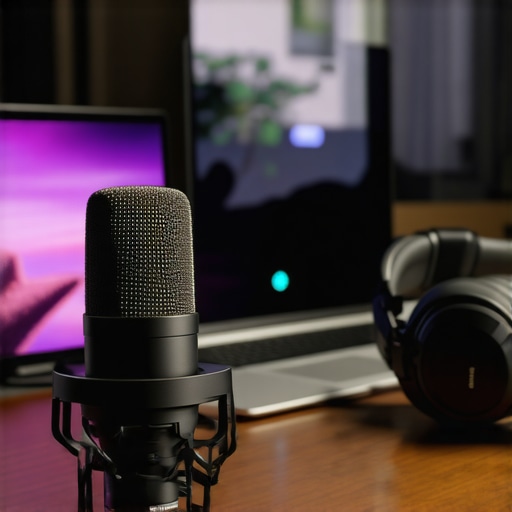
I remember the moment vividly. I was halfway through a live stream, excited to share my thoughts with my audience, when suddenly, my voice dropped out, distorted, or had that awful echo. Frustration bubbled up because I knew it wasn’t a technical issue with my software or internet connection—it was my microphone. At that time, I realized that choosing the right microphone isn’t just about gear; it’s about making sure your voice is heard clearly and professionally, especially in the crowded world of streaming and podcasting in 2024.
Why Picking the Right Microphone Matters More Than Ever
These days, your voice might be your main content—whether you’re hosting a lively podcast, streaming your gaming sessions, or delivering commentary. According to a recent report, over 70% of audience perception hinges on audio quality rather than video alone (source: Audio Quality and Audience Engagement, 2023). That means a bad microphone can sabotage your efforts, no matter how talented or interesting you are.
The good news? With the right gear, you can produce crisp, professional-sounding audio without breaking the bank. But here’s the catch: the vast array of options can feel overwhelming. USB microphones promise simplicity, but not all are created equal, especially when you’re aiming for clarity, warmth, and consistency in your recordings or streams.
I’ve made my fair share of mistakes early on—like choosing a cheap mic just because I saw it on a streamer I admired—and I learned the hard way that not all microphones deliver the quality you need for serious content creation. For anyone who’s ever recorded and then listened back cringing, you know how vital it is to get this right from the start.
So, today, I want to guide you through the nuances of selecting the best USB microphone for your streaming or podcasting setup in 2024. We’ll break down the key features, common pitfalls, and even some insider tips to make your voice truly stand out. Ready to stop fighting your gear and start sounding professional? Let’s dive into the essentials that can transform your audio quality and elevate your content to new heights.
Select the Right Microphone for Your Purpose
Kick things off by clarifying your primary use—streaming, podcasting, or voiceovers—as each demands different microphone characteristics. For instance, if you’re aiming for professional-quality podcasts, consider the nuances between XLR mics versus USB mics. USB microphones offer plug-and-play simplicity, ideal for beginners and quick setups, while XLR mics require audio interfaces but provide superior sound quality and flexibility.
Determine Your Budget and Sound Expectations
Set a realistic budget—it’s better to invest in a basic but quality microphone than to buy cheap gear that ruins your sound. Think of your microphone as the voice amplifier of your content: if it’s muffled or distorted, even the most engaging topic will fall flat. For affordable options, explore our top budget-friendly microphones, which strike a good balance between cost and clarity.
Focus on Proper Placement and Environment
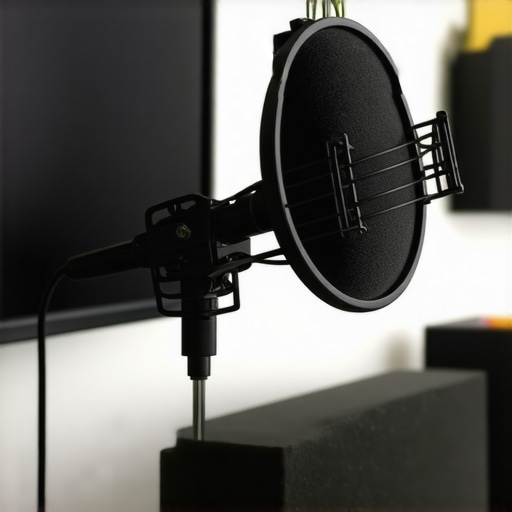
Position your mic correctly—generally about 6-12 inches from your mouth—to avoid plosives and background noise. Use a pop filter or foam shield to eliminate harsh sounds. Nestle your gear in a quiet, acoustically-treated space; soft furnishings and foam panels dampen echo and prevent reverberations, much like making a personal sound cocoon. I once experimented with different placements during a live-recorded session, and slight misalignments caused noticeable audio issues—highlighting how crucial positioning is.
Adjust Gain Settings for Natural Balance
Where possible, adjust your microphone’s gain to optimize input levels. Too high, and your voice will distort; too low, and you’ll be inaudible or noisy. Use your recording software’s meters—aim for peaks around -6dB to -3dB—to ensure clean recordings. During my first attempts, I overlooked gain settings and ended up with muddled audio; learning to fine-tune this was game-changing for my clarity.
Utilize Quality Audio Software and Processing
Use editing tools or real-time filters—such as noise gates and equalizers—to enhance clarity and cut out unwanted sounds. Free programs like Audacity or professional DAWs provide filters that can smooth out inconsistent volumes or background hums. Once, I applied a noise gate during a live stream, which remarkably reduced the ambient chatter—highlighting how post-processing can remedy less-than-ideal environments.
Test and Iterate Your Setup
Never settle after initial setup. Record test clips, listen critically, and adjust microphone position, gain, and software filters. Small tweaks can produce significant improvements. I once spent an entire evening experimenting with different orientations of my microphone to find the sweet spot; patience paid off with noticeably better audio quality.
Explore Recommended Microphones for Specific Needs
For tailored recommendations, check out our curated lists such as the best USB and XLR microphones for 2024. These guides include top-rated models suitable for various budgets and purposes, helping you avoid the pitfalls of choosing incompatible gear.
Many aspiring content creators believe they understand microphones well, but several nuanced misconceptions can undermine their efforts. One pervasive myth is that all XLR microphones inherently produce better sound than USB mics. In reality, while XLR microphones often offer higher potential quality, the actual outcome heavily depends on the audio interface and processing equipment used. A poorly chosen XLR interface can negate the mic’s advantages, leading many to overlook the importance of system components in overall audio quality, as discussed in experts’ evaluations of professional setups.
Are High-End Microphones Worth the Extra Investment for Beginners?
Contrary to popular belief, an expensive microphone isn’t always necessary. Many novice streamers and podcasters are tempted to splurge on premium gear, expecting immediate professional results every time. However, research indicates that proper placement, environment, and gain staging can have a more significant impact than spending thousands on top-tier gear. For example, a well-placed $100 USB mic in a treated room can outperform a costly microphone in a noisy, untreated space. This emphasizes that focusing solely on mic quality without optimizing the recording conditions is a common mistake.
Beware the Noise Floor Trap in Voice Recording
One hidden nuance is understanding the noise floor— the ambient noise level your microphone picks up when no signal is present. Many users don’t realize that even high-quality microphones amplify environmental sounds, which can introduce unwanted background noise. Simply increasing gain to achieve higher volume can inadvertently raise the noise floor, leading to a grainy or ‘hissy’ sound. An optimal approach involves balancing gain, using noise gates, and ensuring a quiet recording environment. This advanced nuance is often overlooked, yet mastering it can drastically improve your audio clarity.
When choosing between a USB microphone and an XLR setup, consider your ongoing needs and environment. As outlined in our comprehensive guides, the decision isn’t solely about technical specs but also how you plan to manage and control your audio workflow. For instance, if you’re serious about expanding your setup in the future, investing in an XLR microphone now might be advantageous, provided you’re willing to learn about audio interfaces and software processing. Otherwise, a high-quality USB microphone can suffice for most streaming and podcasting applications, especially if you focus on proper placement and environment.
Making informed choices involves more than surface-level specs. By understanding these nuances and myth-busting common misconceptions, you ensure your voice is delivered with clarity and professionalism. Remember, even the best gear won’t make a difference if your environment and setup are flawed. So, always aim for a balanced approach—invest wisely but also prioritize technique and environment. Have you ever fallen into this trap? Let me know in the comments.To keep your microphone performing optimally over time, consistent maintenance and using the right tools are essential. Regularly inspecting your gear for dust and corrosion ensures longevity, especially for XLR microphones that have more complex connectors and components. I personally swear by a soft brush and compressed air for cleaning my gear—these tools prevent debris buildup that can impair sound quality. Additionally, investing in a sturdy microphone boom arm with internal cable management not only protects your cables but also minimizes strain on connectors, reducing wear over years of use. When it comes to software, keeping your audio drivers and recording/editing programs up to date guarantees compatibility and fixes bugs that could cause your setup to break unexpectedly. I recommend setting a quarterly reminder to review and update your tools, much like tuning a musical instrument for continual clarity. Prediction-wise, I see a rise in smart diagnostic tools integrated with microphones, which will alert users to potential issues before they impact recordings. So, how do I maintain my setup over time? I focus on combining physical upkeep—like cleaning and proper mounting—with software updates and regular calibration. For example, periodically rechecking gain levels and applying fresh noise gates or filters ensures your sound remains consistent as your environment evolves, similar to how experts advise monitoring loudness and background noise levels in professional studios—see the detailed methods outlined in the [expert guide](https://microphones.creatorsetupguide.com/top-voice-streaming-microphones-for-clear-recordings-in-2024-2). One advanced tip I highly recommend is using a dedicated audio interface with quality preamps; it not only boosts your sound clarity but also provides a reliable platform to troubleshoot issues early. Incorporate this into your routine, and you’ll extend your gear’s lifespan while keeping your voice crisp and professional. Remember, the real secret lies in proactive maintenance—show your microphone some love, and it will reward you with dependable performance for years to come.
What I Wish I Knew When Starting Out with Voice Recording
One powerful lesson I learned is that gear choice is only part of the equation; environment and technique wield even greater influence. Early on, I believed upgrading my microphone alone would instantly elevate my sound quality. However, I soon discovered that proper placement, acoustic treatment, and gain control had a more substantial impact—saving me from costly upgrades and frustration. This lightbulb moment taught me that investing time in mastering your setup yields exponential improvements over just chasing the latest microphone specs.
Why Personalized Setup Beats Generic Advice Every Time
Every voice, space, and purpose is unique. During my journey, I realized that what works perfectly for one content creator might not suit another. That’s why testing different configurations—such as varying mic distance or adjusting software filters—became invaluable. I trust [expert guides](https://microphones.creatorsetupguide.com/top-microphone-types-for-voice-recording-streaming-in-2024-complete-guide) because they emphasize a tailored approach over cookie-cutter solutions. Your perfect setup is out there; it just requires patience and trial to discover what resonates with your voice and environment.
Building Resilience Through Continuous Learning in Audio Quality
One timeless truth I wish I grasped earlier is that audio mastery is an ongoing process. Technologies evolve, environments change, and your own voice will vary over time. I began experimenting with different software enhancements and hardware ergonomics, which kept my sound sharp and adaptable. This mindset shift—viewing audio setup as a dynamic skill—kept me motivated to refine my craft rather than settle for mediocrity. If you embrace a learning curve, you’ll find your voice becomes more confident, clear, and compelling with each step.
Resources That Transformed My Approach to Microphone Mastery
Over the years, some tools and references have been lifesavers. My top picks include the best streaming microphones for clear voice recording, which helped me choose gear tailored for podcasting, and the top microphone types guide that deepened my understanding of XLR versus USB options. Additionally, I rely on community forums and feedback from fellow creators—because real-world insights often reveal nuances can’t be captured in specs alone. Building your personal toolkit from these trusted sources accelerates your journey toward professional-quality sound.
Keep Your Voice Sharp and Your Spirit High
Remember, every great content creator starts with imperfect audio. Your journey to mastering your microphone isn’t just about technical tweaks, but also about nurturing confidence and resilience. Embrace experimentation, learn from setbacks, and celebrate small victories—like finally reducing background noise or nailing a perfect mic position. Your voice has power—let it be heard loud and clear. The future of your sound quality depends on the action you take today. So, are you ready to fine-tune your setup and unleash your full vocal potential? I’d love to hear your stories about overcoming audio challenges in the comments below.
Reading through this detailed guide really resonated with my own experience as a budding streamer. I used to overlook the importance of environment and proper mic placement, which often resulted in muffled or echoey audio despite investing in decent microphones. Since I started focusing more on acoustic treatment and positioning, my sound quality improved dramatically, even without splurging on top-tier gear. It’s fascinating how much difference small tweaks make—like adding foam panels or adjusting gain levels. I also learned the hard way that a good-quality USB mic paired with simple environment enhancements can outperform expensive equipment in a noisy room. I’m curious, how do others handle background noise when streaming from less-than-ideal spaces? Do you use specific tools or techniques to filter out unwanted sounds effectively? Would love to hear more tips from fellow creators who’ve navigated this challenge.