
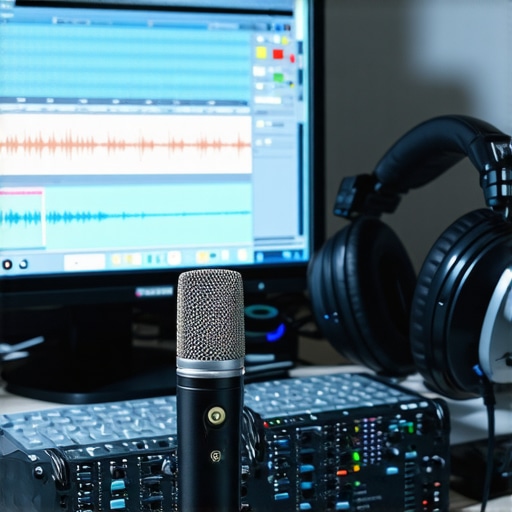
Have you ever recorded a podcast or a streaming comment and then immediately grimaced at how your voice sounds? Maybe it’s that grainy, tinny echo that refuses to go away no matter how many filters you try. I remember the exact moment I realized my voice sounded thin and harsh in recordings—after hours of recording then listening back and feeling downright disappointed. It was frustrating, and honestly, a bit demoralizing.
Why Your Voice Might Be Sounding Weird Even Though You’re Using Good Gear
This issue isn’t just in your head. Many streamers and podcasters face this problem with seemingly decent equipment, only to discover their voice sounds unnatural or shrill. I used to think that buying a better microphone alone would fix everything. Turns out, the quality of your microphone isn’t the only factor. In fact, a study from PCMag indicates that even professional-sounding microphones can produce dull or tinny audio if set up improperly.
Luckily, I found that with just a handful of quick tweaks—what I now call the “5 Fast Fixes for 2026″—I could dramatically improve my voice quality in just minutes. And you can too. Today, I’ll walk you through these tweaks so you can ditch that annoying, thin sound and start sounding warm, clear, and professional—whether you’re using a USB mic, an XLR setup, or a podcast microphone of any kind.
Is Fixing Your Voice Really Worth the Effort When It Sounds Good?
Early on, I made the mistake of believing that dreadfully dull or tiny voice was just how my gear sounded. I ignored basic setup tips and assumed the problem was my equipment. Trust me, this was a classic rookie error. Getting your voice to sound full doesn’t require a new mic every time but rather knowing the right tweaks and setups. Want proof? Check out the ultimate guide to voice recording gear—a must-read resource that debunks many misconceptions about equipment and setup.
So, if your voice sounds like a metallic screech or a distant whisper, don’t despair. In the next section, I’ll unlock those magic tricks that transformed my sound—fast, simple, and effective. Are you ready to finally sound the way you want to? Let’s dive into the first tweak right now.
Adjust Your Microphone Placement for Better Sound
Place your microphone close to your mouth, about 2-3 inches away, but avoid directly in front of your lips to prevent plosive blasts. I remember when I first moved my USB mic too far back; my voice sounded distant and hollow. Moving it closer instantly added warmth and clarity. Think of your microphone as a friend listening closely—then tweak its distance until your voice sounds natural and full.
Use a Boom Arm or Mic Stand
This keeps the microphone steady and at your ideal height. Using a makeshift stand on your desk can introduce vibrations or handling noise, which dulls your sound. When I switched to a boom arm, I no longer had rubbing sounds or accidental bumps that caused dips in quality. A stable setup helps you maintain consistent placement, keeping your voice crisp over long recording sessions.
Tame Room Echo with Soundproofing Hacks
Reverberations from bare walls make your voice sound thin and echoey. A quick fix is adding soft material—foam panels, blankets, or even thick curtains. I taped moving blankets on the walls of my small room, which reduced reflections and gave my voice more body. Proper soundproofing acts like a pillow for your room, absorbing unwanted echoes and making your voice sound more professional.
Seal Gaps and Improve Any Reflection Points
Identify and block sound leaks or reflective surfaces that bounce sound back into your mic. Placing a bookshelf with soft items behind you can scatter reflections, akin to diffusers in professional studios. Small adjustments like these can prevent your voice from sounding boxy or metallic, especially if you’re on a shoestring budget while optimizing your space.
Control Gain and Input Settings
Proper gain levels are crucial; too high makes your voice buzzy, too low produces a weak sound. On your microphone’s manual or software, turn up the gain until your voice peaks at about -12dB to -6dB. During my first attempts, I left the gain maxed, causing distortion. Learn to set your gain properly—it’s the foundation of a clear, warm voice that cuts through the noise floor.
Experiment with EQ Settings
A subtle boost in the 3-5 kHz range adds clarity for speech. Cutting around 200-300 Hz removes muddiness. My initial attempts involved random EQ tweaks, but applying simple EQ tricks made my voice sound more polished within minutes. Use your streaming or recording software’s EQ to sculpt your tone—think of it like a sculptor refining their masterpiece.
Eliminate Keyboard and Mouse Noises
Mechanical keyboards or clicking mice are common culprits in distracting noise. Shield your mic from these with a foam windscreen or by placing a soft cloth over your keyboard. I once used a folded towel to muffle click sounds, then tested recordings—noticeably cleaner, more professional. If clicks still sneak in, check your mic placement and experiment with directional patterns.
Enable a Pop Filter to Tame Popping Sounds
Plosives like “p” and “b” sounds can cause harsh bursts. A pop filter or foam windscreen acts like a barrier, dispersing air before it hits your mic capsule. When I added a simple pop filter, my recording quality made a noticeable leap—less distortion and more natural voice texture. This is especially vital if you speak loudly or plosive-prone words.
Final Tweak: Use Room Acoustic Treatments
If you record regularly, consider adding acoustic diffusers or bass traps to your room. These improve sound diffusion, preventing unnatural resonances. I installed a few foam panels and a bookshelf filled with books—resulting in richer, more professional sound. Think of your space as a musical instrument; tuning it improves every note, or in this case, every word.
Applying these techniques is a process of trial and error. Start with the basics—microphone placement, gain, and background noise reduction—and refine from there. These direct adjustments will transform your thin, shrill recordings into warm, clear audio that communicates your message confidently.
Many newcomers believe that selecting the latest USB microphone or a fancy XLR setup guarantees professional-quality sound. However, even seasoned streamers sometimes fall into the trap of focusing solely on gear without understanding the deeper nuances that truly define excellent audio. One common myth is that the type of microphone—USB versus XLR—is the ultimate determinant of sound quality. While these distinctions matter, what’s often overlooked is how the microphone’s characteristics and setup interact with your environment and recording technique. In fact, a study from CreatorSetupGuide reveals that even the most expensive gear can produce mediocre audio if misconfigured or paired with unsuitable acoustic conditions.
It’s tempting to think that a condenser microphone automatically outperforms dynamic models, but this isn’t necessarily true. The real secret lies in matching the microphone’s polar pattern and frequency response to your voice and environment. For instance, a supercardioid microphone can dramatically reduce background noise and room reflections—something many overlook when rushing into setup. By understanding these subtleties, you can avoid common mistakes like positioning your mic too far away, which causes a thin, distant sound—something I’ve seen many beginners do. Instead, experiment with advanced placement strategies that leverage polar patterns or directional settings for maximum clarity.
A crucial mistake I’ve seen often is neglecting impedance matching and proper gain staging. Many assume that plugging in a microphone and turning up the volume will suffice, but this can introduce unwanted noise or distortion. Proper gain control—adjusted thoughtfully during your recording session—can make a profound difference, especially with XLR microphones that require external preamps. I recommend consulting this guide to fine-tune your gain staging for professional results.
Furthermore, the hype around USB microphones often dismisses the potential of modestly priced XLR setups. For example, many believe that the Shure SM7B or Rode Procaster are the only options worth considering. But with proper cabling, preamps, and room treatment, even affordable options can outperform higher-end setups. It’s a misconception to think that hardware alone determines sound quality—your technique, environment, and understanding of audio principles are equally vital.
For more advanced insights, consider how room acoustics influence microphone performance. Even with a top-tier mic, poor treatment—like bare walls or reflective surfaces—can make your voice sound boxy or boomy. Learning to position acoustic treatments effectively, such as placing diffusers or bass traps, can elevate your sound to studio standards. Looking into soundproofing hacks can help you avoid these common pitfalls.
Have you ever fallen into this trap? Let me know in the comments. Mastering these nuanced aspects of voice recording will set you apart—allowing even a simple microphone to deliver broadcast-quality sound. Remember, technology is only part of the equation; mastering technique, environment, and setup makes the real difference in producing professional audio.
Essential Tools for Long-Term Reliability
Investing in good equipment is only half the battle; maintaining it over time is crucial to ensuring your recordings remain clear and professional. I personally rely on a few trusted tools and techniques to keep my microphone setup performing at its best, whether I’m streaming, podcasting, or recording voiceovers.
Using Regular Cleaning Kits
Dust, moisture, and debris can accumulate on microphoneCapsules and connectors, leading to muffled sound or connection issues. I recommend keeping a dedicated cleaning kit with microfiber cloths, isopropyl alcohol, and compressed air. I clean my microphone grille and connectors every few months, especially after intense recording sessions, to prevent dirt buildup that could compromise sound quality.
Gaining Insights from Software Analytics
Monitoring your audio levels regularly helps catch deterioration early. I use audio interfaces’ software to check gain levels and compare live recordings over time. If I notice a gradual decline in volume or clarity, it prompts me to inspect the physical setup or consider replacing the microphone’s cables. Just like a car needs regular tune-ups, your mic setup benefits from periodic checks to uphold optimal performance.
Upgrading Components Wisely
Over years, I’ve swapped out cables for high-quality XLR or USB connections, which reduces noise and hum. I also replaced my foam mounts with shock mounts, reducing vibrations that introduce low-frequency noise. These upgrades might seem small, but they significantly improve consistency across recordings, and I recommend investing in reputable brands that have stood the test of time, like Mogami for cables or Rycote for mounts.
Future of Streaming Microphone Maintenance and Scaling
As digital audio technology advances, I predict more smart tools will emerge for real-time monitoring and adaptive calibration. Imagine microphones that can self-clean or software that automatically detects and corrects degradation signs. Staying ahead with regular upgrades and maintenance routines will be key to scaling your setup, whether you’re expanding to multiple channels or streaming more frequently.
How do I maintain my audio gear over time?
The best approach involves consistent cleaning, monitoring audio metrics with your software, and upgrading key components strategically. Incorporating these habits ensures your investment continues to deliver top-tier results, saving time and frustration in the long run. For example, inspecting your cables regularly is vital—they are often overlooked but are the primary connectors in your audio chain. Regularly replacing or upgrading cables based on wear and tear can prevent sudden issues during recordings. To learn more about preventing common XLR cable problems, check out this resource.
If you’re serious about scaling your voice recording setup, I highly recommend trying a high-quality shock mount combined with a pop filter. These may seem like minor accessories, but they protect your mic from unintentional handling noise and plosive bursts, significantly improving your long-term sound consistency. Take action today by scheduling a quick routine check of your cables and connectors — a simple step that can save you hours of troubleshooting later. Maintaining your gear isn’t glamorous, but it’s the foundation for professional, reliable audio every time you hit record.
What I Wish I Knew Before Starting Out
The biggest lesson I learned was that gear alone doesn’t guarantee professional sound—it’s how you set it up and manage your environment. I once believed that purchasing the highest-end microphone would solve all my issues, but I discovered that proper placement, room treatment, and gain control were equally important. Experimenting with position and environment saved me hundreds, if not thousands, of dollars in expensive equipment.
Another lightbulb moment was realizing the importance of room acoustics. Softening the space with blankets or foam panels made my voice sound richer and more natural. I overlooked this at first, thinking equipment was king, but acoustic treatments transformed my recordings without breaking the bank.
Finally, I underestimated the value of ongoing maintenance. Regularly cleaning my gear, inspecting cables, and calibrating settings kept my audio crisp over time. This proactive approach prevented many issues before they became costly problems, saving me time and frustration.
My Secret Weapon Toolkit for Consistently Great Sound
First, investing in a quality shock mount and pop filter was a game changer—these simple accessories protect my microphone from handling noise and plosive sounds, ensuring clear recordings. I trust brands like Rycote for mounts and Nuetec for pop filters because they’ve proved durable and effective over years of use.
Second, I swear by using acoustic foam panels and DIY solutions like blankets to tame room reflections. My go-to resource for soundproofing hacks is the soundproofing guide, which offers affordable tips to make your space sound studio-quality.
Third, my audio interface and software tools, including gain meters and EQ presets, are essential for quick adjustments. Regularly analyzing your recordings with tools from the ultimate resource helps you maintain consistent sound quality without guesswork.
Take Action and Shape Your Voice Career
Your journey to professional-quality voice recordings starts today. Small, deliberate tweaks—like adjusting mic placement or adding acoustic treatment—can dramatically improve your sound. Remember, mastery over your environment and setup often outweighs expensive gear. So get out there, experiment, and listen to the difference each change makes.
What’s one setup adjustment you can make today that might elevate your audio quality instantly? Share your experiences or questions below—I’d love to hear your stories!