
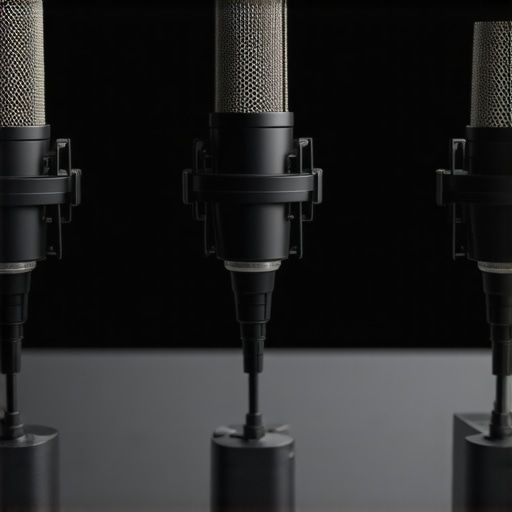
I remember the exact moment I realized my microphone was holding me back. It was late at night, and I was recording a crucial podcast episode. I adjusted my gain settings, hoped for that perfect, crisp sound, but instead, I got a dull, echoey mess. Frustrated, I thought, “Is it my voice? My room? Or maybe my gear isn’t good enough?” That lightbulb moment led me down a rabbit hole of mic research, only to discover the truth: a good microphone doesn’t have to break the bank. And honestly, many affordable XLR mics outperform pricier USB options if you pick the right one.
The Search for Quality While Budget-Friendly
In 2026, the streaming world is more competitive than ever, and audio quality can make or break your channel or podcast. But here’s the kicker: quality microphones often come with high price tags, leaving many creators feeling stranded. I used to spend hours tweaking settings or trying to upgrade my equipment, only to find that my voice still sounded “tiny” or “tinny” through the speakers. That was until I learned that a few carefully chosen XLR microphones under $200 could give me professional-quality sound without draining my wallet.
Are you tired of that dull audio quality diminishing your content’s impact? Do you feel like you’re fighting an uphill battle with gear that’s just not cutting it? Well, you’re not alone. Many creators fall prey to the misconception that a top-tier mic has to be super expensive. But the reality is, with the right selection, you can achieve stellar results on a budget. Want to learn how? Keep reading, because I’ll walk you through the top picks that can elevate your audio game in 2026 and beyond.
Is Great Sound Worth the Hype When You’re on a Budget?
I admit, I made a common mistake early on: I believed that cheaper gear meant lower quality—until I realized that I was sacrificing gain structure and clarity without even knowing it. A good example? Some folks think that condenser microphones automatically sound better, but they can pick up way too much room noise if not handled properly. I learned this the hard way when my first mic was a budget condenser that captured every echo in my small room, making my recordings painful to listen to. For more about how to avoid such pitfalls, check out this guide on improving your mic’s gain settings.
So, is investing in quality XLR microphones actually worth the hype? Absolutely. Because with just a little know-how, you can turn those cheap mics into professional-grade tools that transform your content. Now, let’s explore which models are actually leading the charge in 2026 and how they can fit into your setup.
Choose the Right Microphone Type
Start by selecting a microphone suited to your needs. For voice clarity in podcasts and streaming, high-quality XLR microphones often outperform USB options, especially when paired with a decent audio interface. Think of it like choosing a sports car over a sedan—both get you there, but one offers more control and performance. I once swapped my budget USB mic for a $150 XLR model, and the improvement was staggering, transforming my dull recordings into professional-level audio.
Optimize Your Gain Settings
Proper gain staging is crucial. Too high, and you get distortion; too low, your audio sounds weak. Borrowing from my experience, I initially ignored this until my recordings sounded muffled. I found that adjusting the gain just below the clipping point, then testing with a loud voice sample, made all the difference. Check out this guide on clean gain tips for step-by-step instructions to dial in your settings accurately.
Control Room Acoustics and Setup
Room acoustics greatly influence recording quality. I once recorded in a bare closet, which surprisingly produced a pretty decent sound—until I recorded in an untreated room with hard surfaces and echoed voice. To minimize room effects, place soft materials like foam panels or thick blankets to absorb sound reflections, and position your mic away from reflective surfaces. Think of your space as a musical instrument; the environment shapes your tone. For actionable ideas, see this comprehensive echo reduction guide.
Implement Noise Reduction Techniques
Background noise can sabotage an otherwise great microphone. Use a microphone with a cardioid pattern that focuses on your voice, and keep noise sources like fans or keyboards away. During a project, I set up a DIY shield with sound-absorbing materials, which reduced keyboard noise pickup. You can also enhance this with software tools or hiss reduction techniques to clean up audio before editing.
Use Proper Pop Filters and Shock Mounts
Plosive sounds and desk vibrations seriously harm clarity. A simple pop filter, like a thrifted pantyhose stretched over a frame, can eliminate ‘popping’ sounds. A shock mount isolates the mic from desk vibrations, preventing low-frequency rumble. I added a shock mount to my XLR setup and noticed a marked decrease in handling noise—akin to isolating a singer from stage vibrations. For budget-friendly options, check these affordable shock mounts.
Many believe that investing in the most expensive microphone guarantees professional-quality sound, but in my experience, this isn’t always the case. A prevalent misconception is that USB microphones are inherently inferior to XLR setups. While XLR mics can offer superior control and sound quality when paired with proper audio interfaces, expecting USB mics to sound
Invest in Reliable Equipment and Maintain Regular Upkeep
To keep your microphone setup performing at its best over time, start with sturdy, well-built gear. Personally, I favor the audiophile-grade XLR microphones because their robust construction resists wear and tear, ensuring longevity. Additionally, securing your gear with quality shock mounts and pop filters prevents damage from accidental bumps and maintains consistent sound quality. Think of your microphone as a musical instrument; it requires regular tuning and care for optimal sound.
In my routine, I check all cable connections quarterly and clean the microphone capsule gently with a microfiber cloth to remove dust buildup. This simple habit prevents unexpected noise issues. For software, I rely on tools like noise reduction plugins that help maintain professional sound quality, especially after long recording sessions.
How do I maintain my voice recording setup over time?
The key is consistent maintenance — regularly checking your cables, cleaning your mic, updating driver firmware, and calibrating gain levels using guided tutorials like these precise gain adjustment tips. Preventative care reduces unexpected drops in quality, saving you time and frustration. Moreover, investing in a quality audio interface ensures your hardware remains compatible and free of issues for years.
Tools That Keep Your Gear in Peak Form
Utilizing specific tools can dramatically extend the lifespan of your microphone setup. For example, desiccant packs stored near your gear absorb moisture, which can corrode internal components. I keep a small packet in my storage case, and it prevents the buildup of humidity that leads to short circuits. Also, I swear by spectral analysis software that monitors your audio signals over time, alerting you to deteriorating performance before it becomes audible.
To future-proof your setup, consider the trend towards smart maintenance using IoT-enabled sensors that detect environmental changes and alert you when conditions threaten equipment health. In the near future, integrating such technology could become standard for serious creators.
Prepare for Scaling by Upgrading Thoughtfully
When your content grows, so should your tools. Upgrading your interface and implementing modular mic components allows for flexible expansion. Personally, I transitioned from a basic XLR setup to a modular system with swappable capsules, making it easy to adapt to different recording environments. This forward-thinking approach streamlines scaling efforts and ensures your gear evolves with your needs.
Remember, consistent care and the right tools are the foundation of long-term success. For specific steps, explore this testing of microphone contenders to choose upgrades that truly last.
Throughout this article, I’ve shared insights from my personal experience and practical lessons learned on the path to achieving pro-level audio without breaking the bank. One thing I wish I knew sooner is that the true secret isn’t always in having the most expensive gear, but in understanding how to unlock its potential. Careful setup, room acoustics, and knowing how to fine-tune gain can transform even budget microphones into powerful tools.
Another revelation: Consistency in maintenance and being mindful of your environment often outweighs the specs on your gear. Regularly cleaning, checking connections, and investing in essential accessories like pop filters can prolong your equipment’s life and sound quality.
Finally, I learned that improving gain staging and room setup are game changers—many pitfalls stem from neglecting these simple tweaks. When I started applying these lessons, my recordings improved dramatically, reaffirming that knowledge often beats price tags.
Keep experimenting, stay curious, and remember that your voice’s clarity begins with understanding your tools and environment. With a bit of patience and the right approach, your microphone can become a true extension of your personality and professionalism.
Reading this post really resonated with me. I used to think that upgrading my microphone was the key to better sound, but I learned that proper gain staging and room acoustics make just as much difference. I remember spending a lot on a fancy mic only to realize it picked up so much background noise because my setup was lacking. Now, I focus on affordable gear combined with strategic room treatments, like moving blankets and foam panels, which significantly improved my recordings without breaking the bank. What I found interesting is the mention of DIY solutions like pop filters made from household items; I’ve tried that too with decent results. For creators on a budget, what are some of your favorite cost-effective accessories or techniques to improve audio quality? I’d love to hear about your experiences or tips that helped you sound more professional on a budget.
This post really hit home for me. I’ve spent quite a bit on microphones over the years, but I’ve found that the environment and setup play just as crucial a role as the gear itself. In one of my recent setups, I used inexpensive foam panels and a DIY pop filter made from an old sock, and the clarity of my recordings skyrocketed. It’s amazing how such simple, budget-friendly changes can make a huge difference. I’ve also started experimenting with positioning my mic closer and using software noise reduction to dial in that professional sound.
I’m curious, have others tried combining these physical room treatments with software tools for noise suppression and gain? Which approaches or combos have worked best for you? I think many creators overlook the potential of combining low-cost acoustic treatments and basic editing tricks to get studio-quality audio without splurging on high-end gear.