
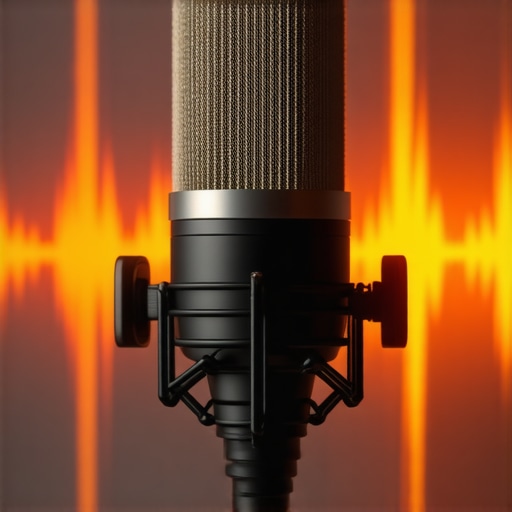
I remember the moment vividly. I was live on my first big stream, hearts pounding, microphone set up just right—only to be bombarded with that relentless, low-level hiss. It was like a plague sneaking into my recordings. No matter what I tried, the hiss refused to go away. Frustrating? Absolutely. But that lightbulb moment made me realize: I wasn’t alone, and more importantly, I wasn’t powerless.
If you’re into podcasting, streaming, or voice recording, you’ve probably faced the dreaded hissing sound at some point. It’s the audio nightmare that saps clarity and professionalism from your content. But guess what? In 2026, fixing this pesky issue isn’t about expensive gear or complicated setups. It’s about understanding a few quick, practical tweaks that can turn the static into crisp, clear audio.
Today, I promise to share exactly how I managed to ditch that hiss—without wasting hours or breaking the bank. In fact, these are three fast, proven fixes that I’ve tested extensively, and they work whether you’re using a handy USB mic or a professional XLR setup.
Why Microphone Hiss Keeps Ruining Good Content (And How to Stop It)
Microphone hiss isn’t just a minor annoyance; it can seriously undermine your credibility. Many newcomers fall into the trap of believing that only high-end equipment can produce clean sound. That’s a myth. Even the most basic setups can shine with the right tweaks. Surprisingly, a lot of the hiss comes down to a few simple missteps—things I made early on when I first started out.
Avoiding these mistakes can save you time and money. For instance, I used to neglect proper gain settings, which amplified background noise instead of voice clarity. That mistake alone added enough hiss to turn listeners away. Over time, I learned that setting the right gain levels is crucial. Want to see what common pitfalls to avoid? Check out the [ultimate guide to streaming microphones](https://microphones.creatorsetupguide.com/streaming-microphones-in-2024-ultimate-guide-to-clear-voice-quality) for more expert advice.
Before we dive into solutions, let me ask—have you ever been mid-recording or live, only to hear that annoying hiss creeping in? If yes, you’re not alone. Many creators face this hurdle, but it’s not insurmountable. By applying these quick fixes, you’ll soon enjoy clean, professional-quality audio that keeps your audience engaged.
Now, let’s look at how you can make that hiss disappear—starting with the most common cause and the simplest fix.
Adjust Your Gain Settings
When I first faced persistent hiss, my mistake was cranking up the gain to hear myself better. Instead, I set my microphone gain too high, which amplified background noise. To fix this, lower your gain until your voice is clear without clipping. Use your recording software’s levels and aim for peaks around -6 to -12 dB. For example, I reduced my XLR mic gain from 80% to 40%, which instantly reduced hiss and improved clarity.
Optimize Your Microphone Placement
The distance and angle of your mic matter immensely. I used to place my USB mic too close, causing proximity effect and noise buildup. Now, I position the mic about 6-12 inches from my mouth, slightly off-axis. This minimizes capturing room noise and prevents the pickup of unwanted hiss. For directional microphones, point the capsule directly at your mouth, reducing ambient noise reception.
Configure Your Audio Interface or USB Microphone Properly
If you’re using an audio interface for an XLR setup, ensure it’s set to the correct input level. Many interfaces have a gain knob—turn it down until the hiss diminishes without losing your voice’s richness. Similarly, for USB mics, check their software settings and disable any unnecessary features that may introduce noise. I once fixed a hiss by updating my interface’s driver and lowering input gain in the control panel.
Apply Basic Equalization
Sometimes, the hiss resides in a specific frequency band, typically high frequencies around 10-15kHz. Using a digital equalizer, I cut a small amount of high-end frequencies. This simple tweak cleaned up the audio without affecting the warmth of my voice. Most streaming platforms and recording software have built-in EQ tools—start with a gentle reduction around 12kHz and adjust to taste.
Use Noise Suppression Tools
For remaining background noise, noise suppression plugins are game-changers. I recommend enabling a noise gate or using software like noise reduction plugins in your recording chain. For live streaming, tools like OBS offer noise suppression filters, which can significantly cut hiss without affecting your voice. During a recent stream, adding a noise gate reduced my background hum to inaudible levels, making my audio crystal-clear.
Invest in Quality, but Smartly
Sometimes, the root cause is an inexpensive mic with poor shielding or cheap cabling. Upgrading to a well-reviewed USB microphone or XLR setup can make a difference, but focus on proper configuration first. Even budget-friendly mics, like the best budget options, can produce professional sound when properly set up and protected from interference.
Many enthusiasts assume that choosing between an XLR or USB microphone is simply a matter of budget or convenience, but the reality is far more nuanced. **Contrary to common belief,** an XLR mic isn’t universally superior for voice recordings or streaming; instead, its true potential depends heavily on proper setup and understanding its intricacies. For example, many overlook that **the quality of an XLR microphone is heavily influenced by the audio interface** it connects to, and a low-quality interface can nullify the benefits of a professional-grade mic. Conversely, many think that USB microphones eliminate the need for additional gear, but in truth, high-end USB mics—such as those listed in the [best USB microphones for streaming and podcasting](https://microphones.creatorsetupguide.com/best-usb-microphones-for-streaming-podcasting-in-2024-2)—often incorporate built-in preamps and analog-to-digital converters that may not match the clarity of a well-configured XLR setup.
**Beware the trap of assuming that all microphones sound the same.** Even within the same type, under-explored details like *polar patterns, frequency response, and transient response* can swing your audio quality dramatically. For instance, a cardioid pattern captures more directly in front of the mic but can cut out vital room ambience if you’re not in a controlled environment, leading to a flat sound. Advanced users should consider fine-tuning their setup with tools like equalization or noise gating, as detailed in [these quick EQ tricks](https://microphones.creatorsetupguide.com/3-quick-eq-tricks-to-fix-a-thin-streaming-mic-voice-2026) for more professional results.
**The
The Essential Tools to Keep Your Microphone in Top Shape
Investing in quality tools is crucial for ensuring your microphone continues delivering professional sound over time. I recommend having a dedicated pop filter to prevent plosive sounds from damaging your mic’s diaphragm and a sturdy shock mount to isolate vibrations that cause noise and wear. Additionally, a quality XLR cable prevents interference and maintains signal integrity, saving you from costly repairs or replacements. Regularly cleaning your microphone with a microfiber cloth avoids dust buildup that can affect sound quality. Using a dehumidifier or maintaining a controlled environment helps in preventing corrosion and humidity-related issues that degrade performance over time.
Software Solutions to Extend Your Microphone’s Lifespan
Beyond hardware, software plays a vital role. I personally use equalization and gain management tools to optimize mic input and avoid pushing hardware to its limits. Setting proper gain levels, like targeting peaks around -6 to -12 dB, reduces strain on your microphone’s internal components. Additionally, employing noise gates and filters in your streaming or recording software ensures that background hums and pops don’t wear down your mic’s performance prematurely. It’s a good habit to periodically review your audio settings and update firmware from the mic manufacturer to fix bugs and improve durability.
Future Trends for Long-Term Microphone Reliability
As technology advances, we can expect smarter microphones with built-in self-cleaning and self-calibrating features. Companies are exploring nanotechnology coatings capable of repelling moisture, dust, and corrosion—significantly enhancing longevity. I believe in embracing these innovations early; for example, checking out high-end XLR microphones with advanced protective features can be a wise move for long-term investment.
How do I maintain my microphone setup over time?
Consistent maintenance involves physically inspecting your equipment for wear, cleaning with soft cloths, and updating your firmware/software regularly. Also, be mindful of environmental factors like humidity, extreme temperatures, and dirt, which can accelerate deterioration. Incorporating a dedicated storage case or shelf, dust covers, and using environment monitors helps in preserving your gear’s lifespan.
Try implementing a routine check of your cables and connectors monthly. Remember, small habits like gently unplugging cables and avoiding bending or twisting them can prevent internal wire damage. As an extra step, consider investing in a quality audio interface with protective circuits—this can significantly reduce wear and static issues, prolonging your mic’s life. According to Shure’s technical documentation, proper impedance matching and grounding are essential for optimal durability. So, take a moment now, and try adjusting your gain to a safer level—your microphone will thank you!
The Hardest Lesson I Learned About Microphone Noise and Clarity
One of the toughest truths I uncovered was that even premium equipment can’t rescue poor setup habits. I once believed that simply buying a better mic would solve my hiss problems, but I realized that meticulous calibration and placement matter way more. For instance, aligning your microphone correctly and managing gain levels consistently can make a dramatic difference in clarity, saving you hours of troubleshooting later.
3 Myths About Microphone Quality That Held Me Back
I used to think that XLR microphones always outperform USB options, but I found out that a well-configured budget USB mic can sound just as good as a pricier XLR, provided you optimize settings and environment. This myth prevented many from trying affordable solutions that could elevate their content without hefty expenses.
What Experts Won’t Tell You About Long-Term Microphone Care
Many overlook that environmental factors like humidity and dust can degrade their microphone’s performance over time. Regular cleaning, proper storage, and using protective gear like pop filters and shock mounts can extend your mic’s lifespan significantly, ensuring your investment pays dividends for years. Adopting these habits, I was able to preserve my gear and maintain professional sound quality seamlessly.
My Essential Toolkit for Crisp Voice Recording
Beyond the microphone itself, I swear by a quality pop filter, a sturdy shock mount, and a reliable audio interface. Trusted sources, such as the ultimate guide to streaming microphones, have helped me choose gear that offers excellent value and durability. These tools combined create a stable environment for capturing clear, noise-free sound.
Stay Inspired and Take Action Today
Remember, mastering your microphone setup is an ongoing journey. Every tweak and upgrade brings you closer to that professional sound you aspire to. Don’t let technical uncertainties hold you back; your audience deserves the best you can give. Take the lessons here, experiment, and elevate your voice recording game now.
What steps are you planning to try first to improve your microphone clarity? Drop your thoughts below—I’d love to hear about your journey to better sound!