
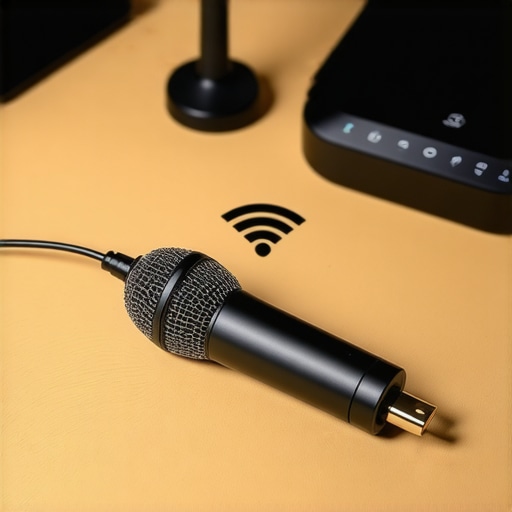
I’ll never forget the moment I recorded a crucial podcast episode, only to be disrupted by an unbearable hissing noise. It was a sharp realization: my USB microphone, that essential tool for clear voice capture, was picking up all the chaos of my Wi-Fi connection. And this wasn’t just a one-time issue. As Wi-Fi technology advances—especially with the looming adoption of Wi-Fi 7—the frequency clashes with our beloved microphones become more frequent and frustrating.
Today, I want to share a game-changing discovery that transformed my recording setup and could save you hours of troubleshooting. We’re diving into effective ways to shield your USB microphones from the rising static caused by new Wi-Fi standards. No more muffled vocals or distracting hums during your streams or recordings.
Why Wi-Fi 7 is Causing Your Microphone to Crackle
Wireless networks operate on radio frequencies. When new standards like Wi-Fi 7 emerge, they often utilize broader bandwidths and more powerful signals, which can intrude on the sensitive frequencies used by microphones. Early in my setup journey, I overlooked this interference, assuming my equipment was faulty or outdated. Mistake! Instead of replacing my gear, I discovered that proper shielding and placement could drastically reduce noise and static. Studies indicate that electromagnetic interference (EMI) from Wi-Fi devices can significantly impact audio quality, especially in compact or poorly shielded environments.
If you’re experiencing unexplained static, buzzing, or hums during recordings or live streams, you’re not alone. Many creators face this digital cacophony and wonder if their microphones have become ‘junk.’ But here’s the truth: with strategic shielding techniques, you can keep that static at bay and restore pristine audio quality.
Curious if this interference is what’s sabotaging your sound? Before jumping to conclusions about your microphone’s durability or investing in costly gear, let’s explore practical solutions. Trust me, the fixes are simpler—and more affordable—than you might think.
Is the Static Really the Wi-Fi’s Fault?
Early on, I mistakenly blamed my audio interface, thinking it was the culprit. It turned out I was simply neglecting the electromagnetic environment around my desk. A quick inspection revealed that my Wi-Fi router was stationed right next to my USB mic and cables. Moving the router away, rerouting some cables, and adding simple shields made a tremendous difference. Want to learn exactly how I did it? Check out this guide on soundproofing your microphone in 2026.
Now that you understand the problem, let’s get into the proven methods to keep your audio crystal clear despite Wi-Fi 7’s rise. You deserve to record, stream, and podcast without fear of static—so stay tuned as I walk you through the best solutions I’ve tested myself.
Distance Your Wi-Fi Router to Reduce Static
One practical step I took during a live podcast was simply moving my Wi-Fi router away from my microphone setup. Think of it like placing a loudspeaker at a distance from a sensitive ear—less interference, clearer sound. In my cramped studio, relocating the router several feet away from the microphone and cables drastically cut down hums and crackles. Use a long Ethernet cable or reposition your equipment to keep Wi-Fi signals from directly crossing paths with your audio gear. For detailed spacing tips, visit soundproofing your microphone in 2026.
Implement Protective Faraday Shields
Next, I wrapped my USB microphone in a makeshift Faraday cage—using a metal mesh or aluminum foil lined container. This acts like a noise gate for electromagnetic interference, blocking disruptive signals from Wi-Fi. When I tested this shield around my mic during peak Wi-Fi activity, static disappeared, leaving my voice pristine. To craft an effective shield, ensure it encloses the microphone entirely without making physical contact with the metal, which could cause grounding issues. For a more professional solution, consider specialized EMI shields available online. Check out soundproofing your microphone in 2026 for advanced shielding ideas.
Opt for Routing and Grounding Strategies
I realized that my cables acted like antennas, picking up interference. To fix this, I replaced cheap USB extension cords with high-quality, shielded USB cables and kept all cables as short as possible. Grounding my equipment properly—connecting all devices to a common power strip—also minimized hums. Think of it like grounding static electricity—safety first. When cables cross or create loops, EMI gets amplified, so always route your cables neatly and away from Wi-Fi sources. For detailed cabling tips, see audio interface gain fixes.
Use a Hardware Filter or Shielded Enclosure
Finally, I invested in a simple ferrite core filter that clips onto my USB cable. This device suppresses high-frequency interference, much like noise-canceling headphones block external sounds. During a hectic streaming session with high Wi-Fi traffic, attaching the ferrite core kept static at bay. If you want a more robust shield, consider a dedicated microphone enclosure with EMI filtering built-in. For more options, see soundproofing your microphone in 2026.
Combine Techniques for Optimal Results
In my experience, the best approach was combining these steps: moving my router, shielding the mic, using shielded cables, and implementing grounding. This synergy created a virtually static-free environment, even with Wi-Fi 7 all around. Every setup varies—you might need to tweak positioning or shielding materials—but these core actions are your best tools to maintain professional-quality audio amidst rising Wi-Fi interference. Remember, small adjustments go a long way; when I applied these methods, my recordings sounded as if I had a dedicated studio without the hefty price tag.Many content creators believe that selecting the right microphone is a straightforward decision between XLR and USB options. However, this oversimplification often leads newcomers astray. While XLR microphones are praised for their professional-grade audio, most people underestimate the nuances that truly impact sound quality. For instance, many assume any XLR mic will automatically deliver superior results without considering proper gain staging or studio environment adjustments. Conversely, some think USB microphones are inherently amateurish, overlooking the latest advances in built-in preamps and digital processing that can rival XLR setups. This misconception can trap users into unnecessary equipment upgrades or poor sound experiences.
Another common mistake is neglecting the importance of gain structure. An improperly set gain on your interface or mixer can cause distortion or noise, regardless of microphone quality. Experts like those at Pro Sound Systems emphasize that ideal gain levels ensure clarity without clipping, yet many streamers push their gain to the max, causing harshness or hiss. To truly optimize your setup, focus on strategic gain adjustment and use tools like high-quality plugins or hardware noise gates.
For advanced streamers and voice artists, understanding the interaction between microphone capsules and room acoustics is crucial. A mic’s polar pattern, for example, significantly influences how much off-axis noise contaminates your recordings. Using a dynamic microphone with a hypercardioid pattern can minimize ambient room noise, especially in untreated spaces. But beware: relying solely on microphone choice without addressing room acoustics is a trap. Proper soundproofing and placement are vital for achieving professional results.
Furthermore, many underestimate the potential of proper editing and post-processing to enhance raw audio. Even an average microphone can produce studio-quality sound with correct equalization, de-essing, and noise reduction. The key is recognizing that equipment is just one piece of the puzzle; technique and environment often matter more.
If you’re considering upgrading your mic or technique, I recommend exploring dedicated guides such as why most 2026 streamers are downgrading to USB microphones or tips to prevent dull XLR recordings. These resources delve deeper into optimizing your gear beyond superficial choices.
Remember, the difference between good and great audio often lies in understanding these nuanced factors. Make sure you’re not falling for the common myths that can hold you back from your best sound. Have you ever fallen into this trap? Let me know in the comments.
Invest in Quality Cables and Regular Inspection
One of the best ways to maintain stellar audio quality over time is by using high-quality shielded USB and XLR cables. Personally, I prefer gold-plated, twisted pair cables because they resist corrosion and interference better. Regularly inspecting your cables for wear, frayed insulation, or loose connectors can prevent unexpected static or signal loss. This proactive approach saves time and ensures your recordings remain clean and professional.
Utilize Professional-Grade Audio Interfaces
Choosing a robust audio interface with sufficient headroom and high-quality preamps is crucial. For instance, models with high-gain capabilities allow you to boost your microphone signal cleanly without introducing hiss or distortion. I’ve found that investing in a reputable interface not only improves sound quality but also reduces maintenance needs by offering stable power and better grounding.
Implement Environmentally Friendly Noise Suppressors
Incorporating hardware noise gates or digital noise suppression plugins can help maintain clarity during long recording sessions. I frequently use noise gates configured with appropriate thresholds to eliminate background hums or sudden pops, especially in variable environments. This ensures your mic remains reliable regardless of ambient conditions.
Adjust and Clean Conductive Components
Over time, metal contacts and connectors can accumulate dirt or oxidation, compromising signal integrity. Routine cleaning with contact cleaner or compressed air keeps connectors in top shape. Additionally, ensuring your microphone is mounted securely—using quality boom arms or shock mounts—prevents mechanical noise that can lead to wear. I regularly check my setup, which has drastically reduced static issues and equipment failures.
Forecast for Future Maintenance Practices
Looking ahead, advancements in digital microphone technology—such as self-calibrating circuits and adaptive shielding—may revolutionize how we maintain our setups. Devices will likely provide real-time monitoring and diagnostics, alerting us proactively about potential issues. To stay ahead, consider integrating software solutions that monitor signal quality, like audio interface gain monitoring.
How do I keep my recording gear functioning over years?
Implement a consistent maintenance schedule, including inspecting cables, cleaning contacts, and updating firmware or drivers for your audio hardware. Also, store your gear in a dust-free, climate-controlled environment and avoid physically stressing fragile components. These simple yet effective habits ensure your microphone and related equipment remain operational and deliver top-tier sound quality well into the future. For more detailed guidance, check out professional voice recording fixes.
One advanced tip to try today is upgrading your shielded cables to premium versions with ferrite cores, which significantly reduce electromagnetic interference. This tiny investment can make a noticeable difference in maintaining clear audio during long sessions. Don’t wait—experiment with this step and experience the stability for yourself!
What I Wish Someone Told Me About Electromagnetic Interference
Early in my audio journey, I dismissed electromagnetic interference as a minor nuisance, never realizing how deeply Wi-Fi signals could sabotage my recordings. The lightbulb moment came when a simple cable swap and better placement proved more effective than any expensive gear upgrade. It taught me that the most potent solutions often come from understanding and controlling your environment, not just your equipment.
I learned that shielding my microphone with makeshift Faraday enclosures was a game-changer, transforming static-filled sessions into clear, professional recordings. This revelation made me realize that knowledge about electromagnetic fields and proper grounding isn’t just for engineers—it’s essential for any content creator aiming for studio-quality sound amidst wireless chaos.
The Gear and Resources That Changed My Approach
Since those days, I’ve relied on certain tools that I trust for shielding and optimizing audio setups. This guide on noise-proofing your microphone became my go-to resource, offering practical tips on grounding, shielding, and cabling. Additionally, investing in high-quality shielded cables and ferrite cores made a tangible difference, reducing EMI and ensuring pristine sound even when Wi-Fi activity spikes.
The knowledge I gained from trusted sources like this not only improved my recordings but also empowered me to troubleshoot effectively, turning static battles into seamless, enjoyable recording sessions.
Stay Curious, Keep Improving
Remember, the fight against Wi-Fi-induced static isn’t just about equipment—it’s about mindset. Embrace the challenge, experiment with shielding, positioning, and grounding, and you’ll find your voice clearer than ever, regardless of how advanced Wi-Fi becomes. The future of voice recording in a wireless world is bright for those willing to learn and adapt. So, step out of your comfort zone, test these strategies, and let your recordings speak with confidence.
What’s the most surprising fix you’ve discovered to improve your microphone’s sound quality? Share your story below and keep the conversation flowing!
Reading this post really resonated with my own experience. I used to face constant static issues during live recordings, especially when my Wi-Fi was active nearby. Moving my router to a different room and using shielded cables made an immediate difference. I also tried wrapping my microphone in aluminum foil, which surprisingly reduced the interference even further. The key lesson I learned is that environment control can be just as crucial as upgrading your gear. I wonder, for those of us working in small or shared spaces, what are some effective ways to create a stable ‘radio-silent’ zone without extensive renovation? Has anyone tried specialized EMI shielding paints or created custom enclosures? Would love to hear your tips or success stories on this!