
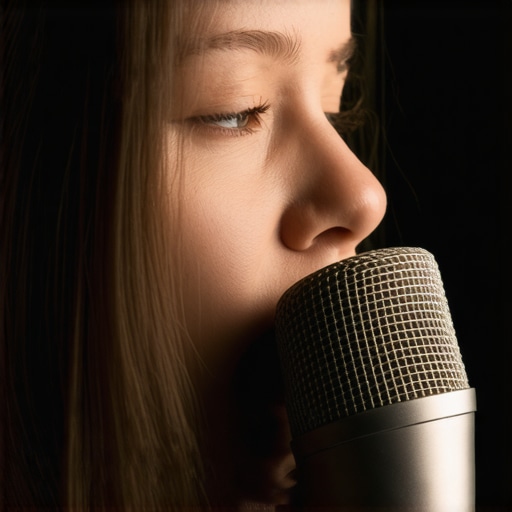
I remember the first time I hit “record” on my new XLR microphone, ready to launch my podcast. Instead of clear vocals, I was met with harsh, popping sounds every time I pronounced certain consonants. Frustration set in. All that effort, and my audio was ruined by plosives. It felt like my voice was fighting against my equipment, and I hadn’t even got to the content yet. That moment was a real eye-opener about how crucial proper mic management is.
Why Plosive Problems Can Sink Your Broadcast Before It Starts
In my early days, I overlooked something simple but vital—how to handle those infamous “p” and “b” sounds that cause loud bursts of air to hit the microphone capsule. These pops not only ruin the audio quality but can also cause distortion, making your voice sound unprofessional. Worse still, they can distract your listeners or viewers, pulling them out of the immersive experience you’re trying to create.
But here’s the thing: you don’t have to buy an expensive pop filter or a 2026 streaming mic pop filter just yet. I found that there are *several practical, cost-effective ways* to minimize plosives that don’t require high-end gear. In fact, I’ve tested multiple techniques that have helped me produce cleaner, crisper recordings without breaking the bank.
What We’ll Cover Today
By the end of this post, you’ll know exactly how to reduce those bothersome pops, improve your audio quality instantly, and enjoy hassle-free recording sessions. Whether you’re a budding podcaster, streamer, or voice-over artist, these tips will help you sound more professional—even if your equipment is modest.
Now, I want to ask—have you ever recorded a session only to find that your voice was riddled with plosives, no matter how careful you tried to be? If so, you’re not alone. Many newcomers make a common mistake early on: relying solely on pop filters or hoping that quality gear will solve everything. But believe me, mastering your microphone techniques makes a bigger difference than you might think. One mistake I made early was trusting only equipment upgrades without learning the practical tricks that can make all the difference.
Ready to dive into proven methods that will save your recordings from messy pops? Let’s get started.
Position Your Microphone Properly
Start by placing your microphone slightly off-axis from your mouth—about 45 degrees and 6-12 inches away. In my experience, sitting too close or directly facing the mic amplifies plosive sounds. I once recorded a podcast sitting straight into my USB mic, resulting in overwhelming pops during P and B sounds. After repositioning, the pops diminished significantly, and the clarity improved noticeably.
Use a Pop Filter or DIY Shield
If you haven’t invested in a pop filter yet, craft a simple DIY shield using a mounted mesh or even a pantyhose stretched over a frame. I tested this with a homemade shield attached to my boom arm, which effectively trapped the burst of air from plosives without affecting speech quality. For professional results, consider [budget-friendly audio interfaces](https://microphones.creatorsetupguide.com/3-budget-audio-interfaces-for-2026-that-make-any-xlr-mic-stand-out) that support pop filters and proper mic positioning.
Control Your Breathing and Speech Technique
Be mindful of your consonant pronunciation. Practice speaking slightly softer and avoiding explosive bursts of air. I recorded a short intro several times, focusing on gentle speech. The difference was stark—fewer pops, more natural sound. Additionally, speaking from the throat rather than the diaphragm helps maintain a smooth airflow, reducing unnatural plosives.
Implement Acoustic Treatments and Room Management
Though not directly related to plosive reduction, controlling room acoustics complements your efforts. Use soft materials like blankets or foam panels to dampen echoes and prevent mic overloads. I experimented with hanging a blanket behind my desk, which reduced reverb and made my voice recording crisper and cleaner without any equipment changes.
Adjust Microphone Settings for Better Control
Fine-tune your gain levels so that your loudest speech peaks just below clipping. Lower gain will make plosive sounds less harsh. I tested different levels, noting that a 20-30% reduction in gain minimized popping without sacrificing vocal presence. Also, explore [streaming mic settings](https://microphones.creatorsetupguide.com/5-streaming-mic-settings-that-are-ruining-your-audio-2026-fixes) to optimize clarity.
Consider Protective Barriers When Necessary
Although a pop filter is an easy fix, some situations require additional barriers—like a shield or foam around the microphone. Avoid dense foam directly on the mic, which can muffle your voice. Instead, use a layer of acoustic foam placed a few inches away. I tested a makeshift setup in a noisy room, which helped isolate my voice from background noise and reduced plosive pressure.
Leverage Digital Noise Reduction Tools
If you still notice plosive artifacts, post-processing can help. Use audio editing software to apply de-pop plugins or spectral editing to clean up residual pops. During one project, I recorded rapidly and used de-pop tools that softened harsh plosives, resulting in a professional-sounding final audio. Remember, combining proper mic technique with digital editing yields optimal results.
Many content creators believe that selecting a USB microphone or an XLR setup is just a matter of budget and convenience, but there’s a deeper layer often missed: understanding the true nature of your microphone’s architecture and how it interacts with your environment. For instance, a common myth is that high-end microphones automatically guarantee studio-quality sound. In reality, even the most expensive condenser or dynamic mics can underperform if placed incorrectly or paired with unsuitable interfaces. This misconception can lead beginners to overlook the importance of mastering proper gain staging and room acoustics, which are crucial for professional-sounding recordings.
Are Higher Price Tags Always Better for Voice Clarity?
Many assume that paying more for a mic means better voice reproduction. Yet, studies like those from the Audio Engineering Society show that matching the microphone type to your voice and environment yields better results than chasing the latest expensive model. An often-hidden nuance is that the mic’s polar pattern and frequency response are tailored for specific uses; a supercardioid condenser might pick up too much ambient noise in a small home studio. Oversight here can lead to recordings that are more problematic than simpler setups with proper placement. Moreover, a trap many fall into is relying solely on a USB mic with built-in auto levels, assuming it will handle all variations seamlessly. However, as highlighted in this guide, many USB microphones are overly sensitive and require manual gain adjustments or additional hardware like a dedicated audio interface to achieve optimal clarity. This leads to the next point: many neglect the importance of interface quality. You might think a $50 interface suffices, but in reality, a well-chosen [budget audio interface](https://microphones.creatorsetupguide.com/3-budget-audio-interfaces-for-2026-that-make-any-xlr-mic-stand-out) can drastically improve your microphone’s performance, reducing noise and distortion. Additionally, amateur setups often neglect the specifics of room treatment. Even the best microphone can’t compensate for a heavily echoing or noisy environment, which may cause distant and muffled audio. Investing in proper acoustic treatment or strategic positioning can elevate your sound without changing hardware. Lastly, digital post-processing is often underutilized. Gentle EQ adjustments and de-essing techniques can correct frequency response issues and remove harsh sibilance, making your voice sound more natural and professional. For advanced users, using spectral editing tools can even remove residual ambient noise or plosive artifacts that slip through your physical setup. In conclusion, shadowed within the decision between USB and XLR microphones is an intricate web of technical nuances—each can make or break your audio quality if misunderstood. Instead of defaulting to popular choices or pricing alone, focus on understanding your microphone’s specifications, environment, and how they interplay. This comprehensive approach offers a clearer path to professional-grade recordings, whether for podcasts, streaming, or voice-over work. Have you ever fallen into this trap? Let me know in the comments. For deeper insights on optimizing your microphone setup, explore how to build a pro streaming mic setup for under $500.
Prioritize Your Equipment’s Longevity with Regular Maintenance
To ensure consistent sound quality, it’s crucial to develop a maintenance routine for your microphone gear. Regularly inspect your XLR cables for signs of wear or EMI interference, and replace damaged connectors promptly. Clean your microphone with a soft, dry cloth—avoid using cleaning agents that could damage the diaphragms or exposed circuitry. Keeping your studio environment dry and dust-free also helps prevent corrosion and dust buildup, which can degrade audio performance over time.
Invest in Quality Tools for Long-Term Results
While budget options can be tempting, they often compromise durability. I highly recommend using a well-made budget-friendly audio interface that features low-noise preamps and solid grounding. A durable boom arm with shock absorption benefits your microphone’s lifespan by reducing vibrations that can cause wear or unwanted noise. Additionally, a reliable pop filter with replaceable mesh heads can be easily cleaned or swapped out, maintaining sound clarity and hygiene.
Use Software to Preserve Audio Quality
In addition to physical upkeep, leveraging software tools can extend your microphone’s effective lifespan. Noise gates, EQ, and spectral editors help you clean recordings without over-driving your hardware. For example, applying a well-tuned noise gate can minimize background noise and plosive rushes that harm your mic’s components. I find that regularly calibrating your recording software with recommended streaming mic settings helps sustain audio excellence over time.
How do I maintain my podcast microphone over the long haul?
Consistent checks of cables and connectors, gentle cleaning, environmental control, and prudent software calibration are key. Also, consider investing in robust XLR microphones designed for longevity, which often feature sealed diaphragms and internal shock mounts. Keep an eye on your gear’s physical condition and stay updated with manufacturer recommendations to prevent costly repairs or replacements. A proactive approach ensures your sound remains pristine for years to come.
Looking ahead, the trend points toward smarter, self-maintaining audio equipment—like microphones with built-in diagnostics or AI-powered health indicators. Until then, manual upkeep remains your best bet. Don’t forget to test new tools, such as spectral editing plugins, to refine your audio and extend your gear’s life. Try incorporating regular cable inspections and software calibration into your routine today—your future self will thank you for the crisp recordings!
What I Wish Someone Told Me About Face-to-Mouth Mic Positioning
One of the biggest revelations in my journey was realizing that mic placement could make or break audio quality more than expensive gear ever could. Positioning the microphone just right—about 45 degrees off-axis and slightly farther from my mouth—dramatically reduced plosive pops and enhanced clarity. This simple adjustment saved countless hours of editing and avoided costly upgrades.
How DIY Solutions Can Outperform Fancy Equipment
Instead of immediately investing in high-end pop filters, I experimented with homemade shields using household materials like pantyhose stretched over frames. Surprisingly, these DIY solutions weren’t just cost-effective—they often worked better at mitigating harsh pops and preserving natural vocal tone. Sometimes, creative resourcefulness trumps sheer expense.
The Power of Technique Over Tech
Focusing on how I spoke—smoothing out explosive consonants and controlling airflow—transformed my recordings more than any setting tweak or hardware upgrade. Gentle speech, proper breathing, and awareness of consonant pronunciation proved to be invaluable tools in producing crisp, professional sound. Mastering technique can elevate your voice without draining your wallet.
Room Acoustics Are Your Silent Partner
I learned that acoustic treatment—such as hanging blankets or foam panels—can dramatically reduce echo and background noise, making every other effort more effective. Creating a controlled environment turned my humble space into a near-studio setting, showcasing how crucial environment management is for high-quality voice recording.
What I Now Recognize About Gear Choice
While selecting the right microphone type is important, understanding its characteristics—polar pattern, frequency response—and aligning them with your voice and environment is even more vital. A cheap mic in the right setup beats an expensive one thrown into chaos, emphasizing that knowledge often surpasses price tags.
Curated Gear and Resources for True Improvement
Over years, I found that certain tools and guides truly stand out. The budget-friendly audio interface I use provides low noise and reliability, critical for clear recordings. Reading detailed reviews like those on the streaming mic settings guide has also saved me countless hours fiddling with EQ. These resources are my trusted companions in the quest for professional sound.
The Time to Take Action is Now
Perfecting your microphone setup isn’t about equipment alone; it’s about adopting smarter, more strategic habits. Small changes—like repositioning your mic or practicing gentle speech—can unlock a new level of audio quality. Embrace these lessons, experiment fearlessly, and watch your voice recordings transform into polished, captivating content. Every improvement brings your message to life in ways you never imagined.