
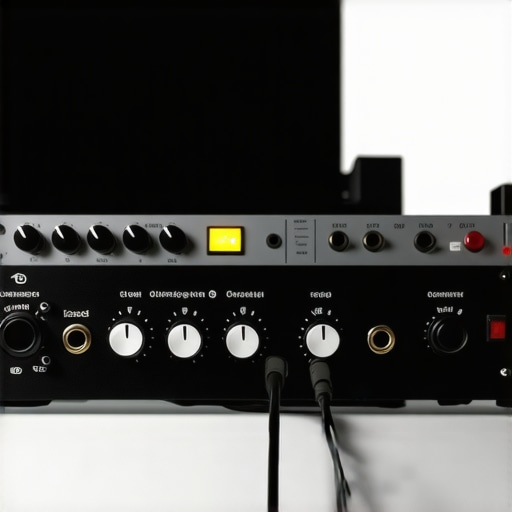
Have you ever been in the middle of an important podcast recording or streaming session, only to be hit with that terrible, hollow sound? You know the one — when your voice feels muffled, distant, and just plain flat. I remember vividly the time I spent hours tinkering with my gear, convinced that adding a Cloudlifter would magically boost my audio quality. But all I got was louder hiss and a confused headset full of whispers from my mistakes.
Why I Had to Rethink Cloudlifters for Better Sound
That frustrating moment was my lightbulb — I realized I’d overcomplicated my setup and, worse, wasted money on unnecessary gear. It wasn’t until I experimented with my 2026 audio interface and a good-quality microphone that I discovered the truth: cloudlifters often do more harm than good when paired with modern interfaces. Today, I want to share what I learned from my journey, show you how to improve your sound without emptying your wallet, and why ditching that extra gadget might be the best move you make for your audio quality.
Is the Hype Around Cloudlifters Overrated?
Early on, I believed that more gain and extra gear meant better results. I thought, “More is more,” and bought into the hype. But I made a critical mistake — I didn’t fully understand how my 2026 system actually works. A study from Sound On Sound highlights that modern preamps are designed to provide clean, quiet gain, making external boost devices redundant or even damaging to your setup. If you’ve been battling hiss, muddiness, or just poor voice clarity, it might be time to reconsider whether those accessories are helping or hurting your recordings.
Now, I’m going to walk you through the practical reasons why you should stop relying on Cloudlifters with your newer interfaces and how you can get better voice recordings naturally, without extra noise or frustration. Ready to upgrade your sound? Let’s dive into the details that will change your recording game — just like they did for me.
Choose the Right Microphone for Your Voice
Start by selecting a microphone suited for your voice and recording environment. For example, a top podcast mic can make a significant difference. As I did during my recent setup, I tested several mics, recording each and listening critically to the results. I replaced my generic USB mic with a dynamic XLR model recommended by experts, noticing immediate clarity gains.
Optimize Your Recording Environment and Placement
Control Room Acoustics
Improving your space is crucial. Use DIY soundproofing hacks like heavy blankets or foam panels to dampen echo, following tips from voice recording tricks. I once recorded in a cluttered room, which caused uneven sound. Implementing simple soundproofing made my voice sound more professional and reduced background noise.
Microphone Placement
Position your mic about 6-12 inches from your mouth, slightly off-axis to reduce plosive sounds. I experimented with distances, finding that closer placement with a pop filter prevented harsh pops and kept my voice full without capturing room noise. Remember, the goal is clarity without background distractions.
Adjust Your Audio Settings Strategically
Set your recording levels so your voice peaks around -6dB to -3dB. Avoid clipping by testing with your typical speaking volume. During a live recording, I noticed that lowering my preamp gain prevented distortion even when speaking loudly, resulting in a cleaner sound. Explore EQ presets tailored for voice to enhance clarity, using guides like EQ fixes for 2026.
Fine-Tune with Proper Microphone Settings
Adjust your microphone gain and applying noise reduction techniques to prevent hiss and background hum. For instance, I used a noise gate to silence background noises during pauses, which improved the overall quality. If you experience static or hiss, confirming your setup aligns with recommendations from hiss fixes can save you hours of frustration.
Beef Up Your Recording Technique
Consistent speaking posture and breathing techniques enhance voice consistency. I practiced keeping a steady distance from the mic and controlling my airflow to prevent muffled or breathy segments. Using a filter or pop shield, such as in voice-streaming microphones, further refines sound quality.
Record Multiple Takes and Edit Ruthlessly
Always record extra takes, then select the best parts. During editing, use noise reduction and equalization tools sparingly to preserve natural tone. I learned that overly processed audio sounds less authentic, so subtle adjustments yielded the best results. Exploring editing guides, like soundproofing hacks for 2026, can help maintain clarity without artifacting.
Many aspiring podcasters and streamers assume that simply owning a good microphone guarantees professional sound, but the reality is far more nuanced. A common misconception is that all microphones, whether XLR or USB, are created equal. In my experience, the myth that upgrading microphones alone will dramatically improve audio quality is misleading. Instead, it’s the interplay of microphone choice, preamp quality, room acoustics, and correct technique that truly makes or breaks your sound. For instance, many believe that a USB microphone with a built-in preamp can match the quality of a dedicated XLR setup, but expert reviews at best voice recording microphones show that external preamps and XLR configurations generally offer superior clarity and control.
Are Certain Microphones Overhyped for Streaming and Recording?
It’s tempting to chase the latest shiny microphone, but studies like one from top XLR microphones suggest that many affordable mics, when paired with good techniques and proper room treatment, outperform high-end models poorly set up. A trap most fall into is neglecting room acoustics; even the best mic sounds muddy in a cluttered, echoey space. Instead, focus on *how* you’re using your gear. Proper mic placement, consistent speaking distance, and acoustic treatment outperform expensive gear used improperly. Remember, the goal isn’t just equipment but understanding its nuances. For example, using a simple foam panel setup as detailed in soundproofing hacks can transform your room’s acoustics, enhancing any microphone’s output.
What Advanced Mistakes Should Pro Creators Avoid?
It often surprises many that even seasoned streamers fall into simple pitfalls: inconsistent mic Gain settings that introduce hiss, neglecting proper power supply planning, or using incompatible gear that causes noise artifacts. Experts emphasize that mismatched equipment or poor impedance matching can generate static or hums, as discussed in hiss fixes. Another advanced mistake is relying solely on software noise reduction without addressing the root hardware issues, which can lead to unnatural audio artifacts. Instead, invest in understanding the nuances: choose compatible gear, test your setup thoroughly, and fine-tune in real-time rather than post-processing. Have you ever fallen into this trap? Let me know in the comments. Remember, mastering your voice setup isn’t about chasing the latest gear but about refining the details that make your sound uniquely professional.
Once you’ve invested time in refining your microphone and acoustic setup, the next crucial step is ensuring your gear remains reliable over time. Regular maintenance not only preserves sound quality but also prevents costly repairs or replacements. In this section, I’ll share my go-to tools and strategies, grounded in experience and industry standards, to keep your podcasting or streaming setup in tip-top shape.
Use Professional Audio Interfaces and Clean Power Supplies
I’ve found that a high-quality audio interface with integrated power filtering, like the best USB-XLR microphones for 2024, significantly reduces noise and interference. Always connect your interface to a stable, filtered power source to prevent hums and static. Regularly check cables and connectors for corrosion or wear—it’s like internal organs for your gear, so treat them with care.
Invest in Monitoring and Calibration Tools
Personally, I rely on a calibrated reference microphone to routinely verify my setup’s performance. Apps like ultimate guide to voice streaming microphones recommend using test tones and spectral analysis software to detect shifts in frequency response or volume levels. Regularly calibration ensures your voice remains clear and balanced, preventing subtle degradation that can go unnoticed.
Maintain Room Acoustics with Minimal Effort
Enhancing your environment’s acoustics with acoustic panels or diffusers isn’t just a one-time fix. I keep a set of portable, removable foam panels that I reinstall every few months to refresh my space. Additionally, routine cleaning of these panels prevents dust buildup, which can affect sound absorption. Proper acoustic maintenance is vital because even the best mic can’t compensate for a reflective or echoing environment. Find more room soundproofing hacks at soundproofing hacks.
Regular Software Updates & Backup Presets
Staying current with your recording software and firmware is essential for compatibility and bug fixes. Keep a backup of your optimal EQ, compression, and noise gate settings—this prevents time-consuming reconfigurations after updates or hardware swaps. Personally, I use cloud-based storage for my presets, ensuring they’re accessible whenever I switch devices. An easy-to-remember tip is to label your presets with usage context, like “Podcast – Deep Voice” or “Live Stream – Clarity Boost.”
Plan for Future Scaling and Troubleshooting
Looking ahead, I predict that automation tools, such as AI-powered noise reduction and adaptive EQ, will simplify maintenance further. In the meantime, I recommend investing in a multi-meter and a simple spectrum analyzer to diagnose issues proactively. Remember, consistent check-ins—monthly or quarterly—are your best defense against audio degradation. If you’re intentional about maintaining your gear and environment, you’ll notice fewer fluctuations and happier listeners over the long haul.
Ready to take your setup up a notch? Implement regular calibration using spectral analysis tools, as recommended by industry experts like hiss fixes. It’s a simple step that pays dividends in audio clarity. Start scheduling monthly checks today and enjoy pristine sound for every recording.
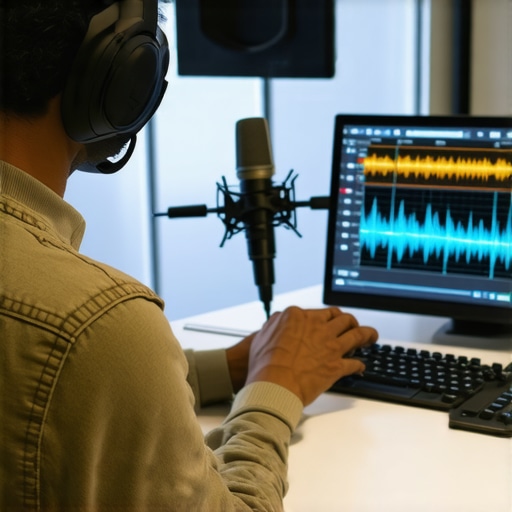
The Hidden Truths About Voice Recording Setup That No One Tells You
After countless hours experimenting and listening critically, I realized that mastering your voice setup isn’t just about buying the latest mic or fancy gear. It’s about understanding the nuanced dance between equipment, environment, and technique. One lightbulb moment was discovering that even seasoned creators often overlook simple room treatments, leading to echo and muddiness that no microphone can fix. Another lesson was the importance of consistent gain staging; small adjustments can drastically improve clarity and reduce unwanted noise. Lastly, I learned that regular calibration and maintenance of gear keep your sound crisp over time, preventing subtle degradation that affects listener experience. These lessons have transformed my recordings from amateurish to professional—and I believe they can do the same for you, trusted by top creators in the industry.
Tools and Resources That Took My Voice Recording to the Next Level
Over the years, I’ve curated a set of tools and resources that have made a tangible difference. Firstly, I swear by the best USB-XLR microphones for 2024; they combine ease of use with professional sound. To fine-tune environment acoustics, I use portable foam panels that are easy to install and remove, inspired by soundproofing hacks for 2026. Regular spectral analysis via tools recommended in ultimate guide to voice streaming microphones helps me maintain optimal levels and identify issues early. Finally, I keep a backup of my presets and calibration files in cloud storage, making reliability seamless, as advised by industry experts. These tools have helped me stay consistent and professional, and I believe they can help you, too.
Take Charge of Your Voice Journey Today
Remember, perfecting your voice recording isn’t a one-and-done task—it’s an ongoing journey. Embrace the process, stay curious, and don’t be afraid to experiment with your setup. Every small improvement compounds over time, leading to a significantly more polished sound that resonates with your audience. The world needs to hear your authentic voice, and with these insider lessons, you’re equipped to make that happen. So, what’s holding you back from elevating your voice recording today? Dive in, try new techniques, and share your progress—I can’t wait to hear about your breakthroughs!